
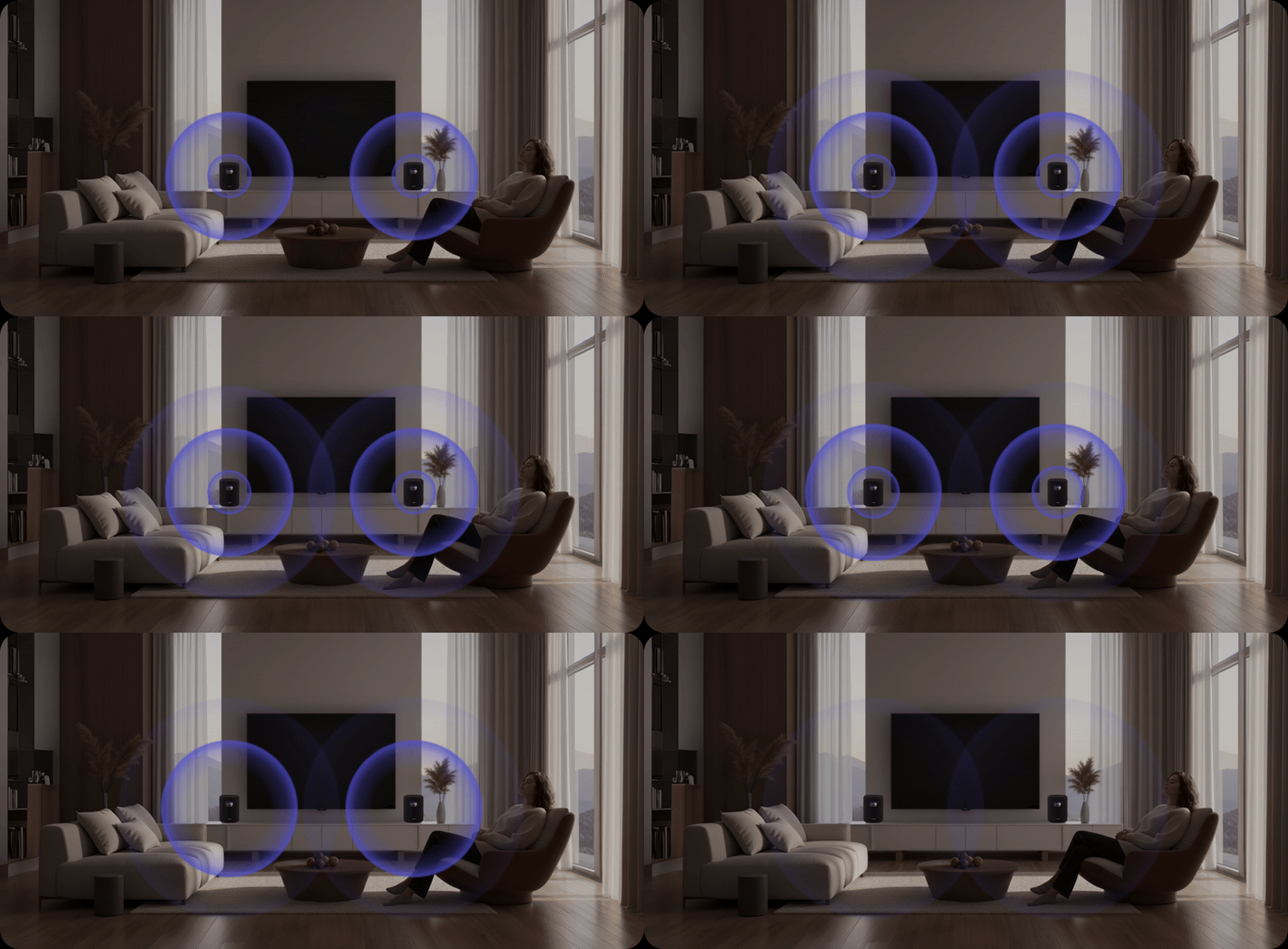
This tutorial will walk you through setting up a stereo pair with WiiM Sound and WiiM Sound Lite speakers using the WiiM Home app. The setup process applies to any of the following combinations:
- Two WiiM Sound speakers
- Two WiiM Sound Lite speakers
- One WiiM Sound speaker and one WiiM Sound Lite speaker
Pairing these two speakers to function as a left and right audio channel will create a more immersive, balanced, and high-quality listening experience, providing the following benefits:
- Wider Soundstage: Stereo pairing transforms two speakers into distinct left and right channels, creating a much wider and more immersive soundstage.
- Improved Audio Clarity: With each speaker handling only one channel (left or right), audio clarity and definition improve significantly compared to a single speaker outputting mono audio.
- Greater Volume and Balanced Output: Stereo pairing allows two speakers to share the workload, effectively distributing audio output across both units, resulting in a louder and more balanced sound.
- Flexible Speaker Placement: Users have flexibility in how they place each speaker to optimize for room layout and acoustics.
- Home Theater Enhancement: A pair of these speakers can also be used in a broader WiiM home theater setup. For example, assign them as the Surround Left and Surround Right channels while a WiiM device such as WiiM Ultra, WiiM Amp Ultra, or WiiM Amp Pro drives the Front channels. For details, see Setting Up WiiM Sound or WiiM Sound Lite as Center and Surround Speakers in a WiiM 5.1 Surround Sound System.
- Enhanced Music Playback: The stereo pair works well for high-fidelity music playback, ideal for users who prioritize quality sound for music enjoyment.
Watch Video Tutorial
This video uses two WiiM Sound speakers as an example, but the setup process is the same for all combinations.Step-by-Step Instructions
Before You Begin
- Set up two WiiM speakers
Set up two WiiM speakers (any combination of WiiM Sound and WiiM Sound Lite) and connect them to the same network. For detailed instructions, see How to Set Up Your WiiM Sound and How to Set Up Your WiiM Sound Lite. - Position the WiiM speakers properly
Place the speakers at ear level and keep a proper distance for optimal sound quality. For instructions, see How to Position Two Speakers for a Stereo Pair.
Set Up a Stereo Pair
- Open the WiiM Home app.
- Go to the Devices tab, and tap the Chain Link icon
 in the top-right corner of one speaker.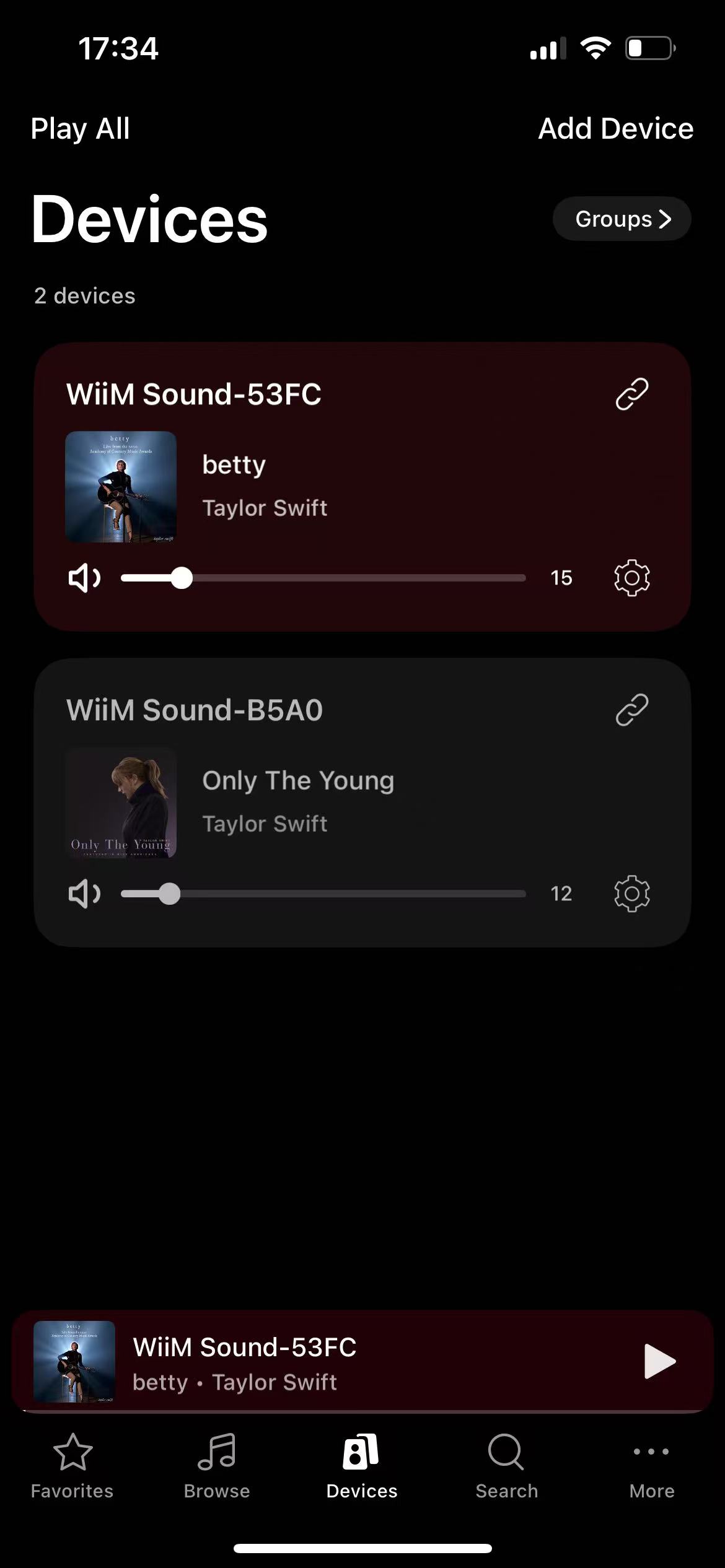
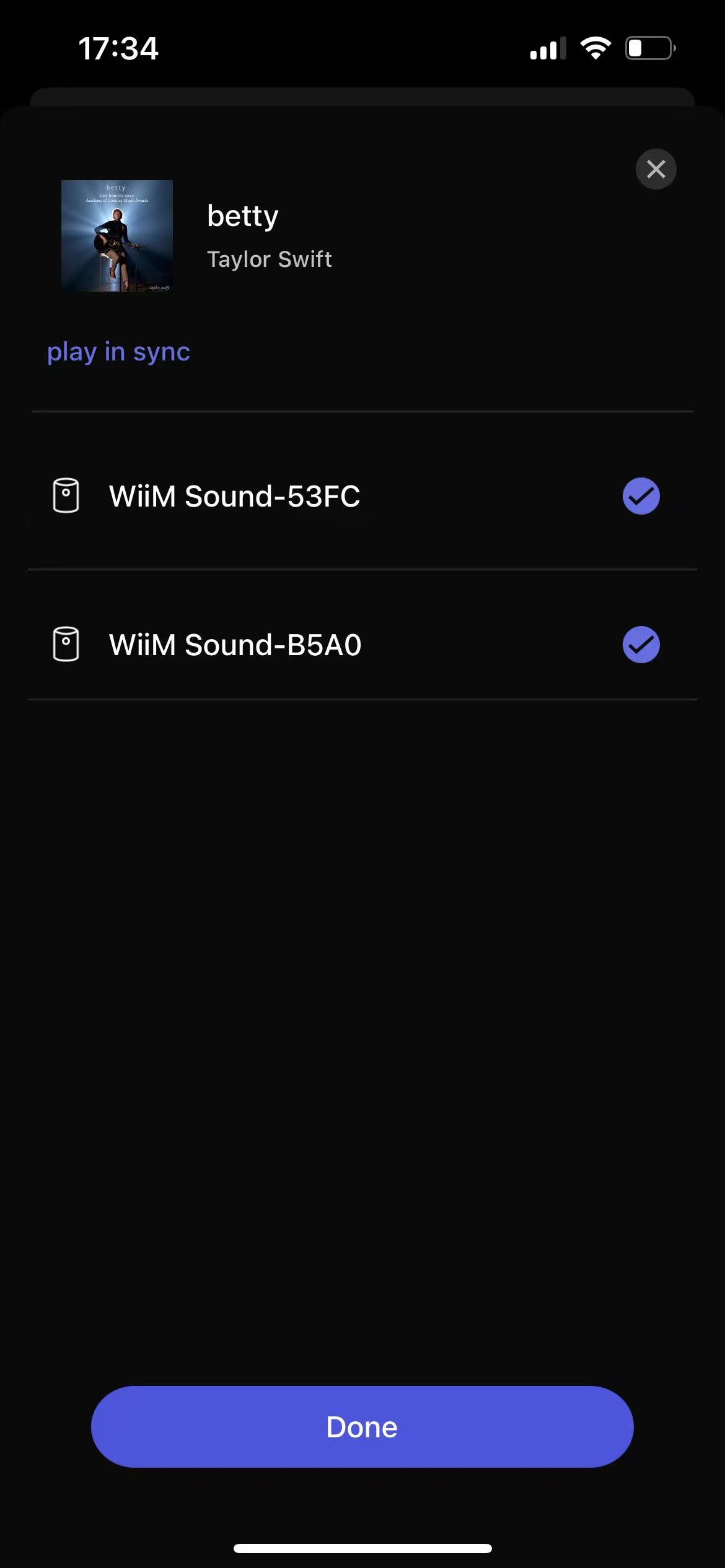
- Choose the other speaker from the list and tap Done.
- Set one speaker as the left channel
 and the other speaker as the right channel.
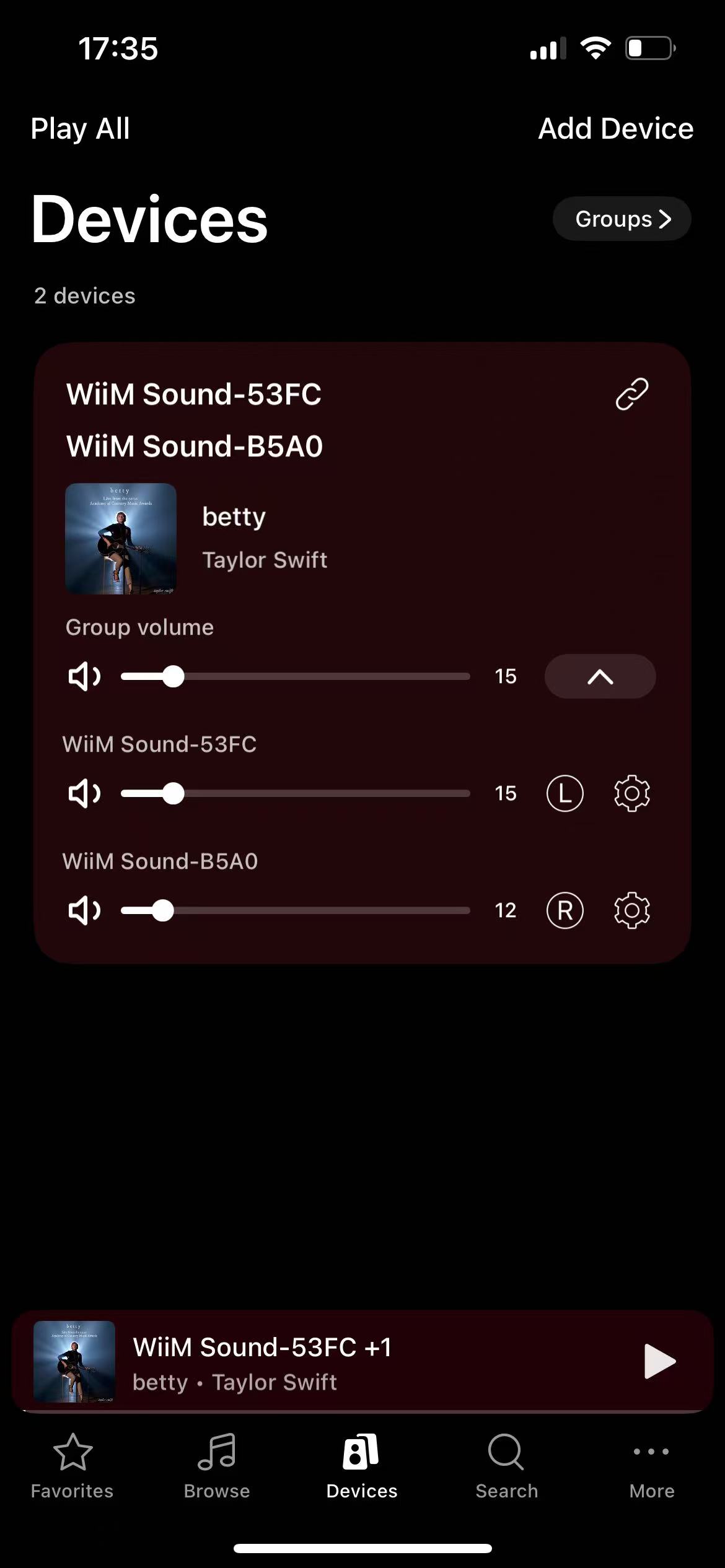
- Use the Group volume bar to adjust the volume of both speakers simultaneously.

Now, with the stereo pair, you can enjoy your favorite music with a balanced and immersive sound experience.