
TABLE OF CONTENTS
Overview
The WiiM Sound and WiiM Sound Lite are high-fidelity smart speakers engineered to deliver detailed, room-filling audio.
Thanks to their precise tuning and wide frequency response, these speakers are the perfect choice to pair with a hub device (e.g., WiiM Ultra/Amp Ultra/Amp Pro/Bar), serving as the Center, Surround Left (SL), and Surround Right (SR) speakers in your 5.1 home theater setup.
Tip: In addition to a 5.1 home theater system, you can flexibly configure 3.0, 3.1, 4.0, 4.1, or 5.0 systems, depending on whether a subwoofer is used and how the center and surround speakers are assigned.
Setting Up Center and Surround Speakers
Before You Begin
- Set up a WiiM hub device, such as a WiiM Amp Pro, WiiM Amp Ultra, WiiM Ultra, or WiiM Bar.
- Connect the hub device to a TV and a subwoofer.
- Set up three WiiM Sound/WiiM Sound Lite units. They will be assigned as Center and Surround speakers.Note: If the hub device is a WiiM Bar, only two units will be needed as Surround speakers.
- Connect all WiiM devices to the same Wi-Fi network.
Step 1. Place Speakers Properly
For optimal sound, place all speakers according to the diagram below.
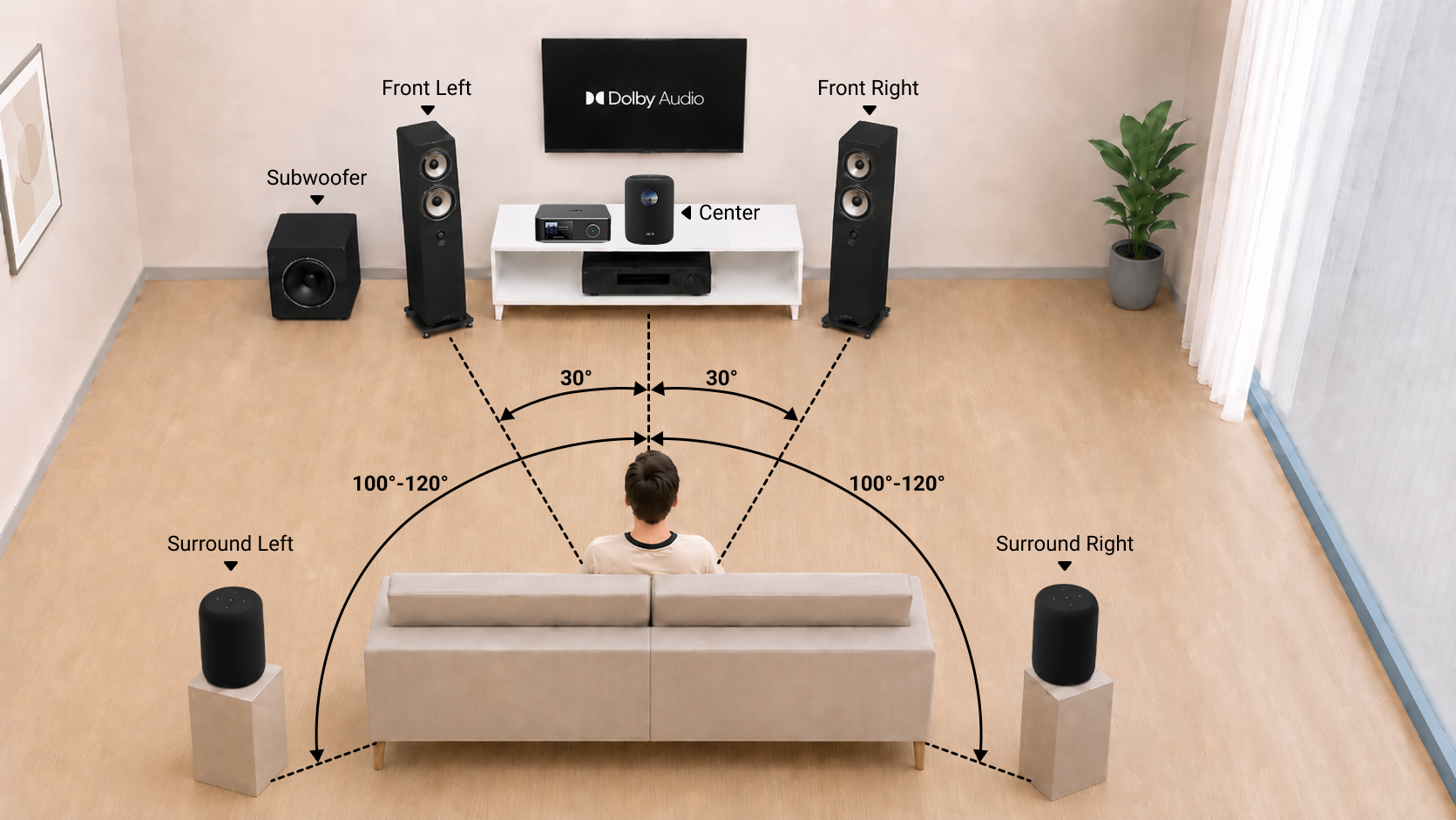
Step 2. Assign Center and Surround Speakers in the WiiM Home App
- Open the WiiM Home app.
- Go to Devices, then tap your hub device's Device Settings
 .
. - Scroll down to the Home Theater section, then select Center and Surrounds to assign the center speaker and surround speakers, respectively.
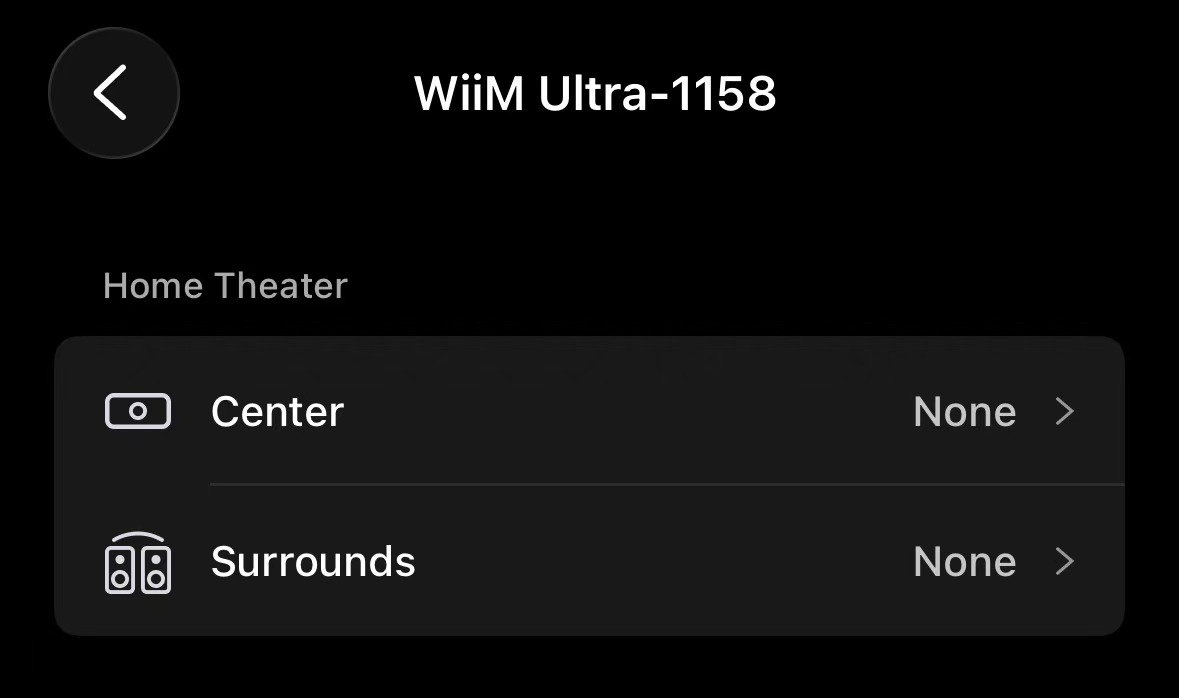
For details, see the following articles:
Tips and References
- For a complete 5.1 home theater setup instructions, see Setting Up a WiiM Dolby 5.1 Surround Sound System and Expanding WiiM Bar into a Complete 5.1.2 Surround Sound System.
- If you experience A/V sync issues, adjust Group Audio Delay to fix it. For details, see Using the Group Audio Delay Setting for WiiM Multi-Room Audio.