
TABLE OF CONTENTS
WiiM provides both RoomFit™ and EQ (Equalization) to enhance your listening experience. While these two features serve different purposes, they can work together to provide greater flexibility and a more immersive audio experience.
What is RoomFit™?
RoomFit™ measures frequency response at your listening position and applies correction to more closely match your selected target curve. This helps reduce uneven sound caused by room acoustics and speaker placement.
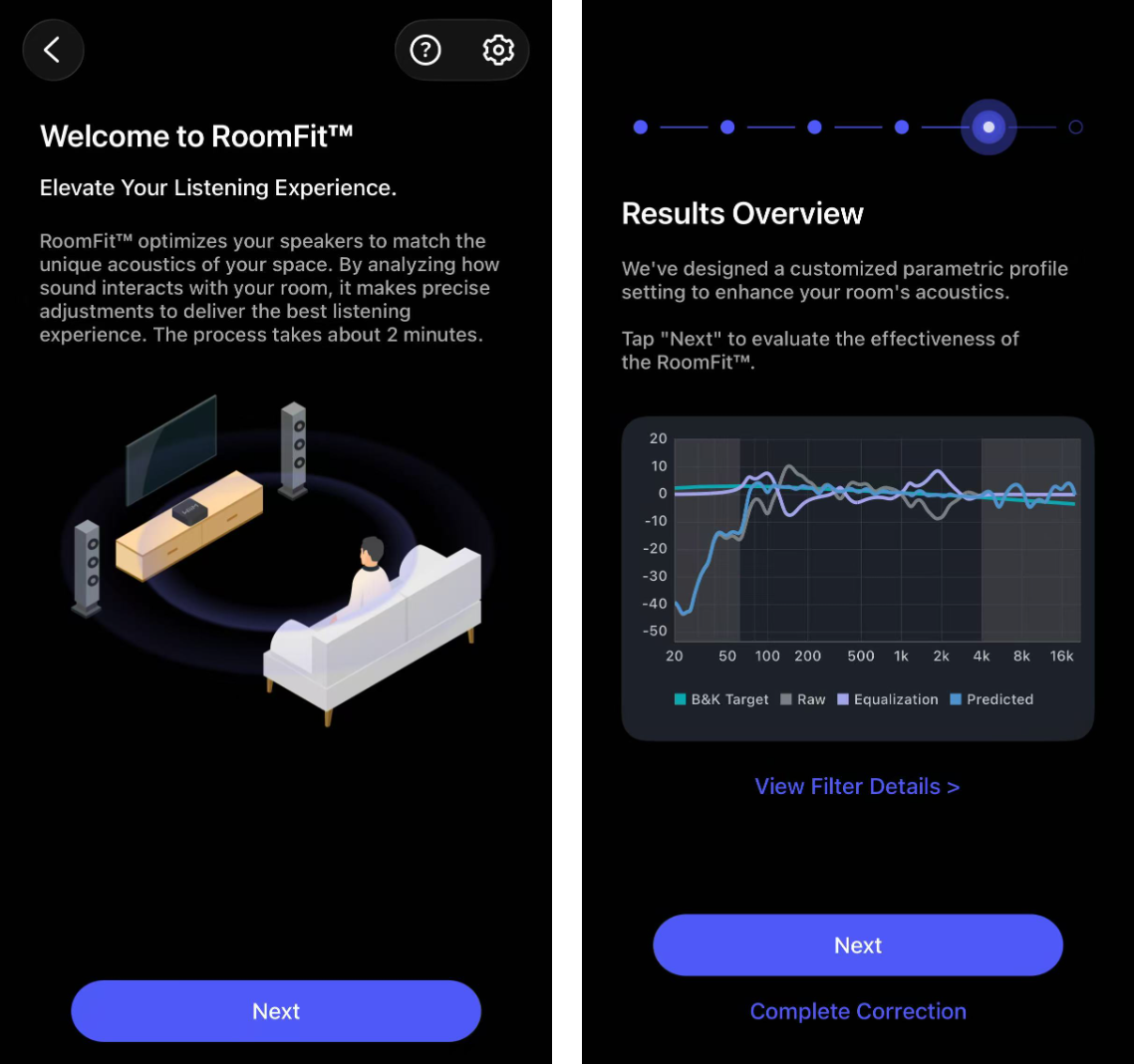
Key Features of RoomFit™
- Automatically Adjusts Speaker Output: Analyzes your room and speaker placement to optimize the sound.
- Balances Frequency Response: Helps reduce frequency-response variations caused by room acoustics.
- Enhances Clarity: Helps reduce frequency-response variations that can affect sound clarity.
- Optimizes Based on Measurements: Uses test tones and measurements to make precise corrections.
By tailoring your speaker's output to your room, RoomFit™ provides a more natural and balanced listening experience without requiring manual adjustments.
What is EQ (Equalization)?
EQ lets you adjust the sound profile using presets or manual frequency adjustments. Unlike RoomFit™, which automatically compensates for room acoustics, EQ provides user-defined tuning for different preferences, content types, and input sources.
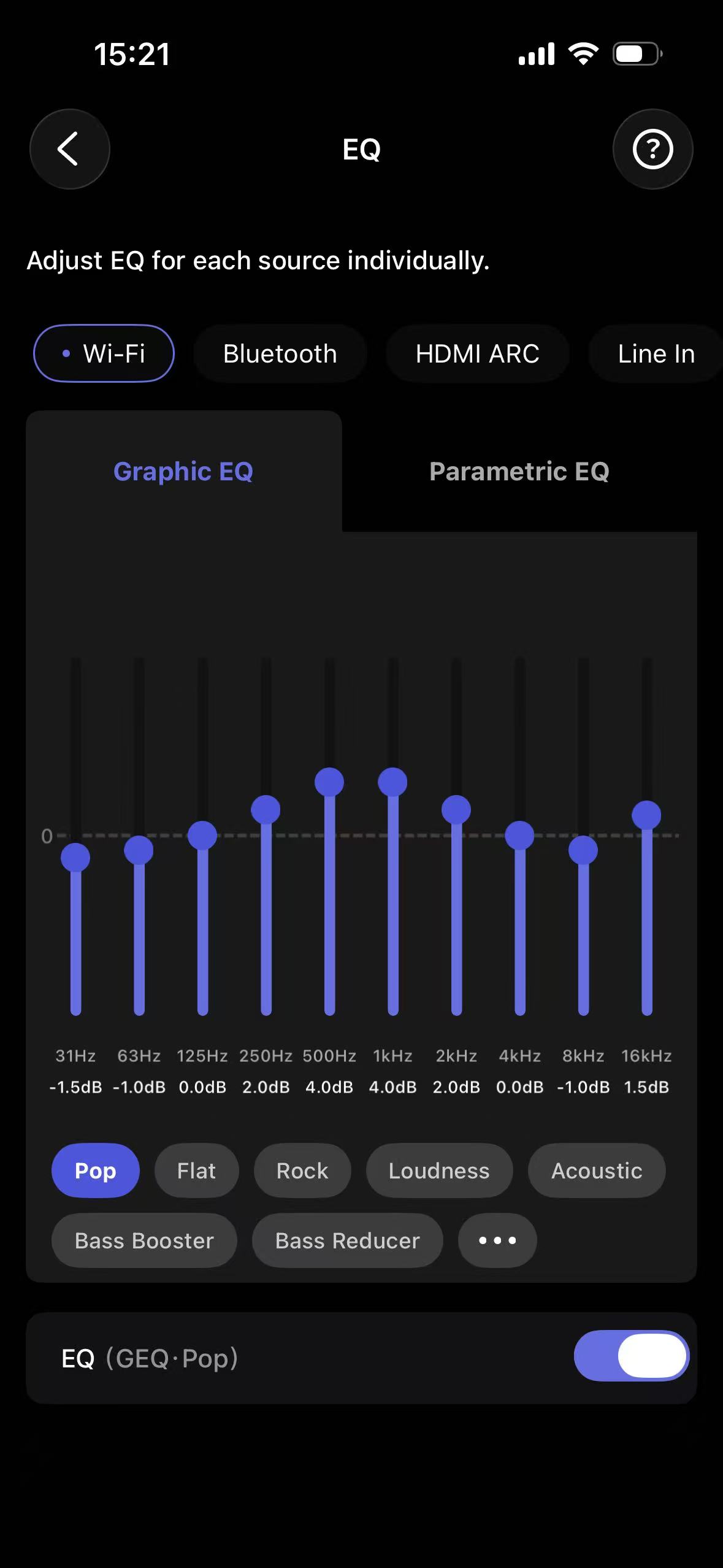
Key Features of EQ
- 24 Preset EQs: Select from various presets tailored for different music genres, movies, and podcasts. For more details, see Introducing 24 Preset EQ Settings for Ultimate Audio Performance.
- Fine-Tuning for Different Input Sources: Adjust EQ settings separately for each input source, such as HDMI, Bluetooth, Optical In, and Line In.
- 10-Band Graphic EQ: Manually tweak frequency bands to achieve your preferred sound signature.
- Parametric EQ: Fine-tune up to 10 custom frequency bands for more precise sound adjustment.
How RoomFit™ and EQ Work Together
1. RoomFit™ as the Foundation
Run RoomFit™ first, then fine-tune EQ to your preferences. RoomFit™ provides a more balanced starting point by correcting frequency-response variations caused by room acoustics and speaker placement.
For detailed instructions, refer to Optimizing Your Audio Experience: A Comprehensive Guide to RoomFit™.
2. EQ for Personalization
After RoomFit™ has been applied, EQ allows further customization based on your personal taste or specific listening scenarios. For example:
- If you prefer deeper bass for genres like hip-hop or EDM, you can select the Hip-Hop or Electronic preset EQ.
- If you want clearer dialogue in movies, you can apply the Movie preset EQ.
- If your favorite tracks sound too bright or harsh, you can use the Treble Reducer preset EQ.
3. Adjusting Input-Specific EQ
WiiM's Per-Source EQ feature allows independent EQ settings for different audio inputs. This ensures a consistent listening experience across Bluetooth, HDMI ARC, Optical In, and Line In, with customized sound tuning for each source.
For detailed instructions, refer to How to Use Per-Source EQ: A Comprehensive Guide.
Conclusion
The table below summarizes the differences and relationship between EQ and RoomFit™.
| Feature | Purpose | When to Use |
|---|---|---|
| RoomFit™ | Automatically optimizes sound for your room | Run it first to establish a more balanced frequency response. |
| EQ | Offers preset and manual frequency-response adjustments | Use it after RoomFit™ to fine-tune specific preferences or input sources. |
RoomFit™ and EQ are both powerful tools that serve different purposes. RoomFit™ automatically corrects frequency response based on acoustic measurements, while EQ lets you choose presets or manually fine-tune your sound. By combining both, you can achieve a more flexible, balanced, and immersive listening experience with WiiM audio devices.