
TABLE OF CONTENTS
Overview
The WiiM Sub Pro is a smart subwoofer that pairs with a WiiM main device (e.g., WiiM Ultra, WiiM Amp, WiiM Bar, or WiiM Sound) to add bass to your audio system. How they process audio together depends on whether you pair them in wireless or wired mode.
This guide explains the audio path for each connection mode and how to use the WiiM Sub Pro’s digital signal processing (DSP) functions to achieve balanced bass that blends smoothly with your main speakers.
Audio Path
The diagram below shows the audio path to the WiiM Sub Pro in each connection mode.
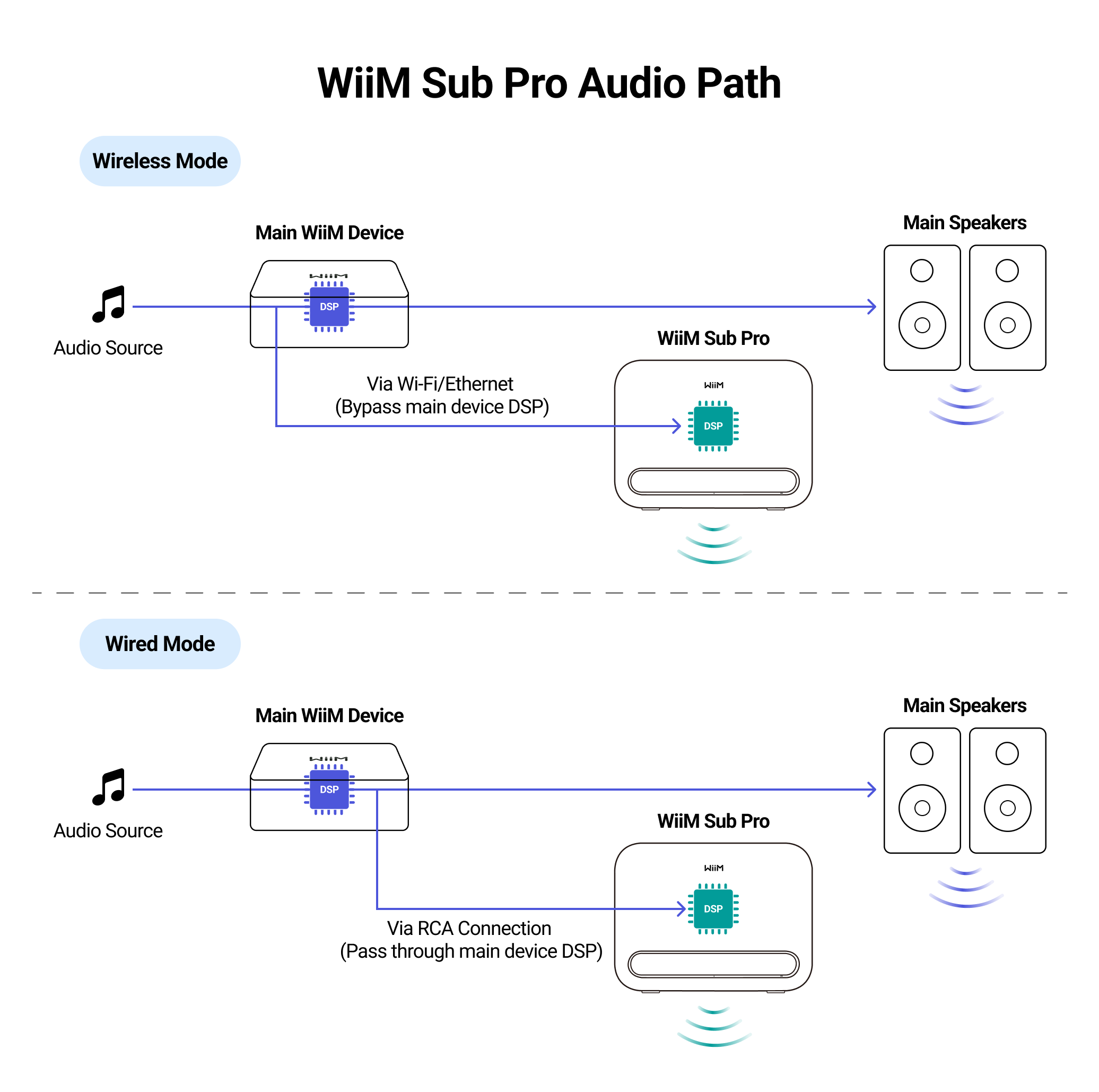
- Wireless mode: Audio sent to the WiiM Sub Pro bypasses the WiiM main device’s DSP functions, such as RoomFit™ and EQ.
- Wired mode: Audio passes through the WiiM main device’s DSP functions, such as RoomFit™ and EQ, before reaching the WiiM Sub Pro.
For setup instructions, see How to Set Up Your WiiM Sub Pro.
DSP Functions of the WiiM Sub Pro
Use the WiiM Home app to access the WiiM Sub Pro’s DSP functions, including WiiM Sub Pro Settings, Sound Mode, and Subwoofer RoomFit™.
WiiM Sub Pro Settings
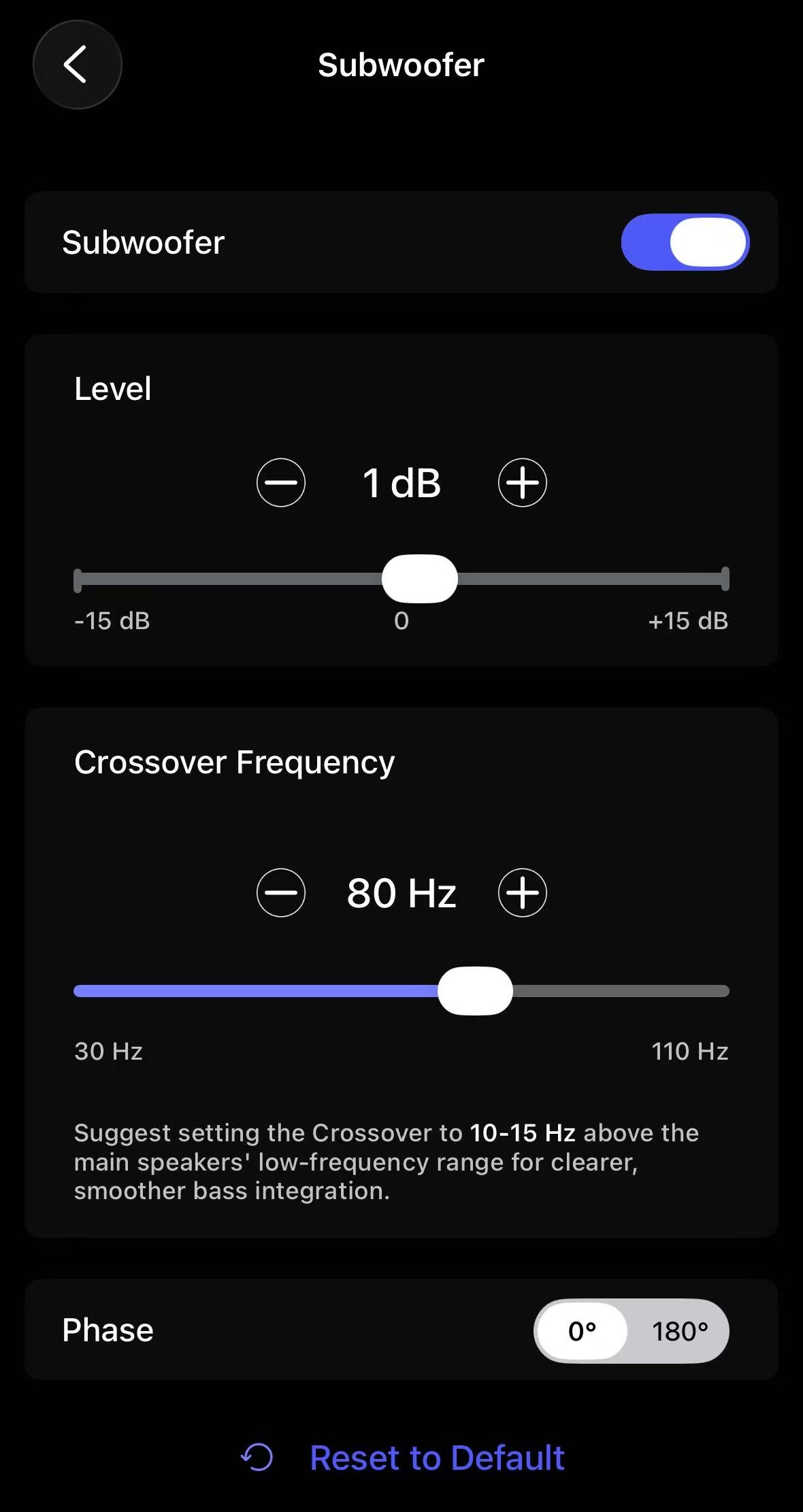
- Level: Adjusts the WiiM Sub Pro’s output relative to the main speakers. Increase it for more bass or decrease it for less bass.
- Crossover Frequency: Sets the upper frequency limit for bass played by the WiiM Sub Pro. The adjustment range is 30–110 Hz.
Tip: Start about 10–15 Hz above the main speakers’ specified low frequency limit, then adjust for a smooth blend in your room.Note: The crossover frequency set on the WiiM Sub Pro also applies to the WiiM main device. The main device sends audio above the crossover frequency to the main speakers.
- Phase: Offers 0° and 180° settings to help the WiiM Sub Pro blend with the main speakers around the crossover. Compare both settings from your listening position at the same volume, and choose the one that produces smoother bass.
Sound Mode
Sound Mode provides dedicated DSP tuning for music and movies. For details, see WiiM Sub Pro Sound Mode.
Subwoofer RoomFit™
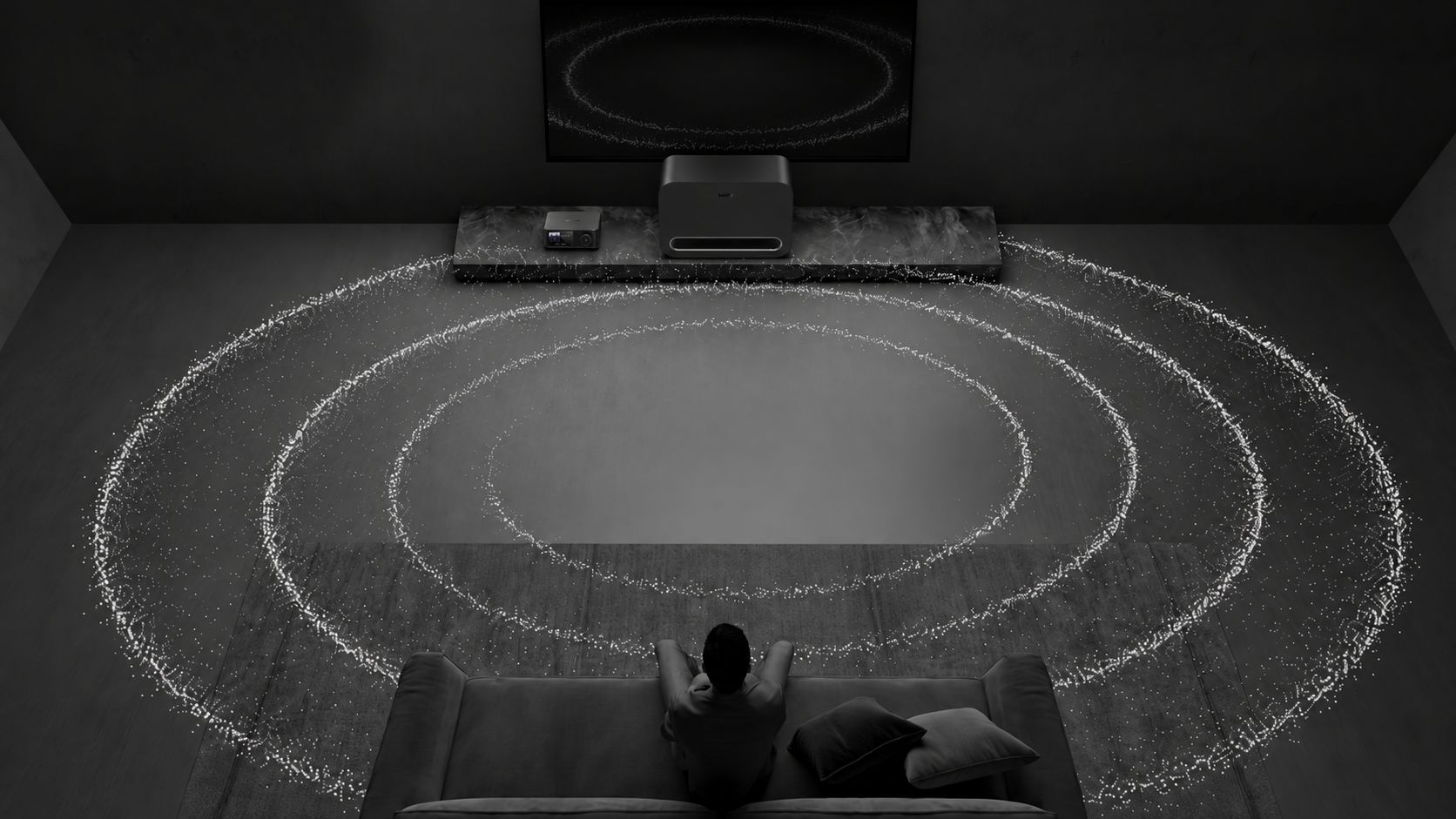
Subwoofer RoomFit™ uses your phone’s microphone to measure bass at your listening position, then adjusts the WiiM Sub Pro’s output to reduce boomy or muddy bass caused by room acoustics and subwoofer placement.
You can adjust Subwoofer RoomFit™ parameters, such as Target Curve and Smoothing, to suit your preferences. You can also use an external microphone for more accurate measurements.
For detailed instructions, see A Comprehensive Guide to WiiM Sub Pro RoomFit™.
Subwoofer RoomFit™ vs. RoomFit™ on the WiiM main device
Both the WiiM main device and the WiiM Sub Pro offer RoomFit™ room correction. The WiiM main device supports full-range correction with an adjustable frequency range. Subwoofer RoomFit™ focuses on correcting low-frequency audio.
Run RoomFit™ separately on the WiiM main device and the WiiM Sub Pro to correct their respective frequency ranges.
Audio Sync Between the Main Speakers and WiiM Sub Pro
The WiiM main device and WiiM Sub Pro output audio at the same time. However, their placement may cause the sound to reach you at different times.
FAQ
Q: What does "Auto reference" mean under Level?
A: “Auto reference” is the level set by Subwoofer Calibration on a WiiM Ultra or WiiM Amp Ultra. You can always adjust the level manually to suit your listening environment and preferences. For details, see Subwoofer Calibration.
Q: Can the WiiM main device send full-range audio to the main speakers when paired with the WiiM Sub Pro?
A: No. When the WiiM Sub Pro is paired with a WiiM main device, the main device sends only audio above the crossover frequency to the main speakers.
Q: What should I do if the bass sounds delayed or echoes?
A: Try these steps to resolve the issue:
- Make sure all cables and speaker connections are secure.
- Restart the WiiM Sub Pro, the paired WiiM main device, and the router.
- Try a different audio source or playback method.
- If the paired WiiM main device has a Sub Out port, try a wired connection.
- If the issue persists, submit a ticket through the WiiM Home app for further assistance.
Q: How can I adjust the WiiM Sub Pro level if it is too low or too high?
A: Try these steps to resolve the issue:
- Make sure the main speakers are set to an appropriate volume level.
- If the WiiM Sub Pro level is still too low or too high, adjust it in the WiiM Home app. See the Level section above.
Q: What should I do if the WiiM Sub Pro produces no sound?
A: Try these steps to resolve the issue:
- Check the power: Make sure the WiiM Sub Pro is powered on.
- Increase the WiiM Sub Pro level: Increase the WiiM Sub Pro level in the WiiM Home app.
- Check the cable connection: If you are using a wired connection, make sure the cable is connected securely to both the WiiM Sub Pro and the paired WiiM main device.