
TABLE OF CONTENTS

Overview
The WiiM Amp Pro, WiiM Amp Ultra, and WiiM Ultra support Dolby Digital Audio, making them perfect hub devices for building a 5.1 home theater setup.
A Dolby 5.1 Home Theater system creates a cinematic audio experience by delivering sound from multiple directions. It includes six audio channels:
- Front Left (FL)
- Front Right (FR)
- Center
- Surround Left (SL)
- Surround Right (SR)
- Low Frequency Effects (LFE)
Learn More about Dolby 5.1 Home Theater
The Dolby 5.1 Home Theater system is powered by advanced audio processing and multi-device collaboration.
The hub device receives audio from your TV through HDMI ARC or Optical input and handles the Dolby audio processing. Other compatible WiiM devices can be assigned as Center or Surround speakers in the WiiM Home app.
FL, FR, and LFE
The FL and FR channels are handled by the hub device.
When the hub device is connected with a subwoofer, the LFE channel is reproduced through the subwoofer output. A dedicated subwoofer enhances low-frequency effects such as explosions, background effects, and deep bass in movies and games.
Center
The Center channel can be assigned to a dedicated WiiM device. Using a dedicated center speaker improves voice clarity and dialogue in movies and TV shows.
SL and SR
The SL and SR channels provide immersive side and rear sound effects. These channels can be handled by one or two dedicated WiiM devices.
Device Requirements and Typical Configurations
The Dolby 5.1 Home Theater system uses a modular design, so you can flexibly scale your system from 3.0 to 5.1, depending on whether a subwoofer is used and how the center and surround speakers are assigned.
The table below details each supported system and the required devices.
| System | Audio Channels and Required Devices |
|---|---|
| 3.0 |
|
| 3.1 |
|
| 4.0 |
|
| 4.1 |
|
| 5.0 |
|
| 5.1 |
|
Dolby 5.1 Home Theater Setup Instructions
Before You Begin
- Set up the WiiM devices. For details, see Device Requirements and Typical Configurations.
- Prepare a TV with an HDMI ARC/eARC or Optical Out port.
- Connect all WiiM devices to the same Wi-Fi network.
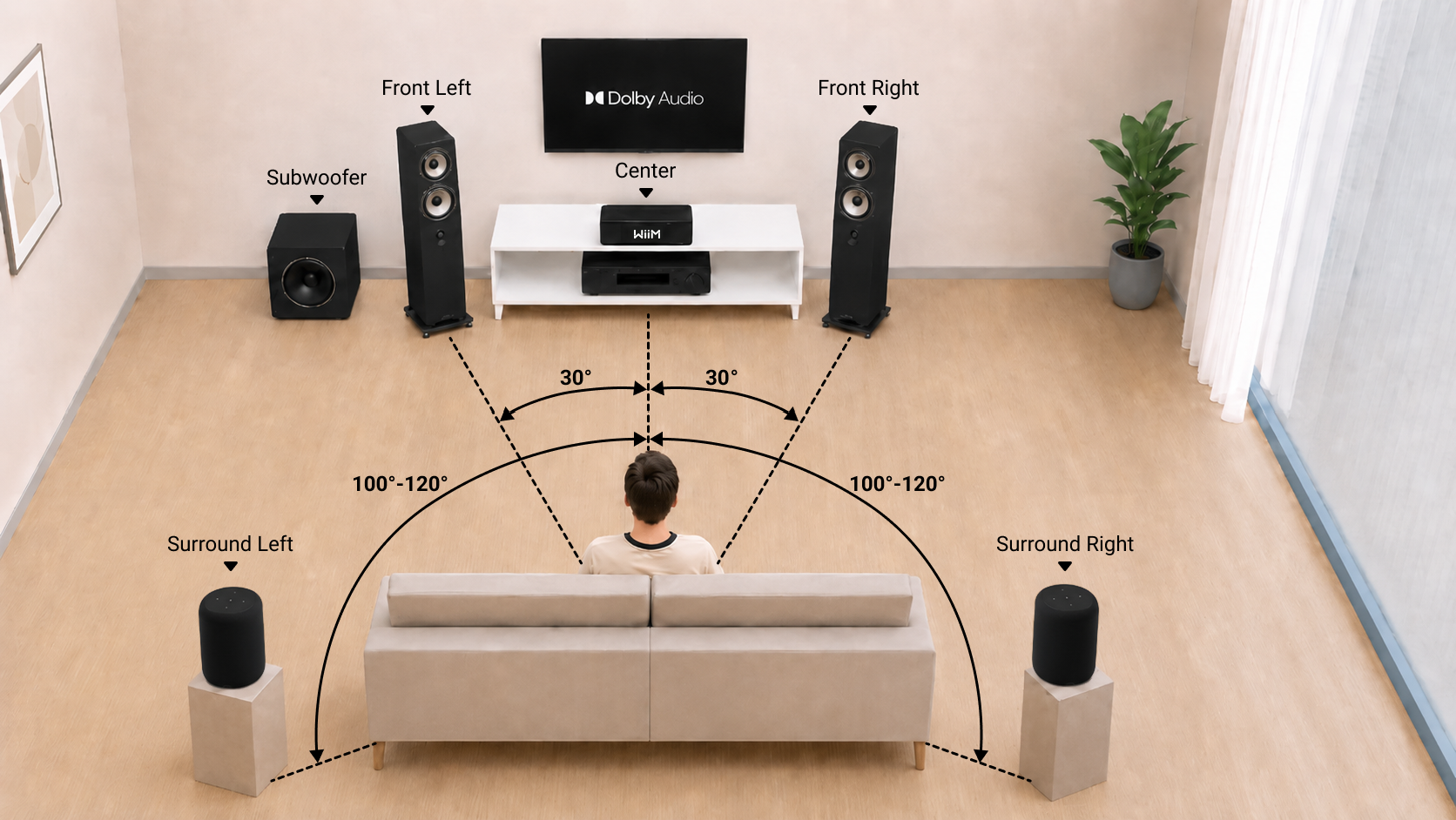
Step 1. Place Speakers Properly
For optimal sound, place all speakers according to the diagram below.
Step 2. Connect the Hub Device to Your TV
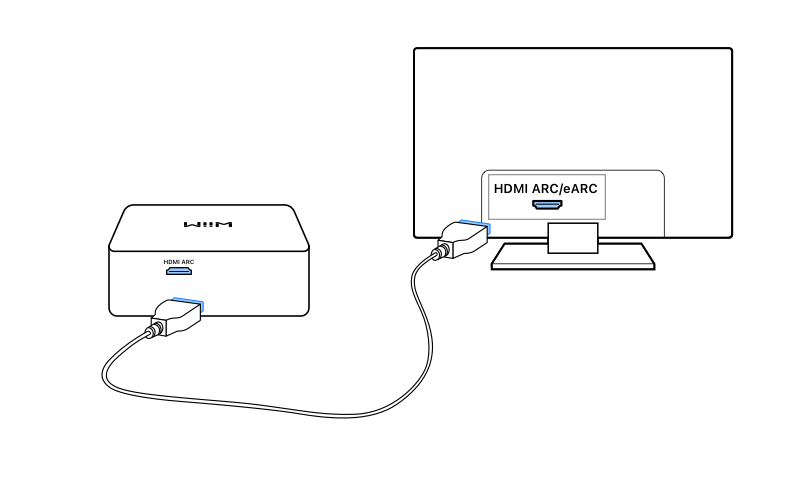
- Use an HDMI cable to connect the HDMI ARC/eARC port on your hub device to the HDMI ARC/eARC port on your TV.Note: Make sure to use the HDMI ARC/eARC port on your TV. If your TV has no HDMI ARC/eARC port, connect the hub device to your TV via the Optical port.
- Set your TV's audio output to your hub device.
- Set your TV's audio output format to Auto, Dolby Digital Audio, or a similar option.
Step 3. Connect the Hub Device to Your Subwoofer
Connect the hub device to your subwoofer using an RCA cable, then adjust the subwoofer settings in the WiiM Home app to match your preferences. For details, refer to the following articles:
- How to Connect Your Subwoofer with the WiiM Amp Pro
- How to Connect Your Subwoofer with the WiiM Amp Ultra
- How to Connect Your Subwoofer with the WiiM Ultra
If you have a WiiM Sub Pro, you can connect it wirelessly with the hub device via the WiiM Home app. For details, see How to Set Up Your WiiM Sub Pro.
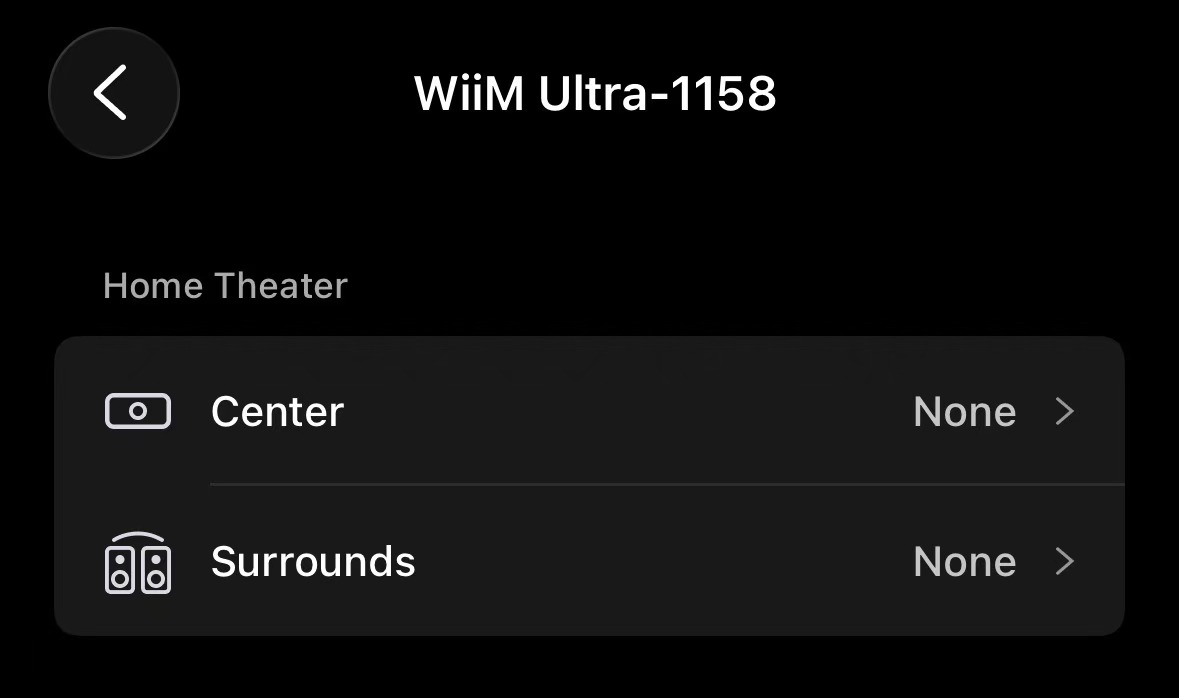
Step 4. Assign Center and Surround Speakers in the WiiM Home App
- Open the WiiM Home app.
- Go to Devices, then tap your hub device's Device Settings
 .
. - Scroll down to the Home Theater section, then select Center and Surrounds to assign the center speaker and surround speakers, respectively.
For details, see the following articles:
Now, the Dolby 5.1 Home Theater system is ready. Play Dolby 5.1 content on your TV and enjoy immersive sound.
Adjust Group Audio Delay
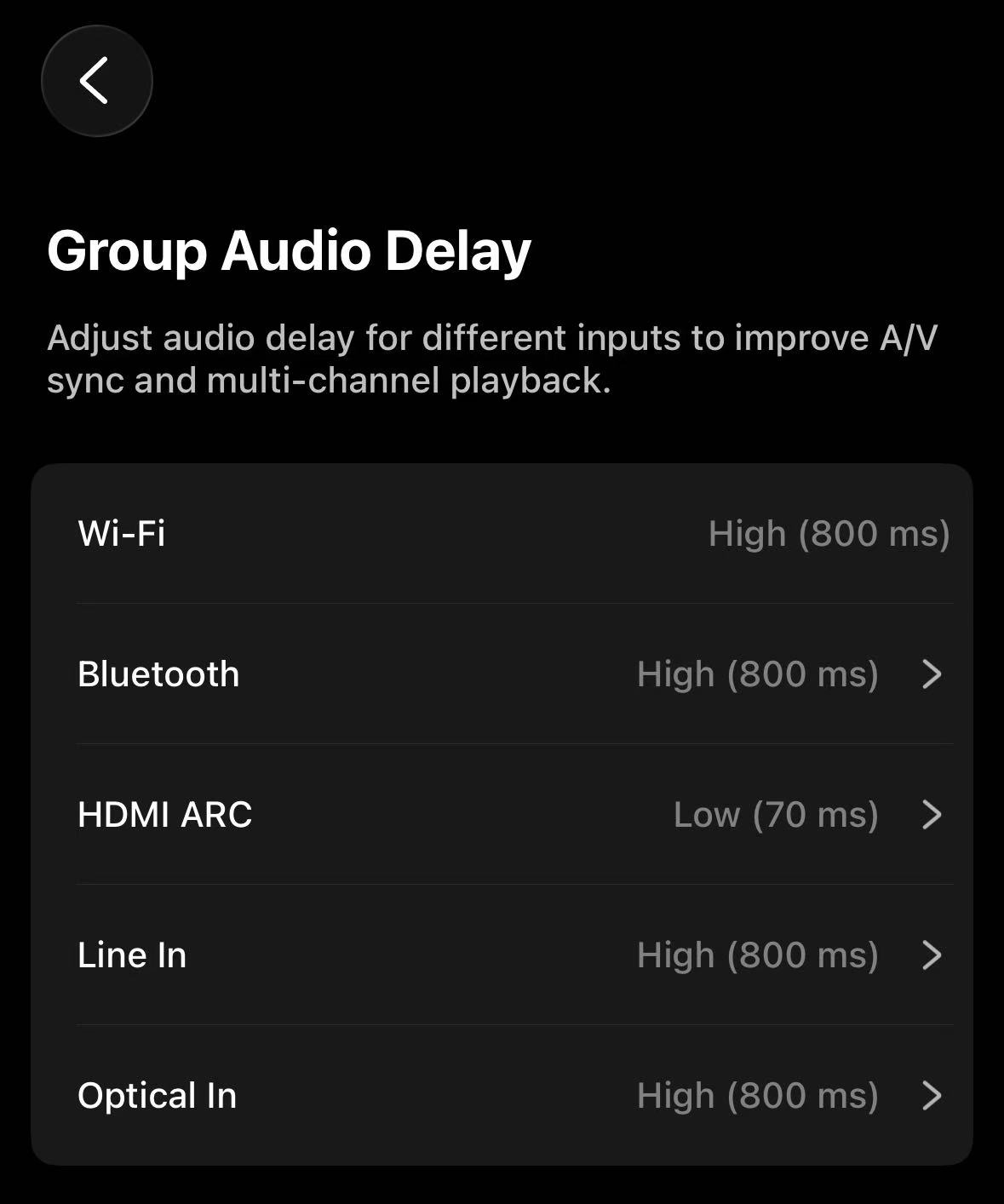
If you experience A/V sync (lip-sync) issues, adjust Group Audio Delay to fix it:
- Open the WiiM Home app.
- Go to Devices, then tap your hub device's Device Settings.
- Select Group Audio Delay, then adjust the delay value for the TV input. A lower value improves A/V sync.
For details, see Using the Group Audio Delay Setting for WiiM Multi-Room Audio.
Set Up 5.1 Home Theater with WiiM Bar
You can also expand your WiiM Bar into a 5.1.2 Home Theater for a truly cinematic experience. For details, see Expanding WiiM Bar into a Complete 5.1.2 Surround Sound System.
Tips
- Place the speakers around the listening area at ear level, with the front speakers near the TV, the surround speakers slightly behind or to the sides, and the subwoofer near the center for optimal sound.
- To achieve a 5.1-channel sound experience, you need to play Dolby Digital 5.1 content.