
TABLE OF CONTENTS
- Introduction
- Understanding AIFF Format
- Play AIFF Music from Your Mobile Device
- Play AIFF Music from a NAS or DLNA Server
- Play AIFF Music from a NAS
- Play AIFF Music from a USB Drive (Only for WiiM Amp/Amp Pro/Amp Ultra/Ultra)
Introduction
The WiiM devices offer the ability to play uncompressed AIFF audio files directly from your phone or music library stored on your local network. This tutorial provides a step-by-step guide on how to stream AIFF files to your WiiM device using the WiiM Home App.
Understanding AIFF Format
AIFF (Audio Interchange File Format) is a standard audio file format developed by Apple in 1988. It is widely used for storing high-quality sound data for personal computers and other electronic audio devices. AIFF files are known for their uncompressed nature, resulting in excellent audio fidelity, but they occupy a significant amount of disk space. The file extensions for AIFF files are typically .aiff or .aif. Additionally, there is a compressed variant known as AIFF-C or AIFC, which utilizes different compression codecs and is identified by the .aifc extension.
Play AIFF Music from Your Mobile Device
If AIFF files are stored in your smart phone or tablet, you can simply access and play them from My Music in the Browse tab.
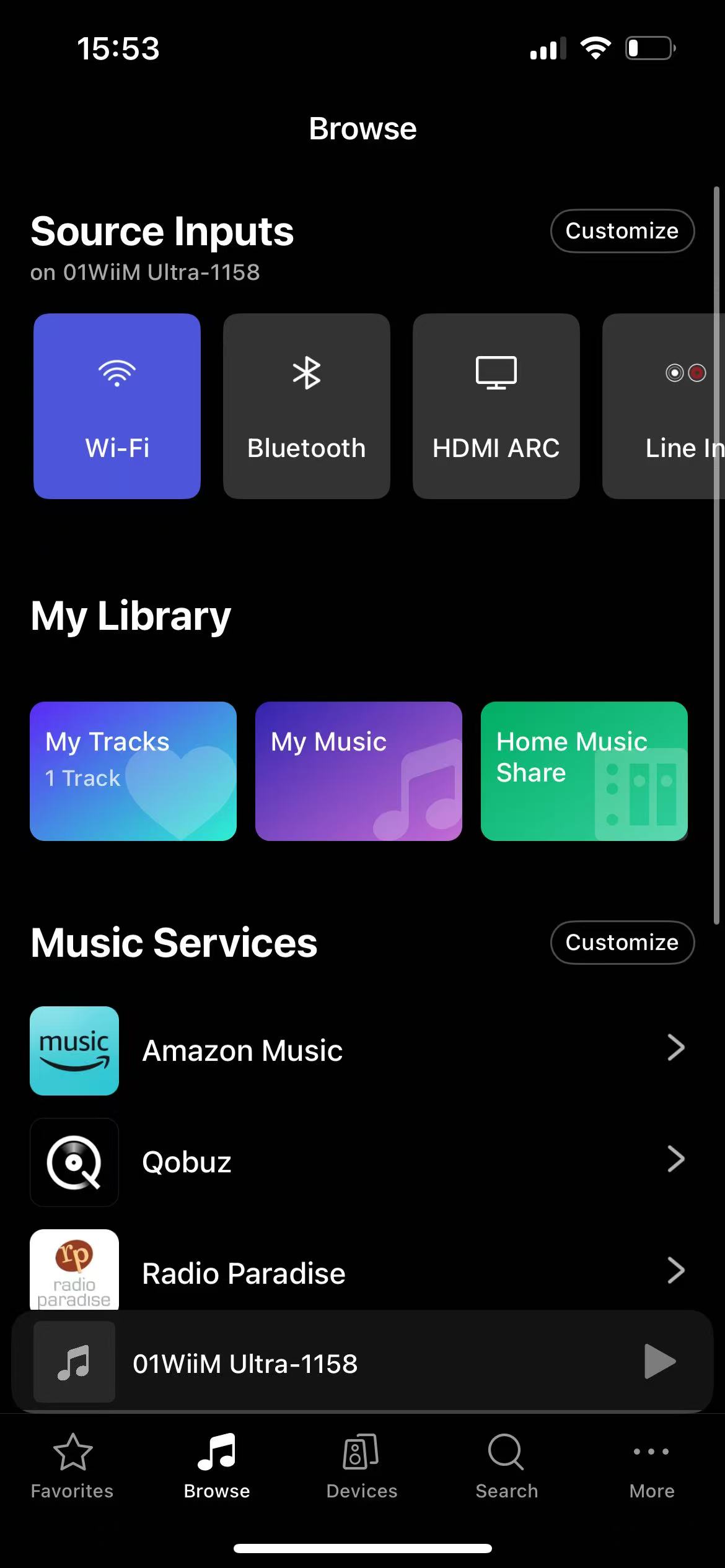
Play AIFF Music from a DLNA Server
If AIFF files are stored in a DLNA server or NAS, you can simply access and play them on your WiiM device using the WiiM Home app.
For detailed instructions, see How to Stream Music from Your NAS or DLNA Server to WiiM.
Play AIFF Music from a NAS
If AIFF files are stored in a shared folder, you can simply access and play them on your WiiM device using the WiiM Home app.
For detailed instructions, see Adding and Accessing SMB Shared Files in the WiiM Home App.
Play AIFF Music from a USB Drive (Only for WiiM Amp/Amp Pro/Amp Ultra/Ultra)
If you are using a WiiM device with a USB port (such as the WiiM Amp, WiiM Amp Pro, WiiM Amp Ultra, or WiiM Ultra), you can save AIFF files to a USB drive and plug the drive into the WiiM device for playback.
For detailed instructions, see Building and Managing Your Advanced USB Media Library on WiiM Amp/WiiM Amp Pro/WiiM Amp Ultra/WiiM Ultra.
Choose the method that works best for you to play AIFF files on your WiiM device and enjoy high-quality, uncompressed audio with WiiM.