
WiiM devices feature two-way Bluetooth communication. This allows you to wirelessly send audio from your WiiM device to other Bluetooth-enabled devices, such as speakers, headphones, or Airpods.
WiiM devices support audio output to only one Bluetooth device at a time and cannot output to multiple Bluetooth devices simultaneously.Video Tutorial
Watch the video below to learn how to connect your WiiM device to a Bluetooth speaker.
Step-by-StepOutput Guide
1. Open the WiiM Home app on your smartphone or tablet.
2. Initiate Bluetooth Pairing using one of the following methods:
- Method 1: Go to the Devices tab > Device Settings
 > Audio Output, then tap Pair next to Bluetooth Out.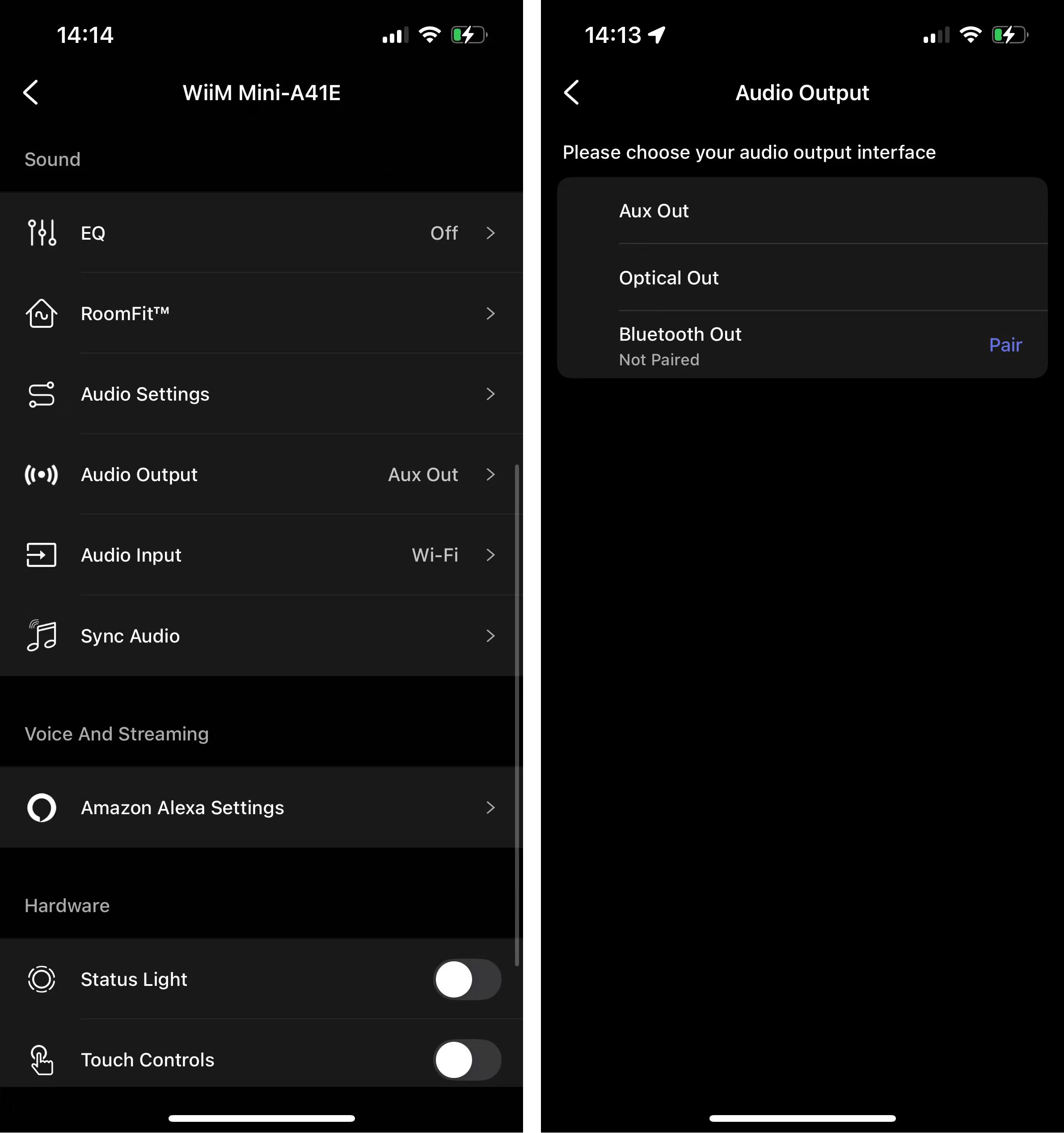
- Method 2: Open Now Playing, tap icon, then tap Pair next to Bluetooth Out.

3. When your Bluetooth device appears in the list, select it to connect.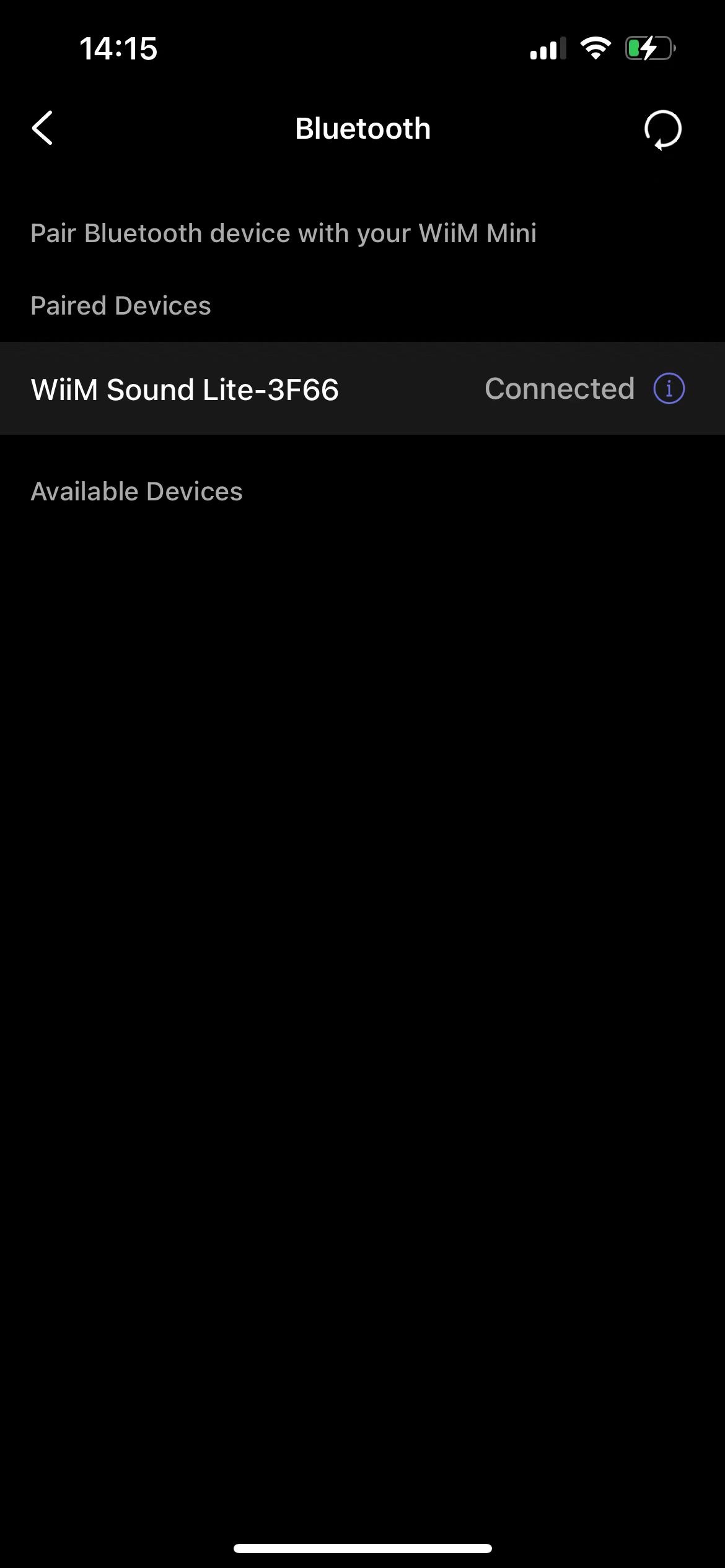
Troubleshooting: Bluetooth device does not appear?
- Ensure your Bluetooth device (e.g., BT headphone or speakers) is in pairing mode.
- Tap the Refresh icon
 in the top right corner of the screen to search again.
By following these steps, you can easily connect your WiiM device to a variety of Bluetooth-enabled audio devices for an enhanced listening experience.