
TABLE OF CONTENTS
Overview
Home theater audio uses multiple channels to bring dialogue, music, and sound effects to life around you. Each channel delivers sound from a specific direction or serves a specific purpose—for example, the center channel carries dialogue, while surround channels carry sounds from around you.
This guide explains what 5.1 and 5.1.2 audio mean and how their channels work.
What's 5.1 Audio
As illustrated in the diagram below, 5.1 audio consists of 5 main channels plus 1 low-frequency effects (LFE) channel. Together, these channels create a surround sound experience around the listener.
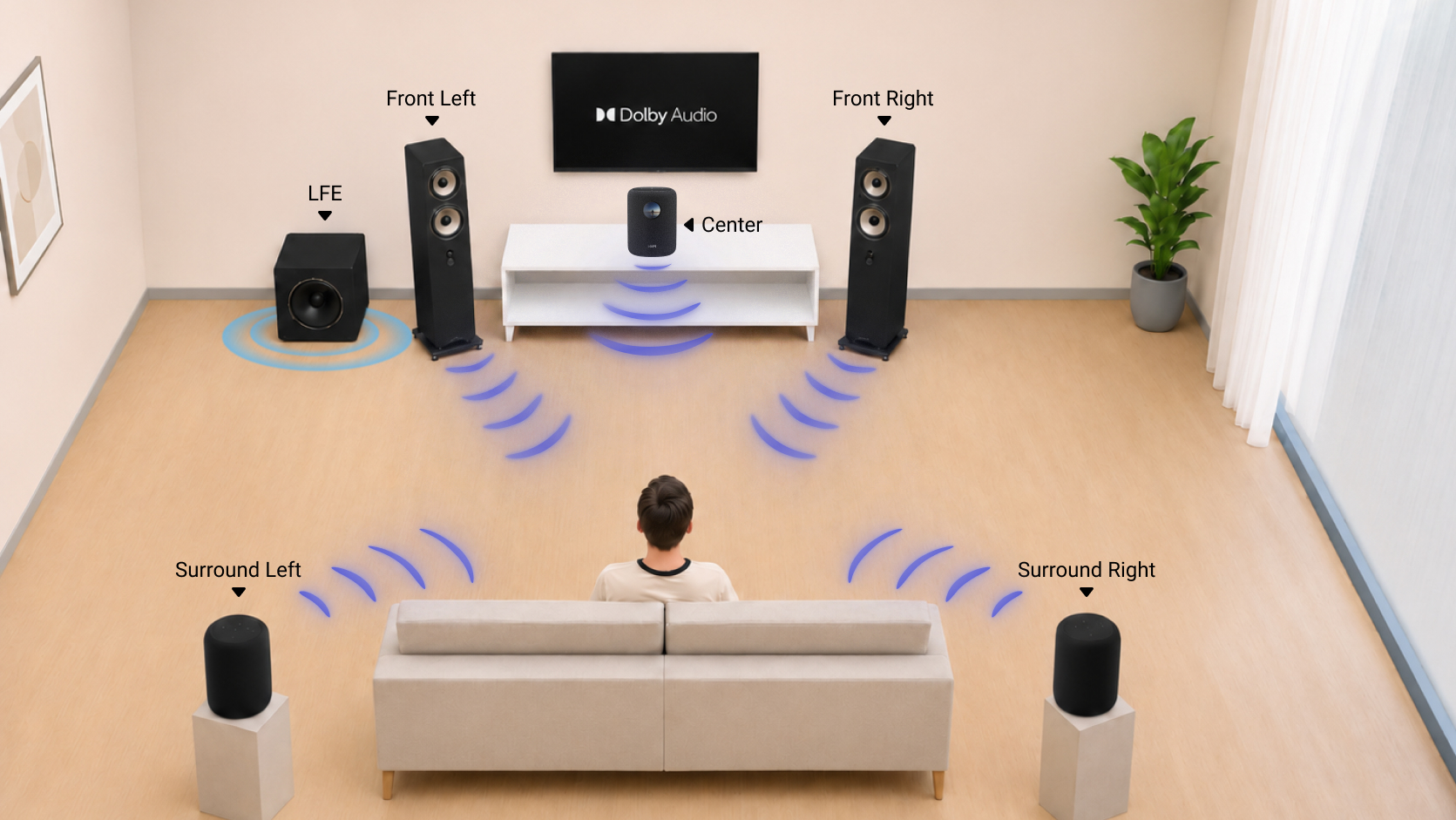
Each channel plays a different role:
- 5 — Five main channels:
- Front Left (FL) / Front Right (FR): On either side of the TV, these channels play music and effects across the front of the room.
- Center: This channel keeps dialogue focused on the screen.
- Surround Left (SL) / Surround Right (SR): Beside and slightly behind the listening position, these channels add surrounding sounds such as crowd noise and footsteps.
- .1 — One LFE channel: The LFE channel carries deep-bass effects, such as explosions and thunder. It is normally played through a subwoofer.
What's 5.1.2 Audio
As illustrated in the diagram below, 5.1.2 audio adds 2 height channels to 5.1 audio, creating a more three-dimensional sound experience.
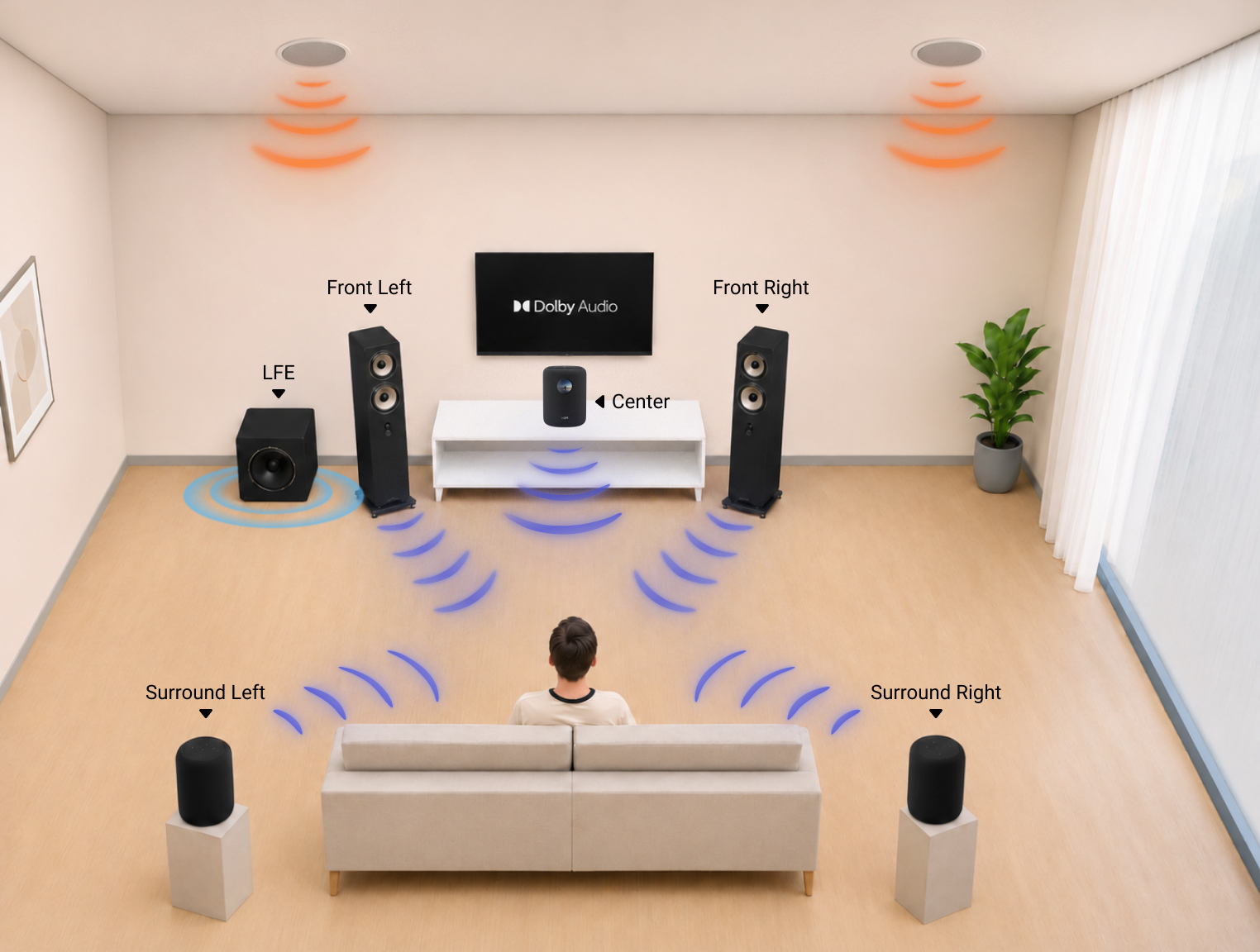
Each part plays a different role:
- 5 — Five main channels: Provide sound in front of and around you, as in 5.1.
- .1 — One LFE channel: Adds deep-bass effects, normally played through a subwoofer.
- .2 — Two height channels:Add sounds from above, such as rain or an aircraft passing overhead.Note: They can be reproduced by ceiling speakers or upward-firing speakers that reflect sound off the ceiling.
Other Audio Configurations
Other configurations use the same numbering pattern.
For example:
- 5.0: Has the same 5 main channels as 5.1, but no LFE channel.
- 3.1.2: Has the same LFE and height channels as 5.1.2, but without the 2 surround channels (SL and SR).
Set Up Your Home Theater
Ready to build your system? Follow the guide for your preferred configuration:
- For 5.1 home theater setup, see Expanding Your WiiM Amp Pro / Amp Ultra / Ultra into a 5.1 Home Theater System.
- For 5.1.2 home theater setup, see Expanding WiiM Bar into a Complete 5.1.2 Surround Sound System.