
TABLE OF CONTENTS
Overview
The WiiM Home app provides several ways to pair a WiiM subwoofer, such as the WiiM Sub Pro, with a WiiM device. Choose a method based on the subwoofer's current pairing status.
Before You Begin
- Make sure that you are using the latest version of the WiiM Home app.
- Make sure that the WiiM device and WiiM subwoofer, such as the WiiM Sub Pro, are connected to the same network.
Method 1: Using "Add WiiM Subwoofer"
You can use Add WiiM Subwoofer to pair the current WiiM device with any compatible WiiM subwoofer on the same network, even if the subwoofer is already paired with another WiiM device.
- Open the WiiM Home app.
- Go to the Devices tab > the WiiM device's Device Settings > Add WiiM Subwoofer.
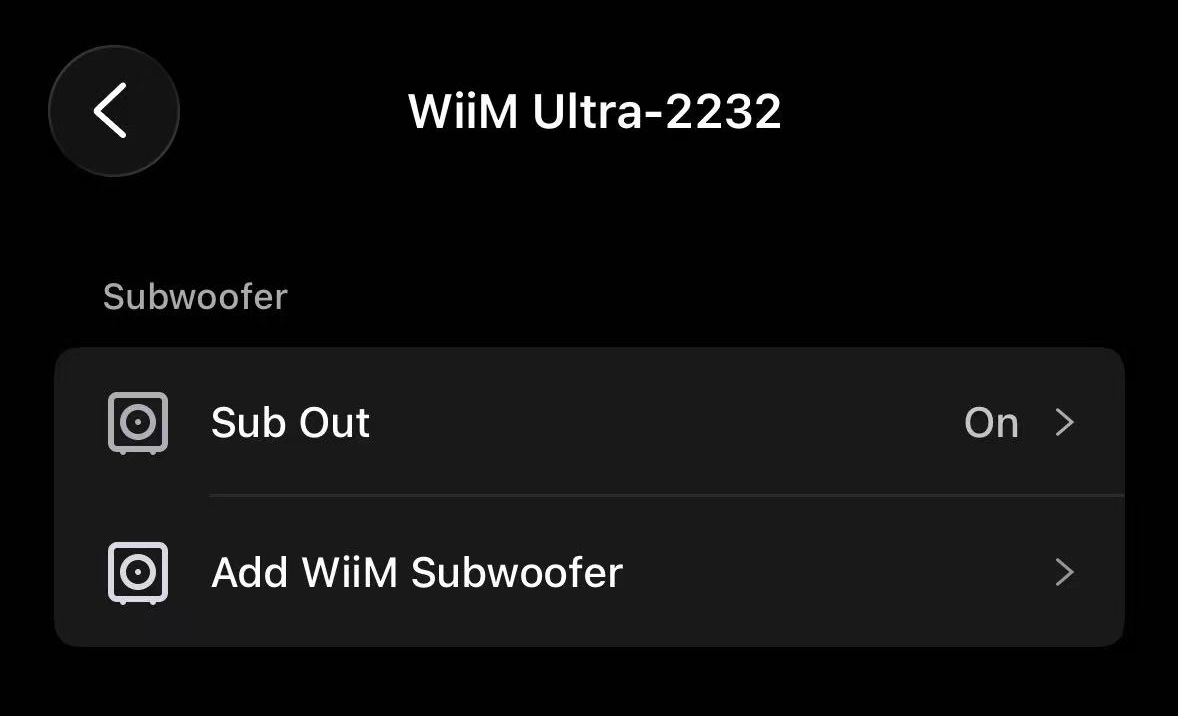
- Select the desired WiiM subwoofer from the device list.
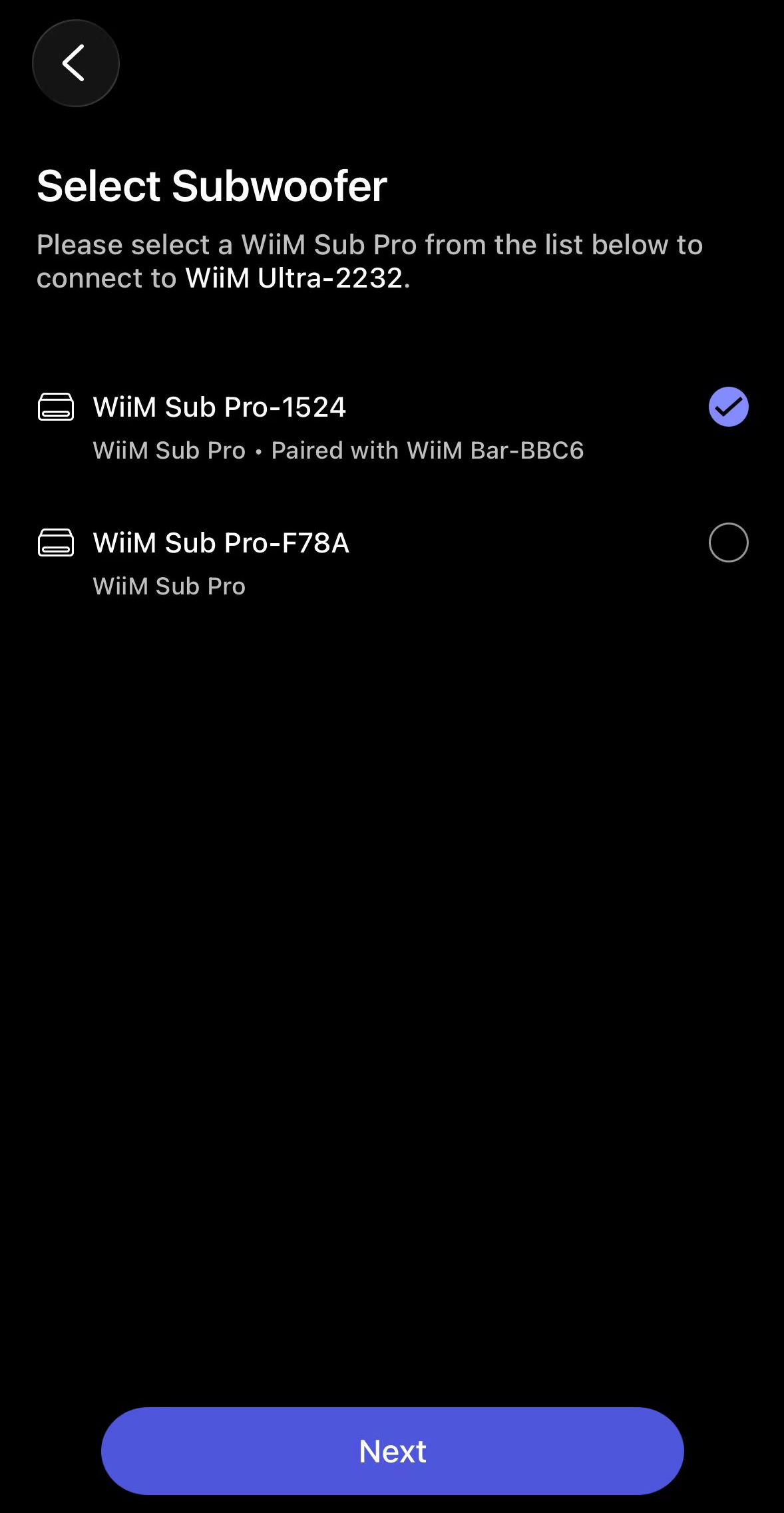
- Follow the on-screen instructions to complete the pairing.
Once added, the WiiM subwoofer will appear in the current WiiM device's Device Settings. From here, you can manage its pairing. For details, see How to Manage Your WiiM Sub Pro Pairing.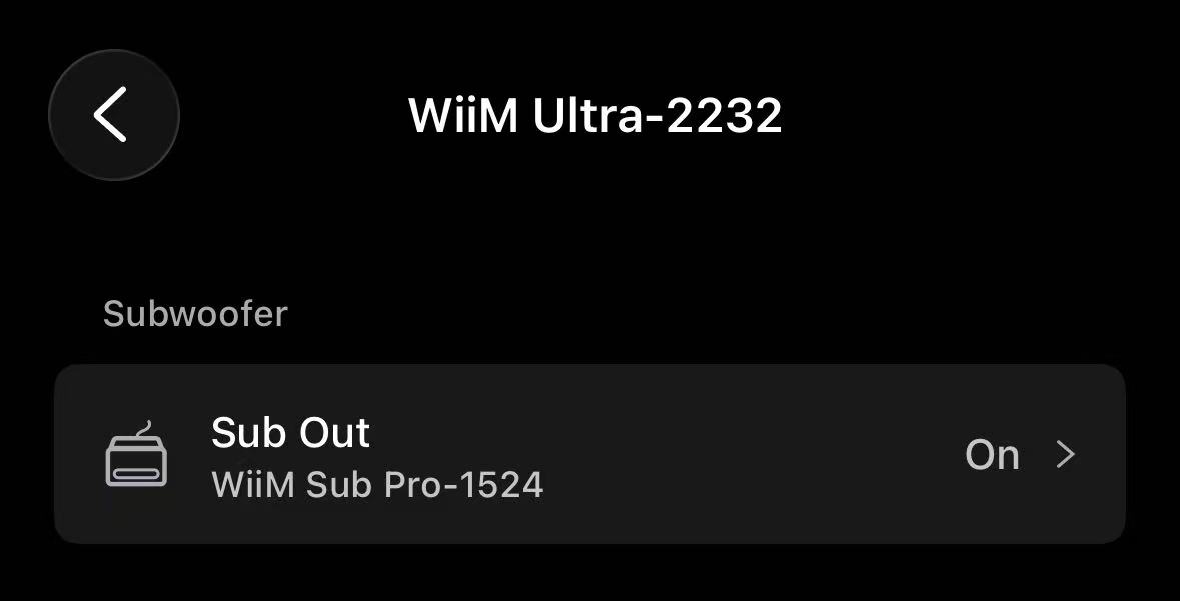
Method 2: Using "Move Sub" to Move a Paired WiiM Subwoofer
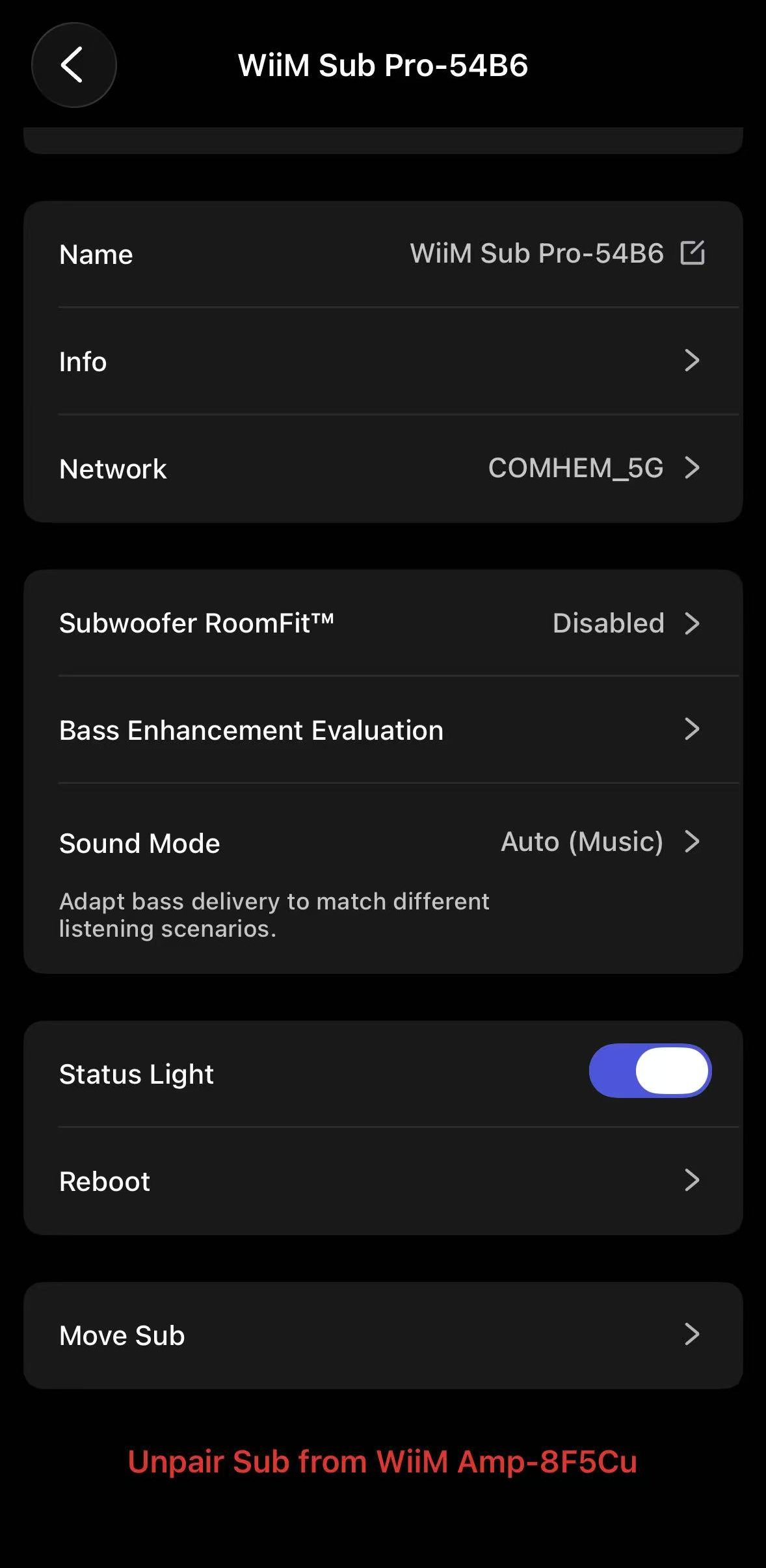
If the WiiM subwoofer is already paired with a WiiM device, go to the WiiM subwoofer's Device Settings, then select Move Sub to move it to another WiiM device. For details, see Moving Pairing to a Different WiiM Device.
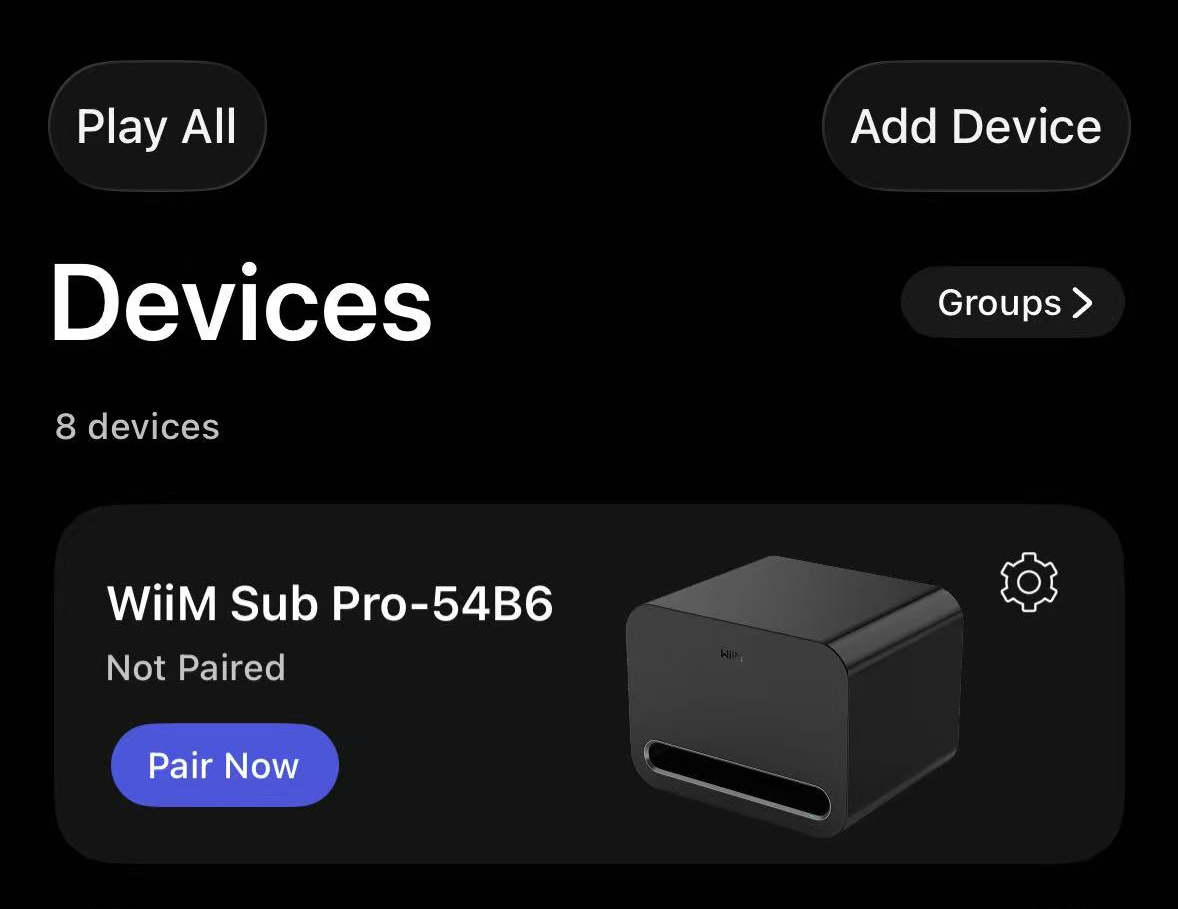
Method 3: Using "Pair Now" for an Unpaired WiiM Subwoofer
If the WiiM subwoofer is not paired with a WiiM device yet, go to the Devices tab, then tap Pair Now next to the WiiM subwoofer to start pairing with a WiiM device.
Reference
For WiiM Sub Pro initial setup, subwoofer placement, and tuning, see How to Set Up Your WiiM Sub Pro.