Overview
WiiM Sub Pro features Sound Mode, letting you switch between dedicated DSP presets for Music and Movie playback.
With Sound Mode, you can effortlessly enjoy optimized bass for different listening scenarios—tight and responsive for Hi-Fi music, or powerful and impactful for home theater.
Sound Mode Options
Sound Mode offers three options as below:
- Auto (Recommended): Automatically switches to Movie Mode for HDMI, and Music Mode for all other inputs.Note: The Auto option is available only when your WiiM Sub Pro is paired with a WiiM device with the HDMI ARC input (such as, WiiM Ultra).
- Music Mode: Low-latency tuning for tight, accurate bass. Best for Hi-Fi music listening.
- Movie Mode: Enhanced depth and impact for a more cinematic experience. Best for action movies.
Music Mode vs. Movie Mode
Sound Mode changes the internal DSP tuning of the WiiM Sub Pro, not just volume.
- Music Mode is designed for Hi-Fi music listening. It focuses on tight, clean, and accurate bass, helping the subwoofer blend naturally with the main speakers.
- Movie Mode is designed for home theater playback. It focuses on deeper bass, stronger impact, and a more cinematic experience.
The table below details the differences between Music Mode and Movie Mode.
| Area | Music Mode | Movie Mode |
|---|---|---|
| Sound Character | Tight, clean, and accurate | Deep, powerful, and impactful |
| Bass Timing | Lower latency for better integration with the main speakers | Slightly higher delay budget for stronger bass tuning |
| Bass Depth | More neutral and controlled | Deeper and more cinematic |
| Bass Boost | Minimal boost, focused on accuracy | Adds controlled impact for movie effects |
| Protection | Balanced for natural music dynamics | Stronger control for loud, dynamic scenes |
| Recommended Content | Music, stereo listening, vocals, jazz, classical, acoustic, and Hi-Fi playback | Movies, TV, games, action scenes, explosions, thunder, and engine sounds |
Tip: For best results, select the preferred Sound Mode before running Subwoofer & Speakers Sync or RoomFit. If the Sound Mode is changed later, running calibration again can help optimize bass timing and response.
How to Configure Sound Mode
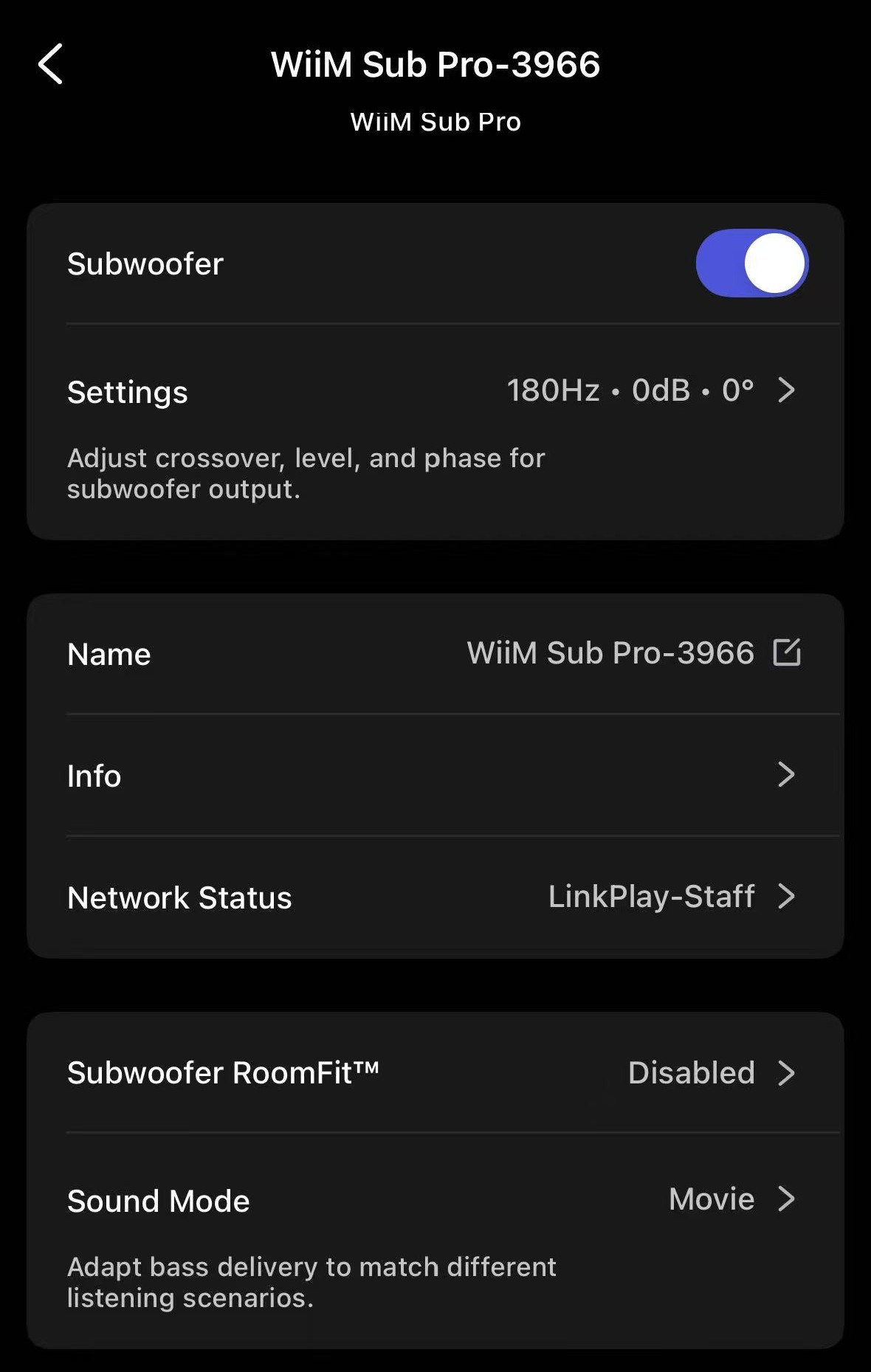
Once your WiiM Sub Pro is paired with a WiiM device, you can configure your WiiM Sub Pro's Sound Mode in the WiiM Home app.
For more information on WiiM Sub Pro pairing, see How to Set Up Your WiiM Sub Pro.
Steps:
- Open the WiiM Home app.
- Go to the Devices tab > WiiM device's Device Settings > WiiM Sub Pro.
- Tap Sound Mode and select a mode for your listening scenario.