
Overview
WiiM now supports Spotify Smart Play, letting you effortlessly resume your last Spotify playback. Just press the Play button on your device or WiiM Voice Remote to pick up right where you left off—no phone or app required.
Note:
Spotify Smart Play works when the WiiM device is idle and playback has been paused for one hour or longer.
Typical Use Case
For example, if you are listening to Spotify on your phone during your commute, once you arrive home you can simply press the Play button on your WiiM device to continue your last Spotify playback right where you left off.
Enable Spotify Smart Play
Steps:
- Open the WiiM Home app.
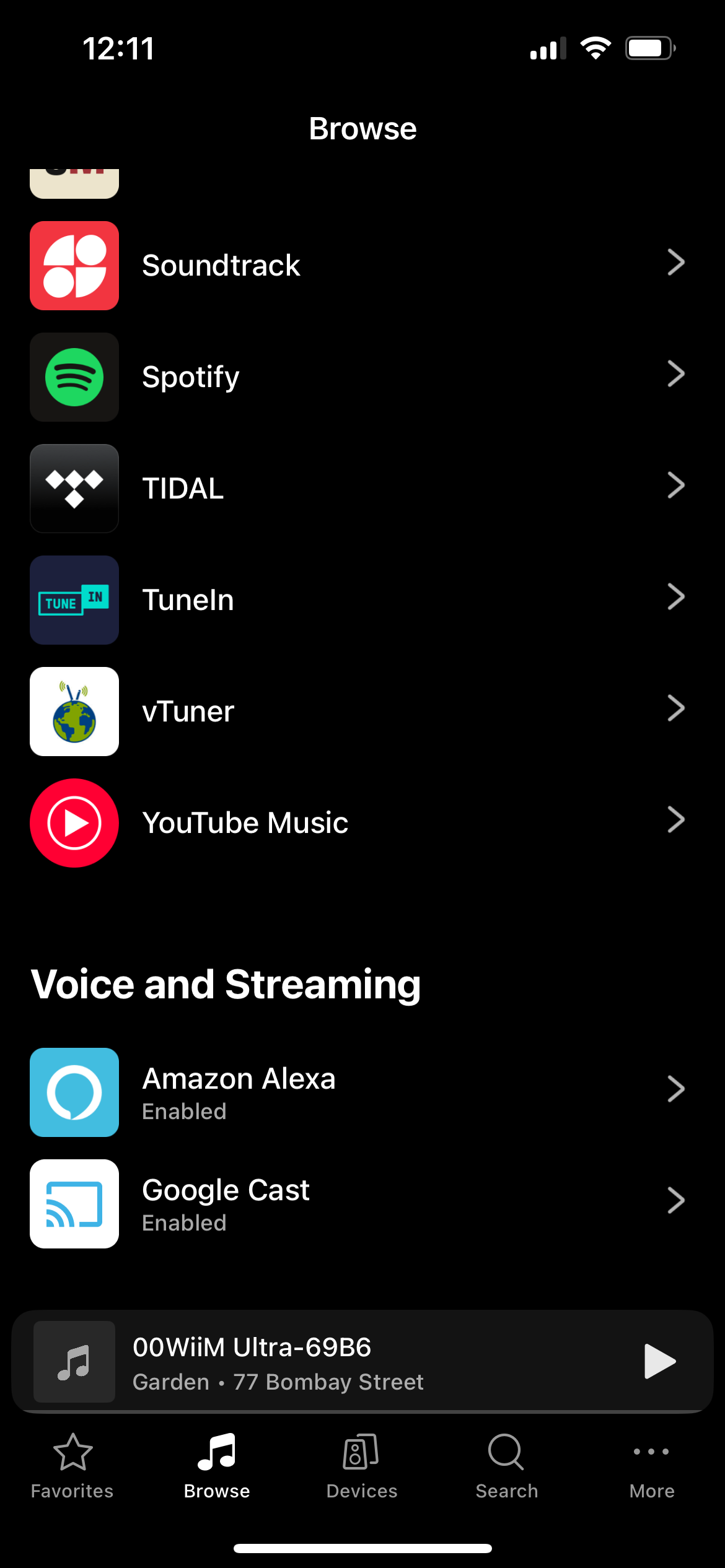
- Go to the Browse tab > Music Services > Spotify.
- Tap the Spotify Settings icon
 in the top-right corner.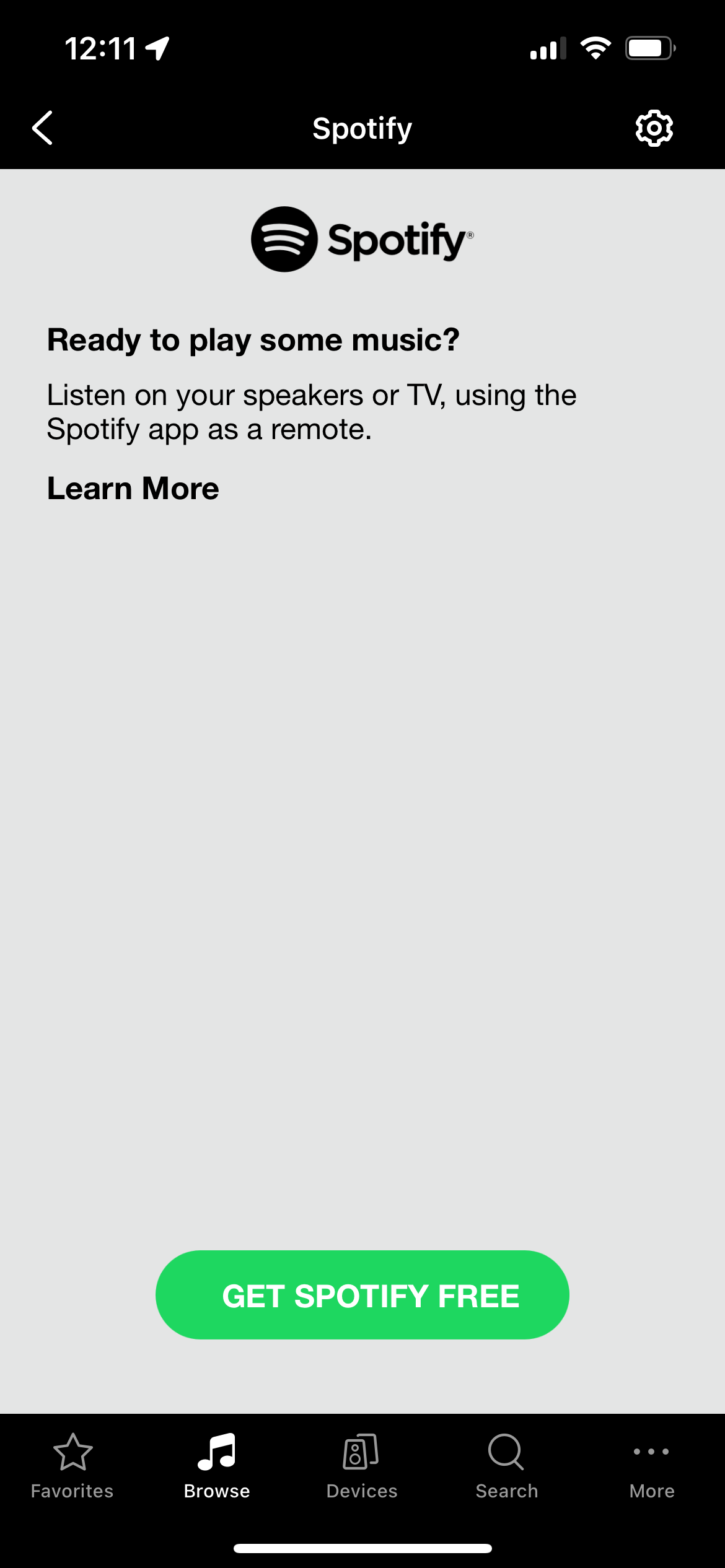
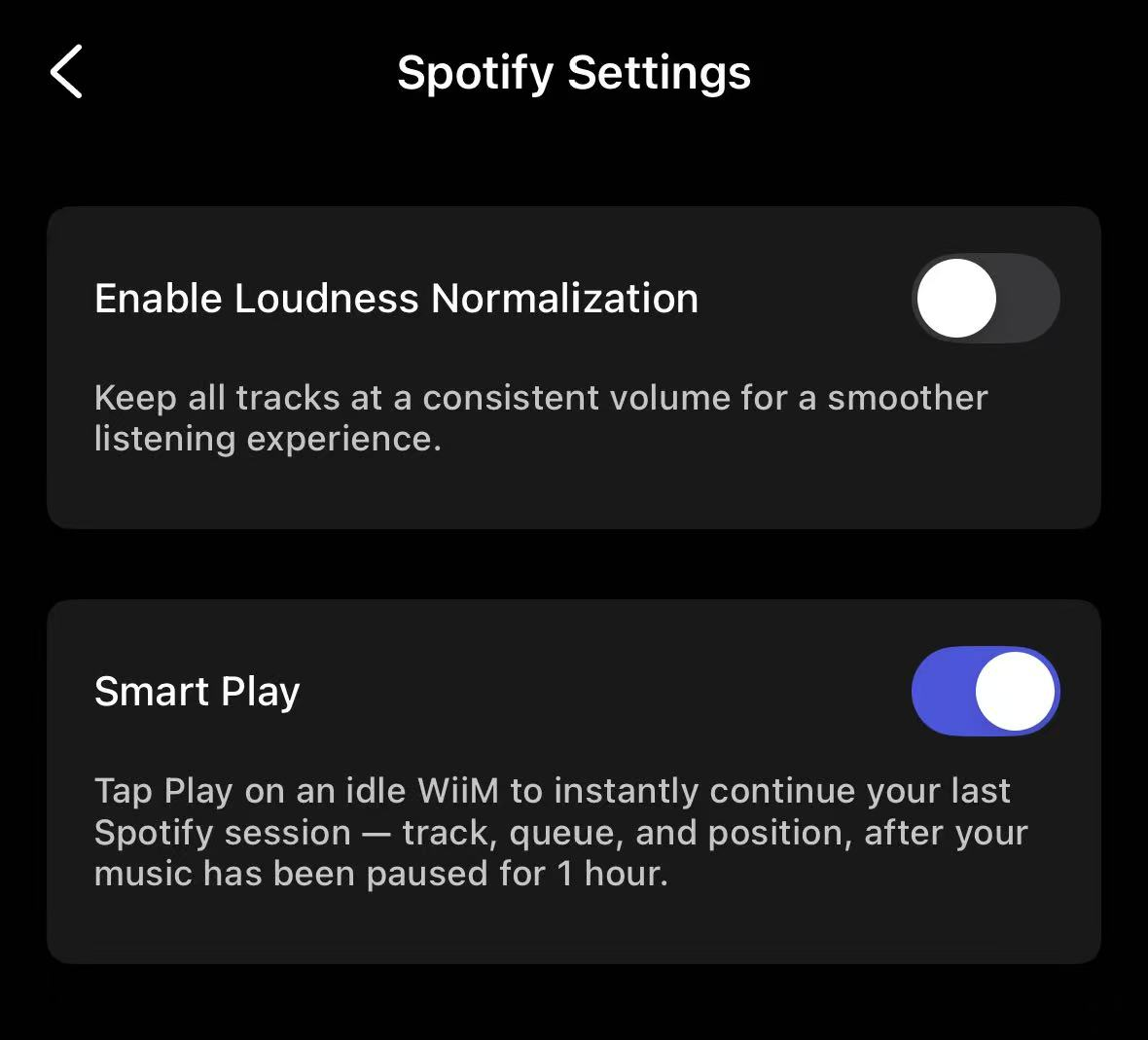
- Toggle on Smart Play.
Use Spotify Smart Play
Once Spotify Smart Play is enabled, you can use it in either of these ways:
- Option 1: Press the Play button on the WiiM device
- Option 2: Press the Play button on the WiiM Voice Remote