
TABLE OF CONTENTS
The Enter Pairing Mode feature is designed to help you quickly pair a new mobile device with your WiiM device via Bluetooth, even when another mobile device is already connected.
Instead of manually disconnecting the existing mobile device or using physical buttons, this feature puts your WiiM device directly into Bluetooth pairing mode.
The Enter Pairing Mode feature is available in the WiiM Home app and your WiiM device's built-in screen.
Method 1: Via the WiiM Home App
Scenario 1: No Bluetooth Device Connected
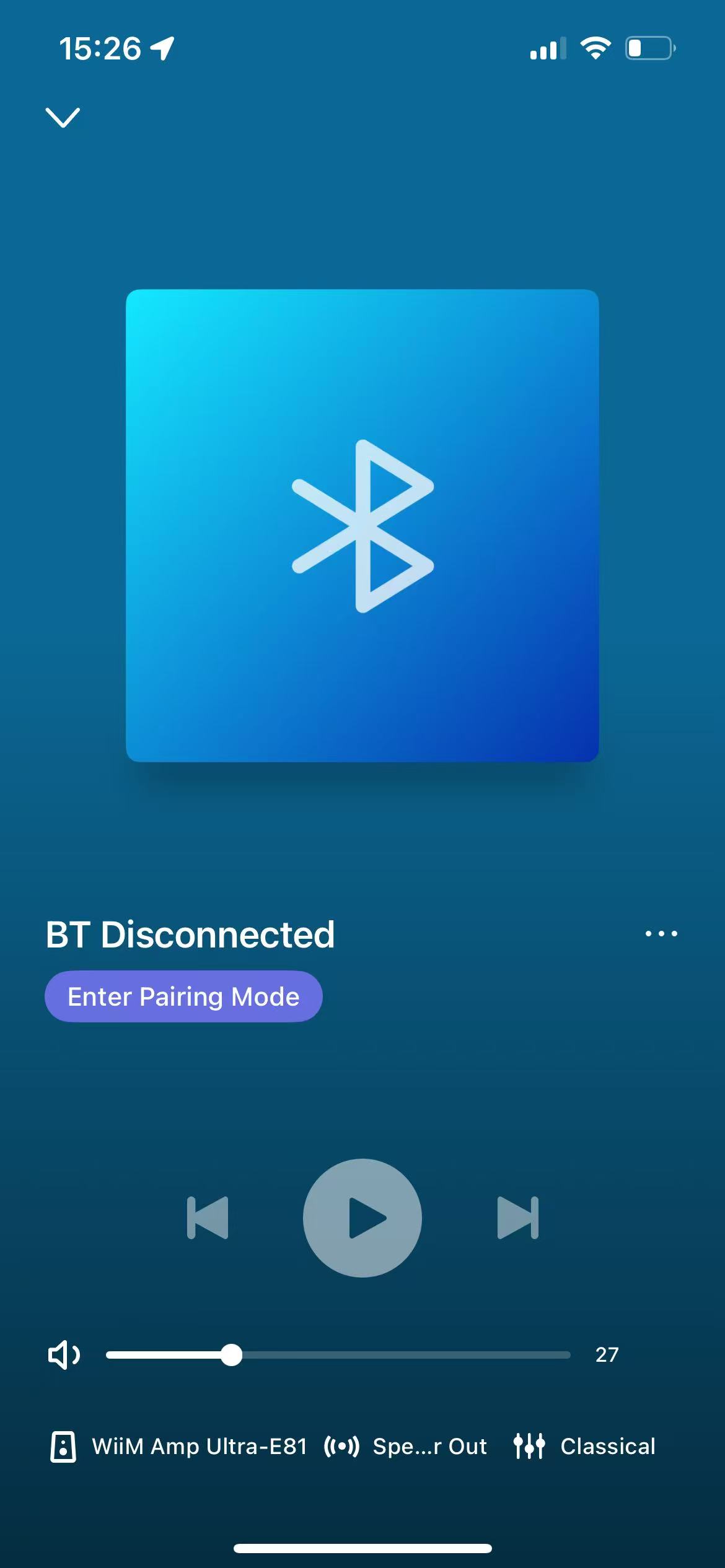
If your WiiM device is not currently connected to a mobile device, the Enter Pairing Mode option is shown directly on the Now Playing screen.
Follow these steps to use it:
- Switch your WiiM device to Bluetooth input.
- Go to the Now Playing screen.
- Tap Enter Pairing Mode. The WiiM device will immediately enter Bluetooth pairing mode.
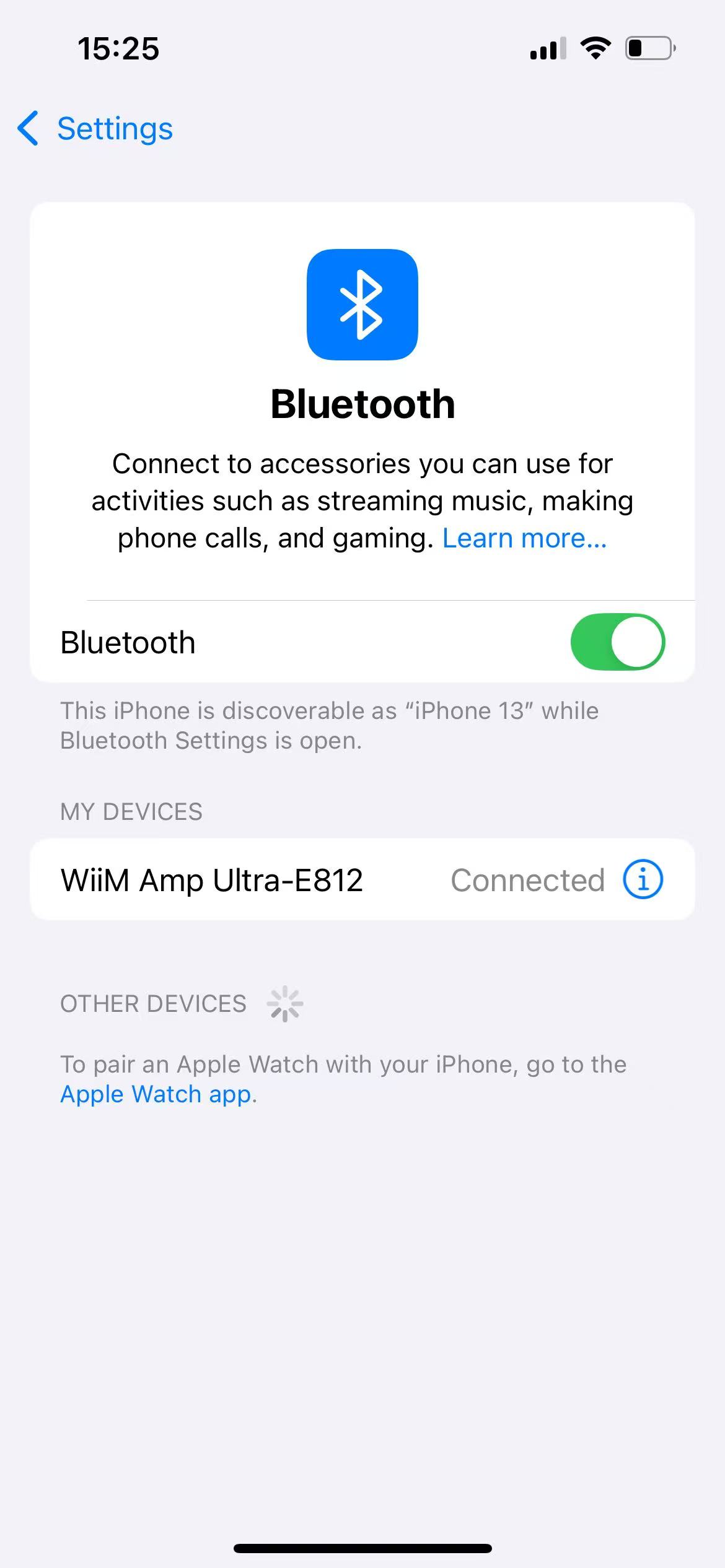
- Open Bluetooth Settings on your mobile device, select your WiiM device to complete pairing.
Scenario 2: A Bluetooth Device Is Already Connected
If your WiiM device is already connected to a mobile device, the Enter Pairing Mode option is not shown directly on the Now Playing screen.
Follow these steps to use it:
- Open the Now Playing screen in Bluetooth mode.
- Tap the More (...) option.
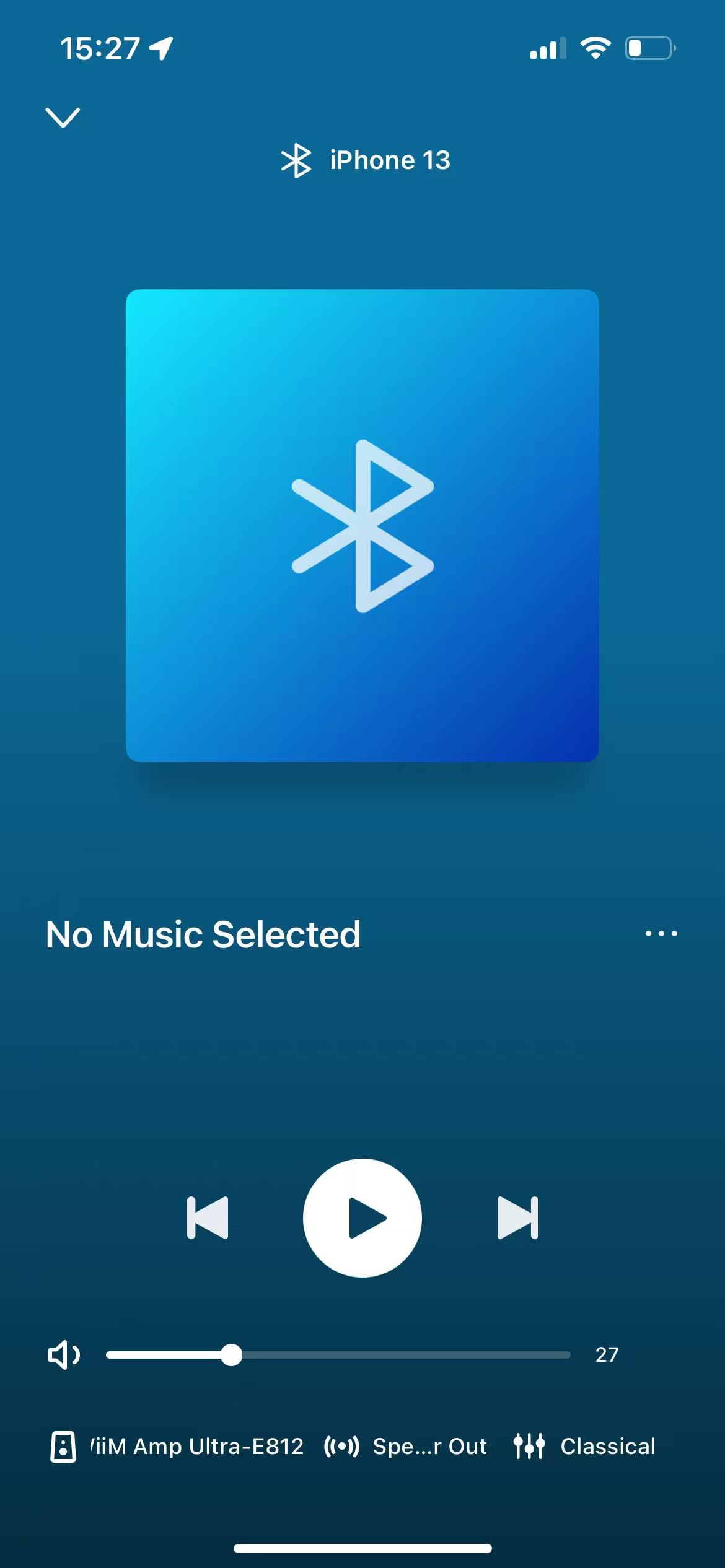
- Select Bluetooth Connections.
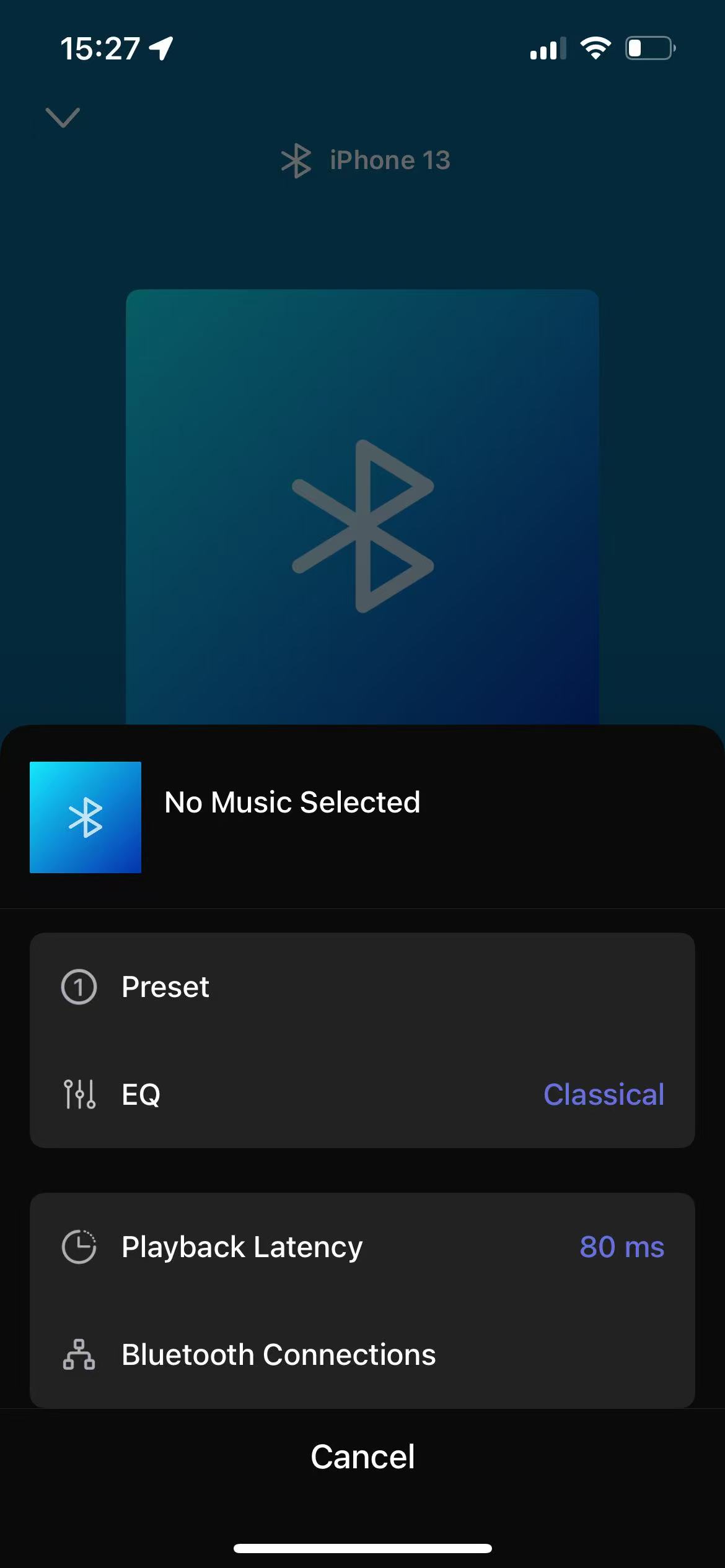
- Tap Enter Pairing Mode at the bottom. The WiiM device will immediately disconnect the existing mobile device and enter Bluetooth pairing mode.
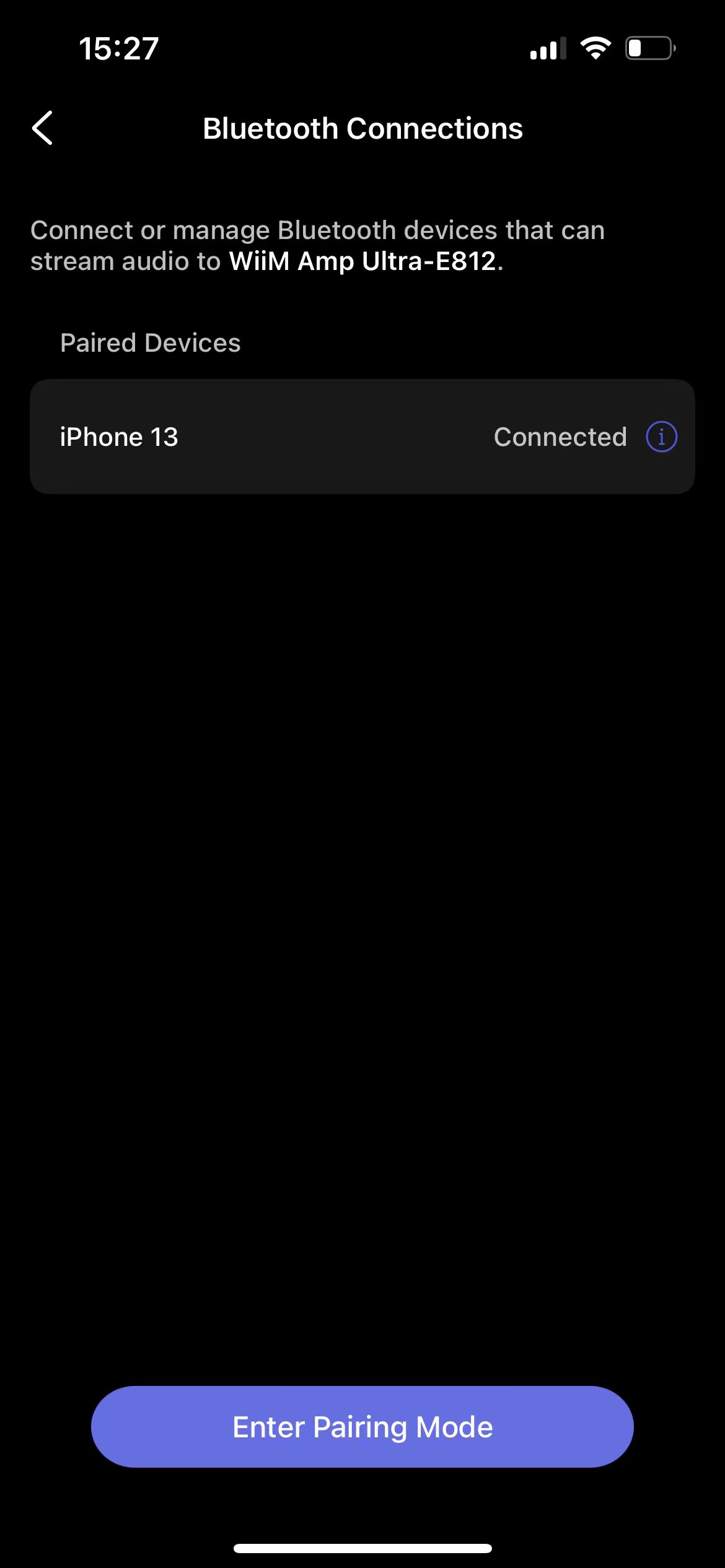 Tip: You can also tap the
 icon next to a mobile device to manage its Bluetooth connection, such as disconnecting, connecting, or forgetting the device.
 - Open Bluetooth Settings on your mobile device and select your WiiM device to complete pairing.
Method 2: Via the WiiM Device's Built-in Screen
If your WiiM device has a built-in screen, such as WiiM Amp Ultra, WiiM Ultra, or WiiM Sound, you can use the Enter Pairing Mode option directly from its screen.
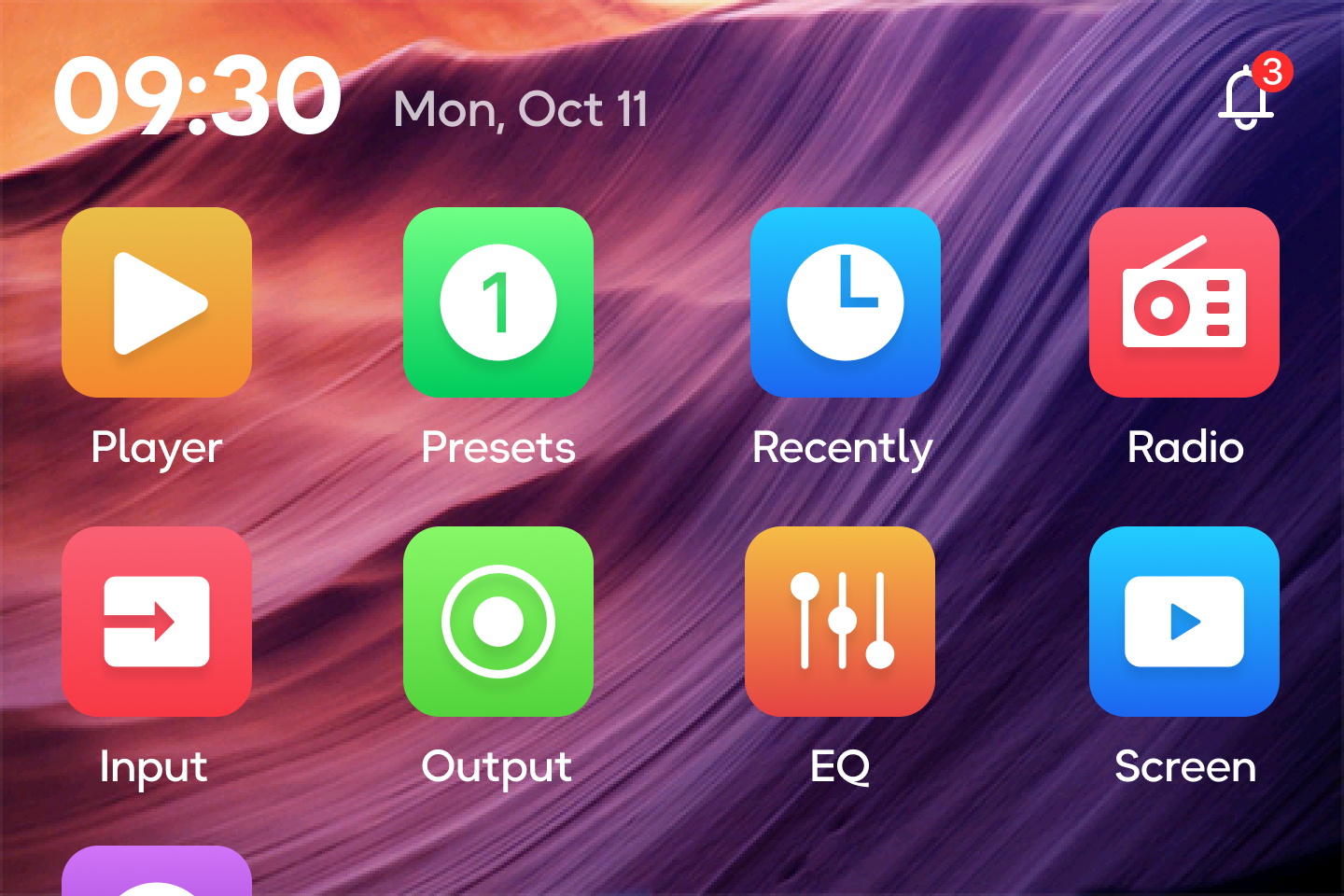
- Tap Input on your WiiM device's built-in screen.
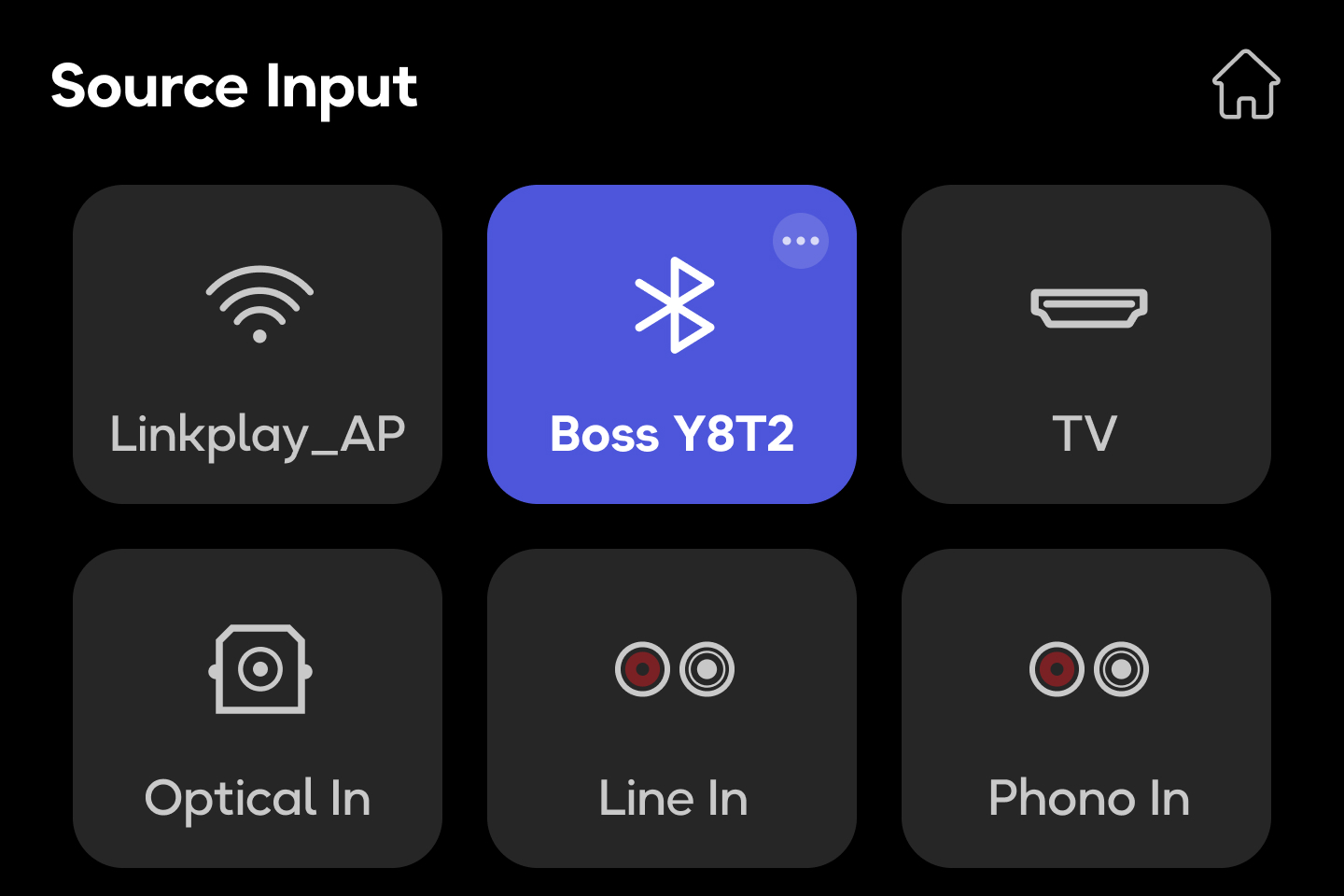
- Tap three-dots (...) on the Bluetooth input.
- Tap Enter Pairing Mode. The WiiM device will immediately disconnect the existing mobile device and enter Bluetooth pairing mode.
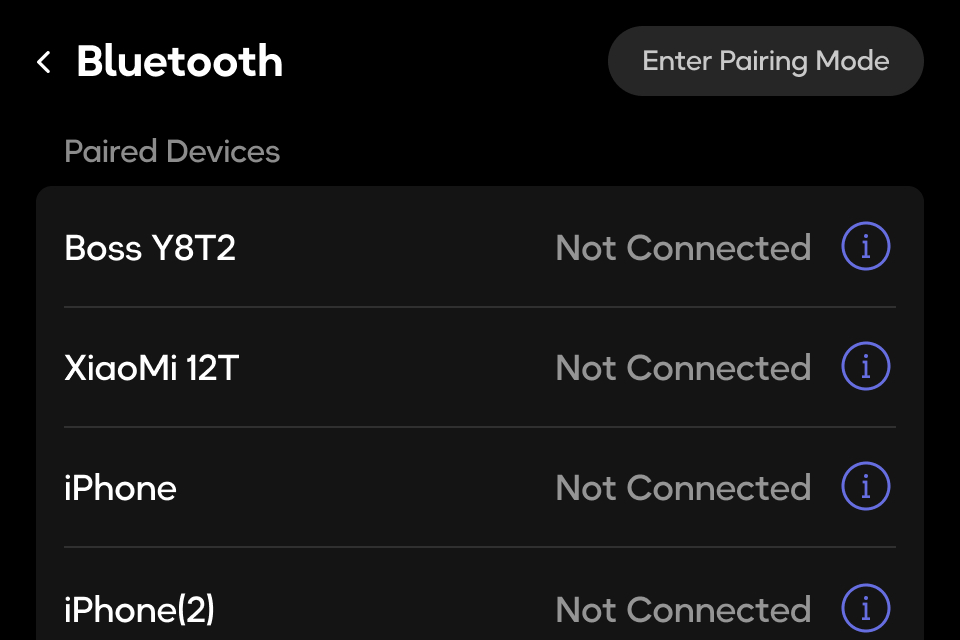 Tip: You can also tap the icon next to a mobile device to manage its Bluetooth connection, such as disconnecting, connecting, or forgetting the device.
 - Open Bluetooth Settings on your mobile device and select your WiiM device to complete pairing.