
TABLE OF CONTENTS
Overview
WiiM devices support Roon Ready, enabling high-quality audio streaming from Roon directly to your device.
Note: The WiiM Mini, WiiM Sub Pro, and WiiM Vibelink Amp do not support Roon Ready.
Roon Ready is disabled by default on WiiM devices. To start streaming from Roon, please enable this feature using the steps below.
Step-by-Step Instructions
- Open the WiiM Home app.
- Go to the Devices tab > Device Settings
 > More Streaming Services.
 - Toggle on Roon Ready.
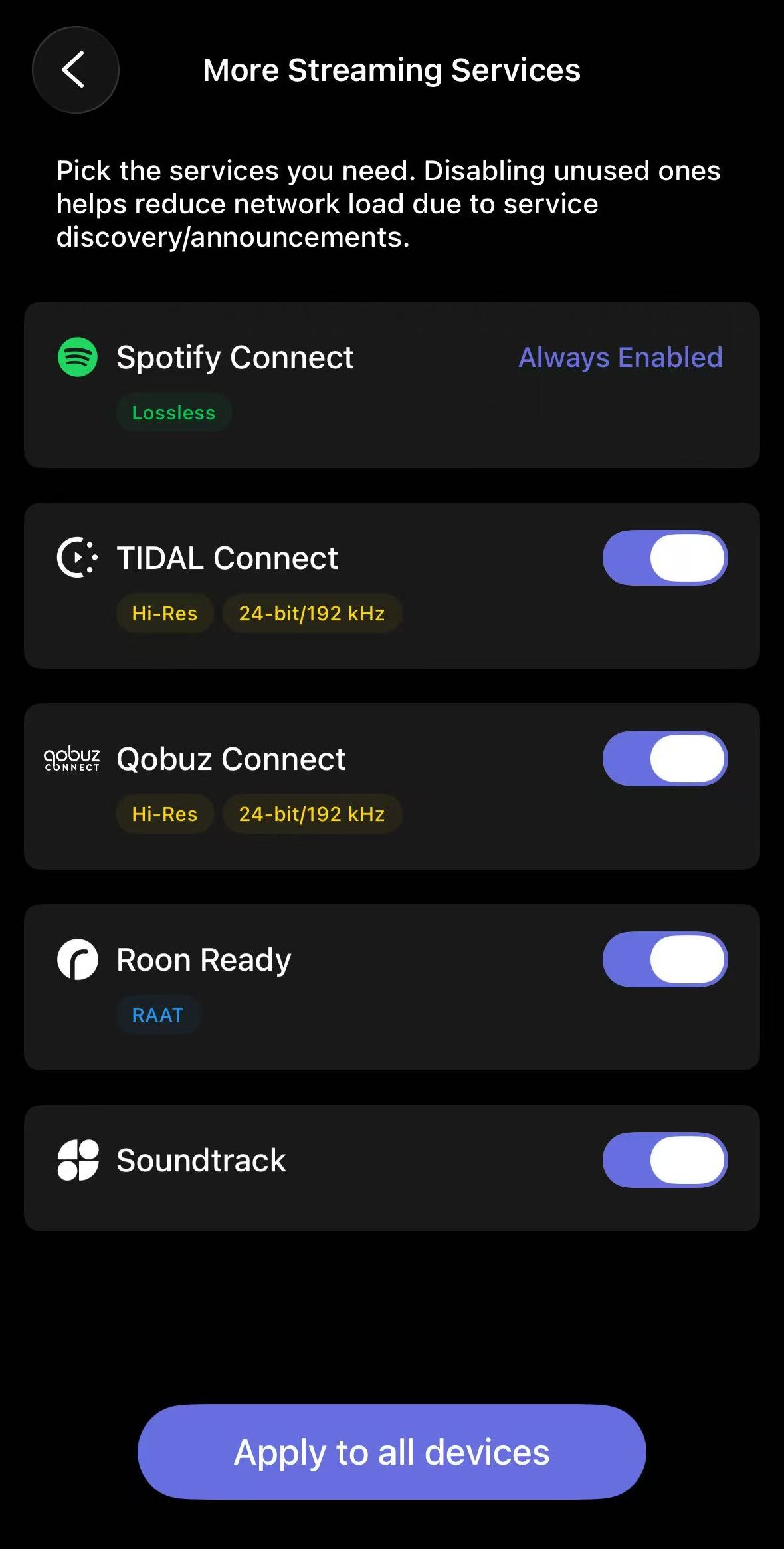
- To apply settings to all compatible devices in the network, tap Apply to all devices.
You are now ready to stream music from Roon to your WiiM device. For detailed instructions, see How to Use Roon with Your WiiM Device.