
The Spotify app now offers the Lossless Audio Quality option for Premium users. For more information, see https://support.spotify.com/us/article/lossless-audio-quality/.
This article guides you how to play lossless music from Spotify on your WiiM device.
Before You Begin
- Make sure you have a Premium subscription.
- Update the Spotify app to the latest version.
Enable Lossless Audio Quality in Spotify
- Open the Spotify app.
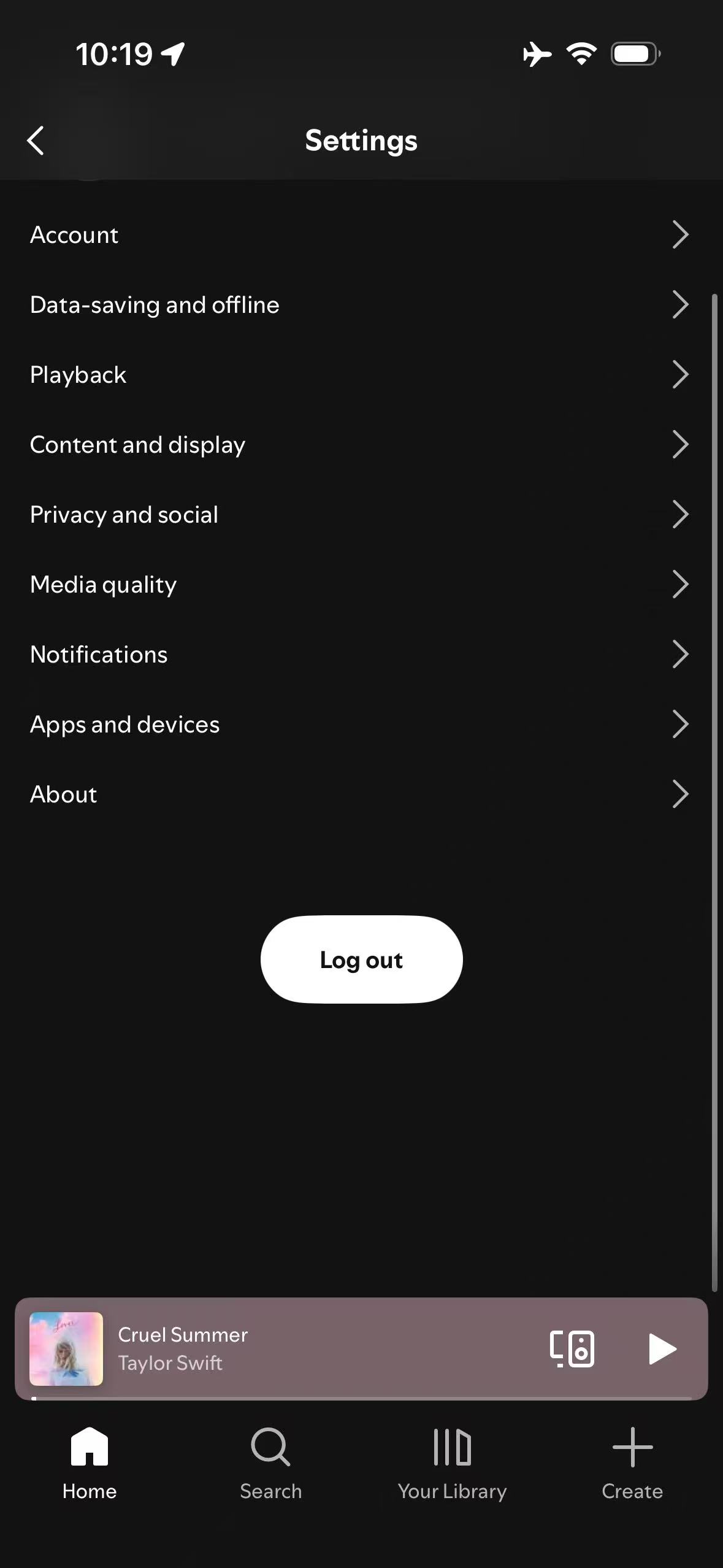
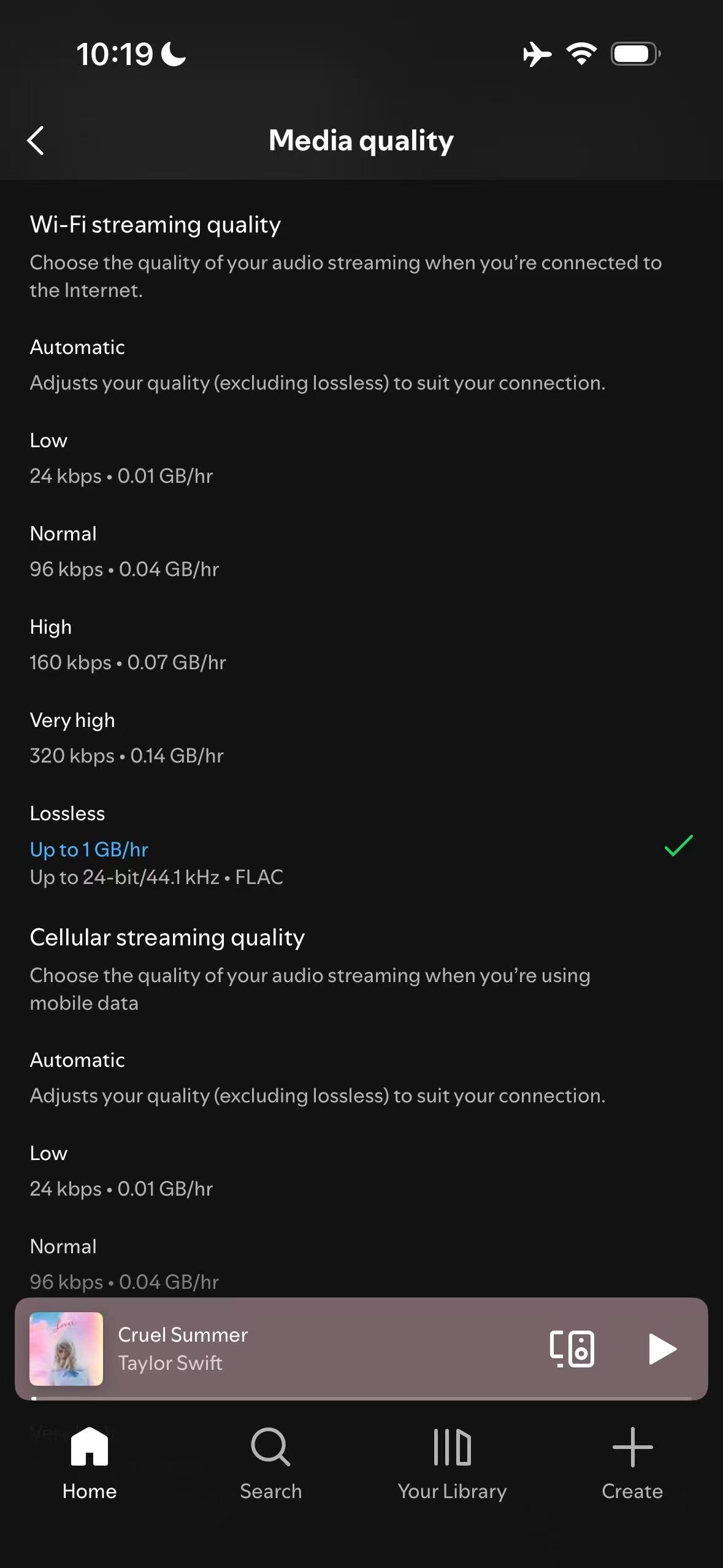
- Go to Settings and privacy > Media quality.
- Choose Lossless for both Wi-Fi streaming quality and Cellular streaming quality.
When Spotify Connect is streaming to the WiiM device, you cannot change the audio quality.
Play Lossless Spotify Music on WiiM
After enabling lossless audio quality in Spotify, start playback and stream to your WiiM device using Spotify Connect. Your WiiM device will output the lossless audio.
For detailed instructions, see How to Stream Music to Your WiiM Device via Spotify Connect.