
TABLE OF CONTENTS
Overview
The Group Audio Delay setting is specifically designed for grouped playback in WiiM multi-room audio setups. It allows you to adjust audio delay for grouped devices to address audio-video synchronization (lip-sync) issues with TV inputs and improve multi-channel playback stability.
You can set distinct values for each input supported by the group lead device (e.g., Line In, HDMI, Optical In, etc.), eliminating the need to readjust the delay every time you switch inputs.
Note: The group lead device manages the timing for all devices in the group, so any Group Audio Delay adjustments must be made on the group lead device to be effective.
How to Use Group Audio Delay
- Open the WiiM Home app.
- Go to the Devices tab, then tap the Device Settings icon
 of the group lead WiiM device.
 - Select Group Audio Delay.
- Choose the input for which you want to adjust the delay value.
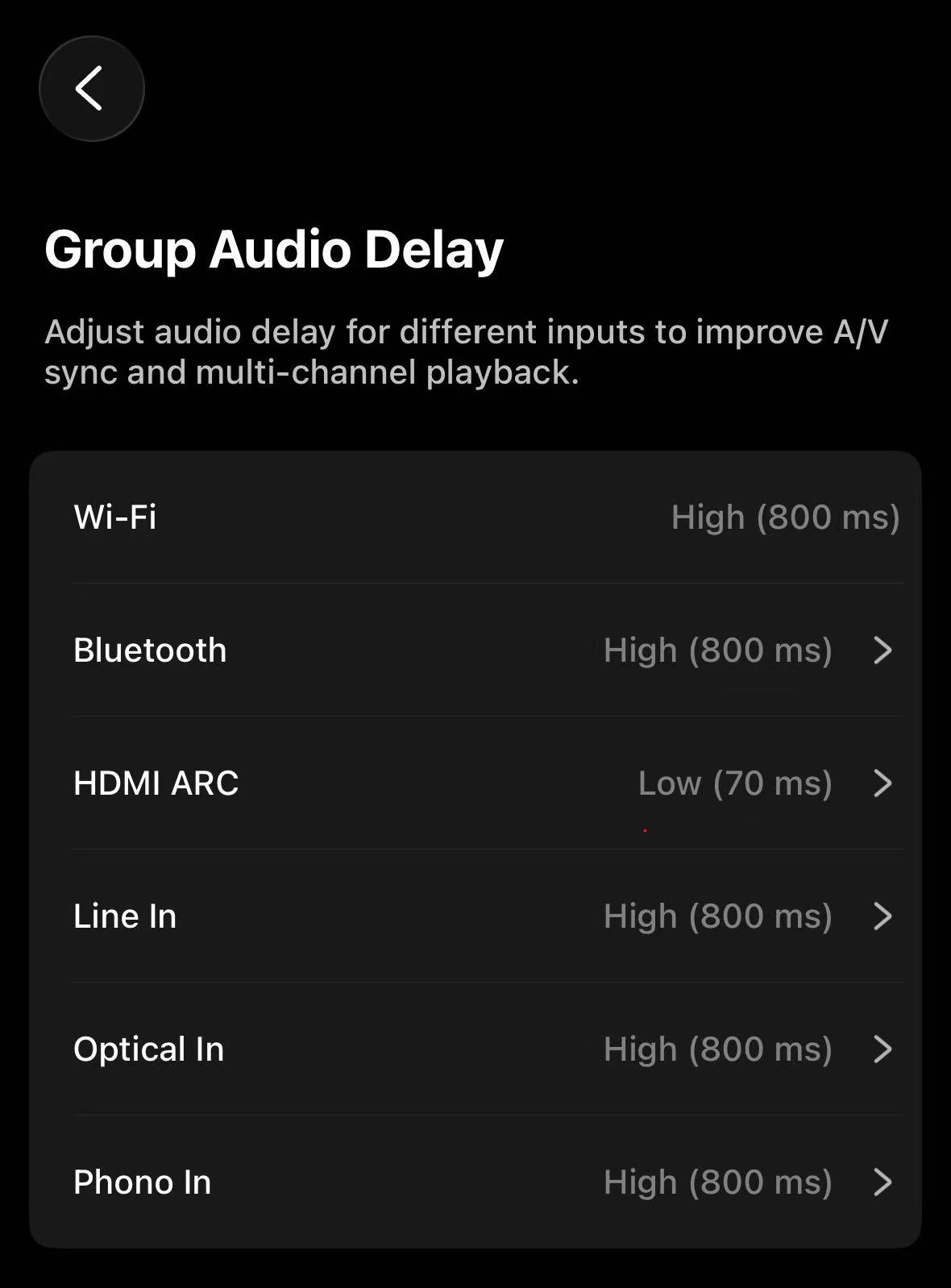
- Select a delay value according to your requirement.
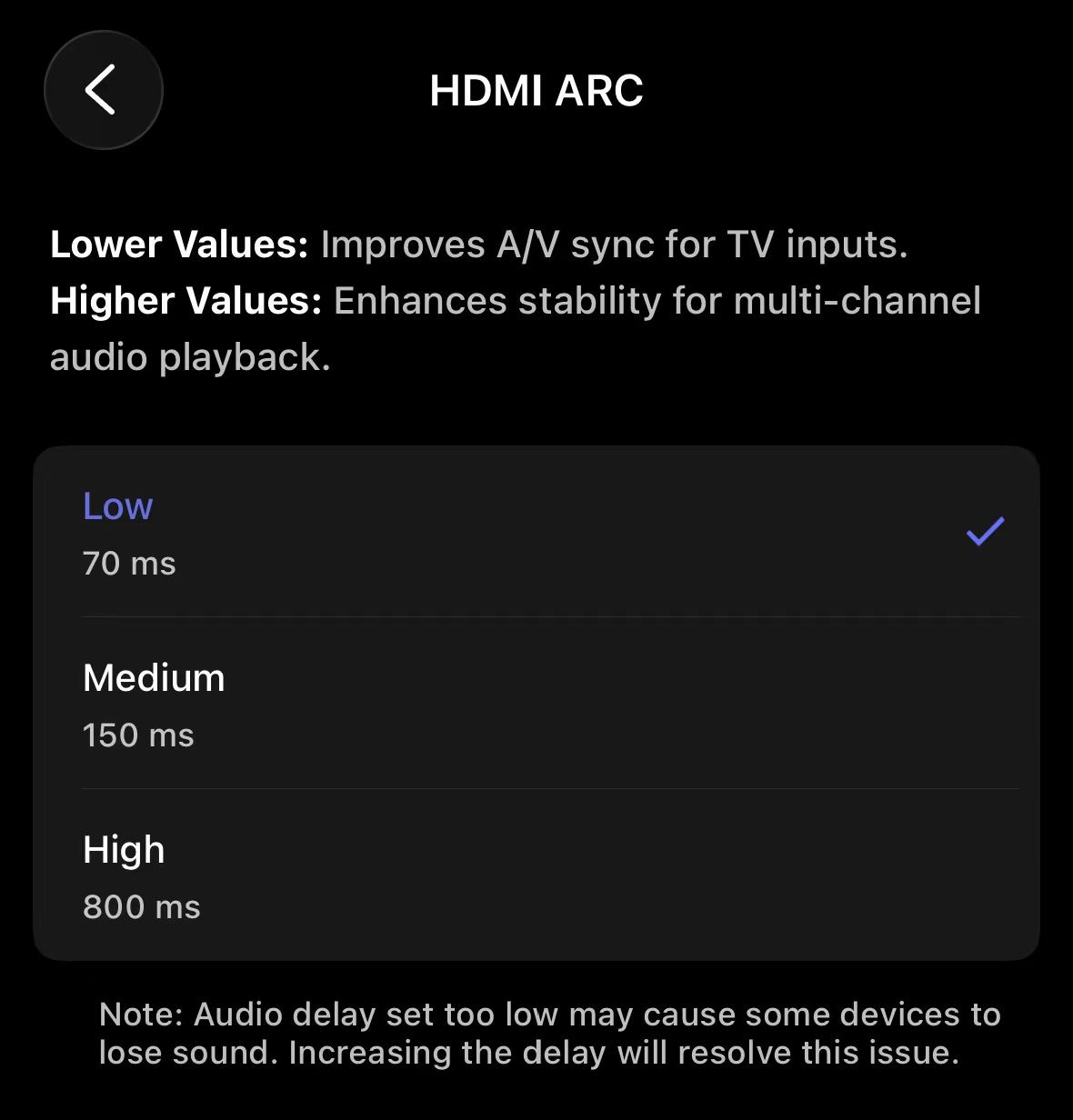
A smaller value is used to improve audio-video synchronization with TV inputs, while a higher value is used to enhance multi-channel playback stability.Tip: Setting the audio delay too low may result in sound loss on some devices. Increasing the delay will resolve this issue.