
WiiM devices are designed to remain powered on as long as they are connected to a power source. This ensures they are always ready for use. However, if you want to manage the power state of your WiiM device for energy efficiency or other reasons, you can do so using the methods below.
Put Your WiiM Device into Standby Mode
Option 1: Use Automatic Standby Mode
WiiM devices support Automatic Standby, which puts the device into standby mode after it remains idle for a specified period of time.
You can configure the standby timer in the WiiM Home app according to your preference.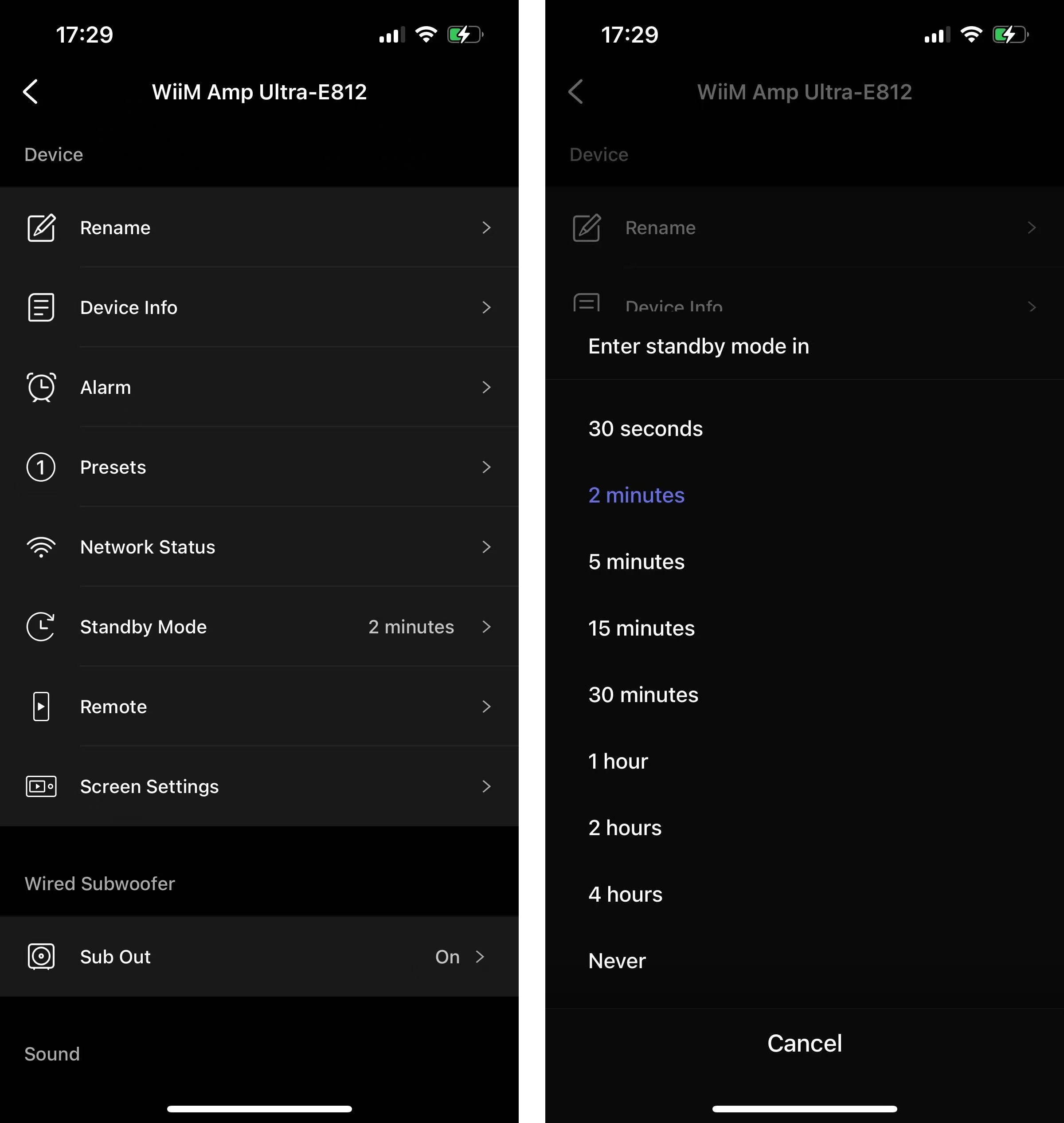
Option 2: Use WiiM Voice Remote
If you want to immediately put your WiiM device into standby mode, press the Power button on the WiiM Voice Remote.
For details, see How to Set Up Your WiiM Voice Remote and How to Set Up Your WiiM Voice Remote 2.
Power Off Your WiiM Device
Option 1: Disconnect the Power Source
If you do not need your WiiM device to remain in a ready-to-use state, you can completely power it off by unplugging it from the power outlet.
Option 2: Use a Smart Outlet
You can connect your WiiM device to a smart outlet that can be controlled by voice commands, a remote, or a physical switch. When using a smart outlet, make sure it supports a standby power threshold lower than the WiiM device’s standby consumption.