
TABLE OF CONTENTS
Overview
Squeezelite enhances your audio streaming experience by offering synchronized multi-room audio, support for high-resolution formats, and customization options. Its open-source nature ensures ongoing development and compatibility with various devices, making it an ideal choice for integrating with LMS.
The seamless integration of Squeezelite into WiiM devices eliminates the need for third-party plugins, providing a streamlined connection for optimal sound.
Compatible WiiM Devices
All WiiM devices are compatible with Squeezelite, except WiiM Mini, WiiM Sub Pro, and WiiM Vibelink Amp.
LMS Playback on a Single WiiM Device
Before You Begin
- Ensure that Lyrion Media Server (LMS) is installed and running.
- Ensure that your WiiM device and the device running LMS are connected to the same network.
1. Enable and Configure Squeezelite on Your WiiM Device
- Open the WiiM Home app.
- Go to
the Devices tab >
Device Settings
 >
Squeezelite.
>
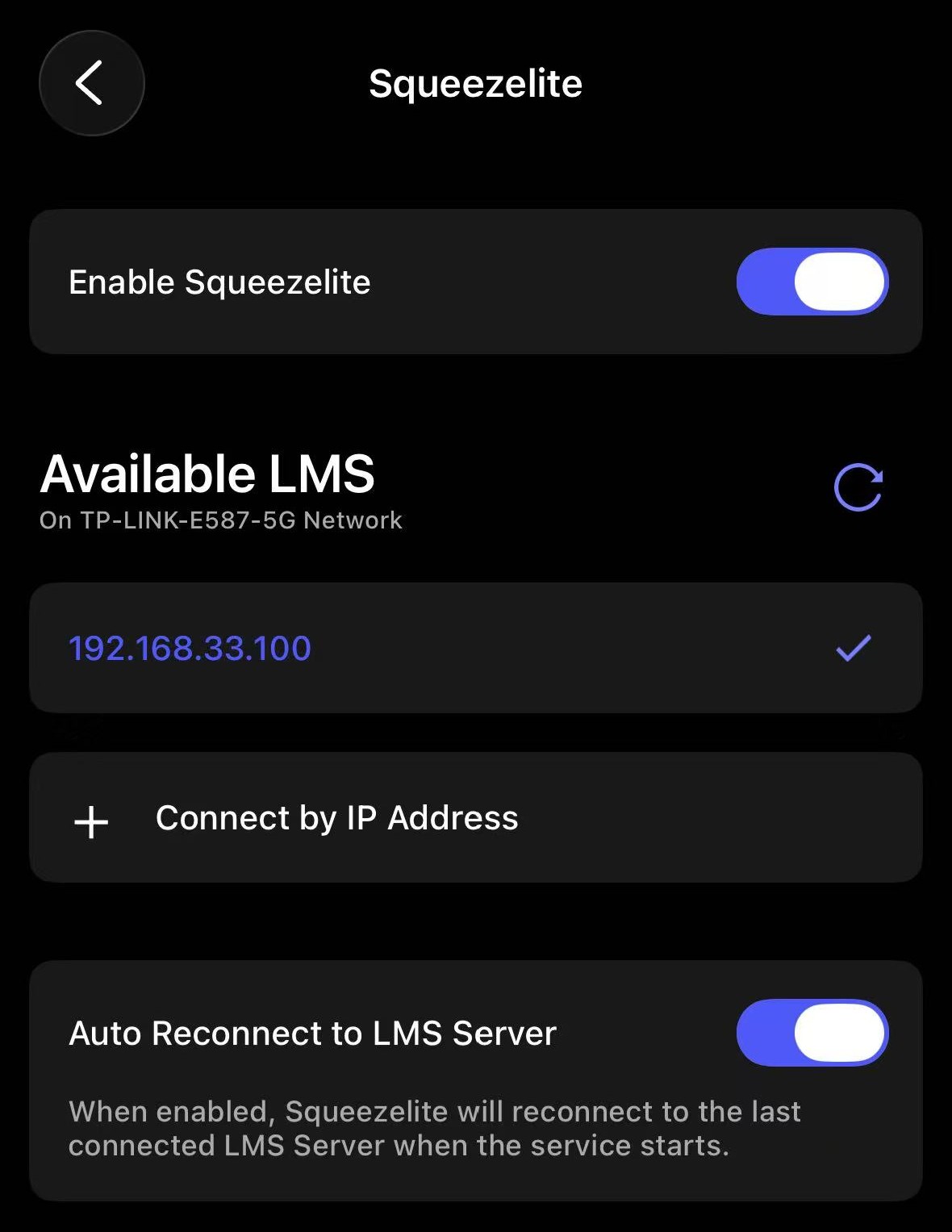
Squeezelite. - Enable Squeezelite. The device will automatically search for available LMS servers on the network.
- Select
your LMS server from the list. Tip: If your LMS server does not appear in the list, tap Connect by IP Address to manually add the LMS server.
2. Start Playback
- Open an LMS-compatible controller, such as the LMS web interface, iPeng, Squeezer, or other LMS-compatible apps.
- Choose your WiiM device and start playback.
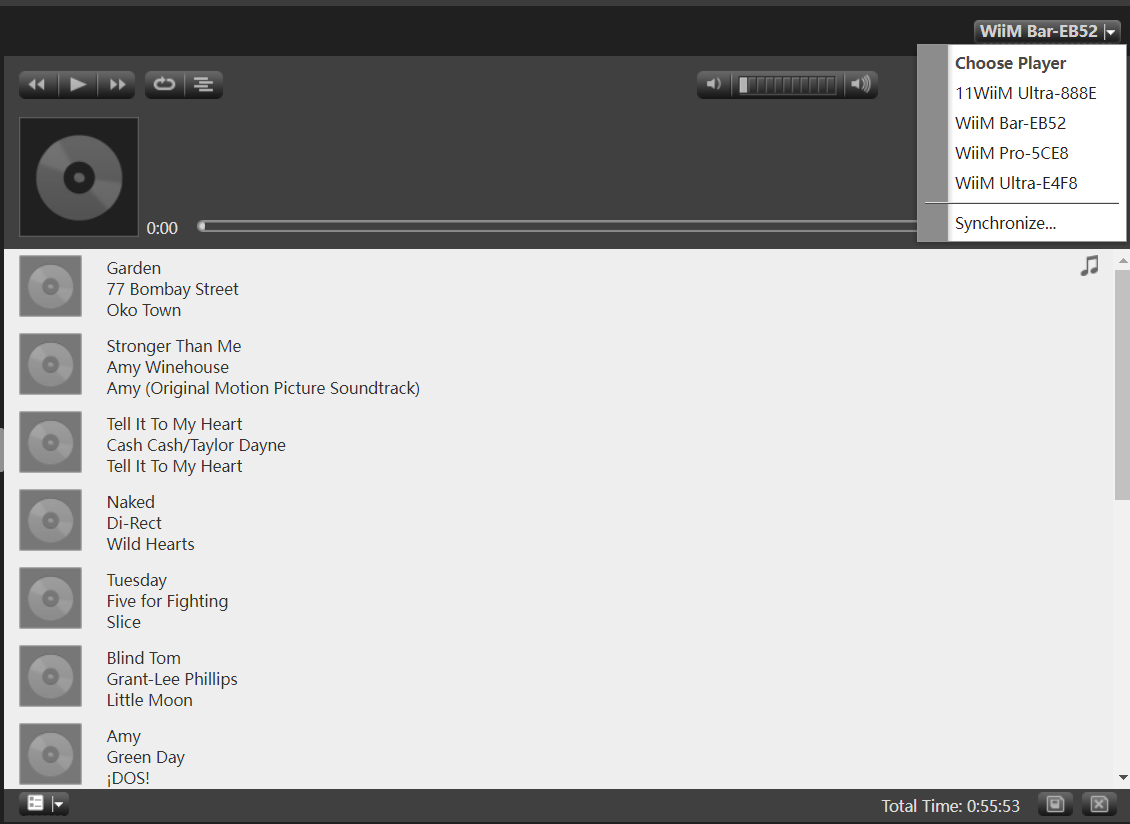
- From LMS, you can directly control playback (e.g., play, pause, adjust volume, or skip tracks).
LMS Group Playback
You can also use the Synchronize option in the LMS controller to set up LMS group playback. For details, see How to Use LMS Group Playback on WiiM Devices.
Troubleshooting: WiiM Device Does Not Appear in LMS
If your WiiM device does not appear in LMS, try the following:
- Confirm that the WiiM device and the LMS server are connected to the same network.
- Check that
Squeezelite is enabled and the correct LMS server is selected in the
WiiM Home app.Tip: If your LMS server does not appear in the list, tap Connect by IP Address to manually add the LMS server.
- Restart the LMS server.
- Check your router settings and make sure device discovery is allowed.
Tips
- We recommend regularly updating your WiiM device's firmware and LMS software to ensure optimal performance and access to new features.
- For optimal audio quality, especially with high-resolution files, ensure a stable network connection.