
TABLE OF CONTENTS
Before using Google Cast audio on the WiiM device, you need to enable it in the WiiM Home app.
Enable Google Cast
Use any of the following options to enable Google Cast:
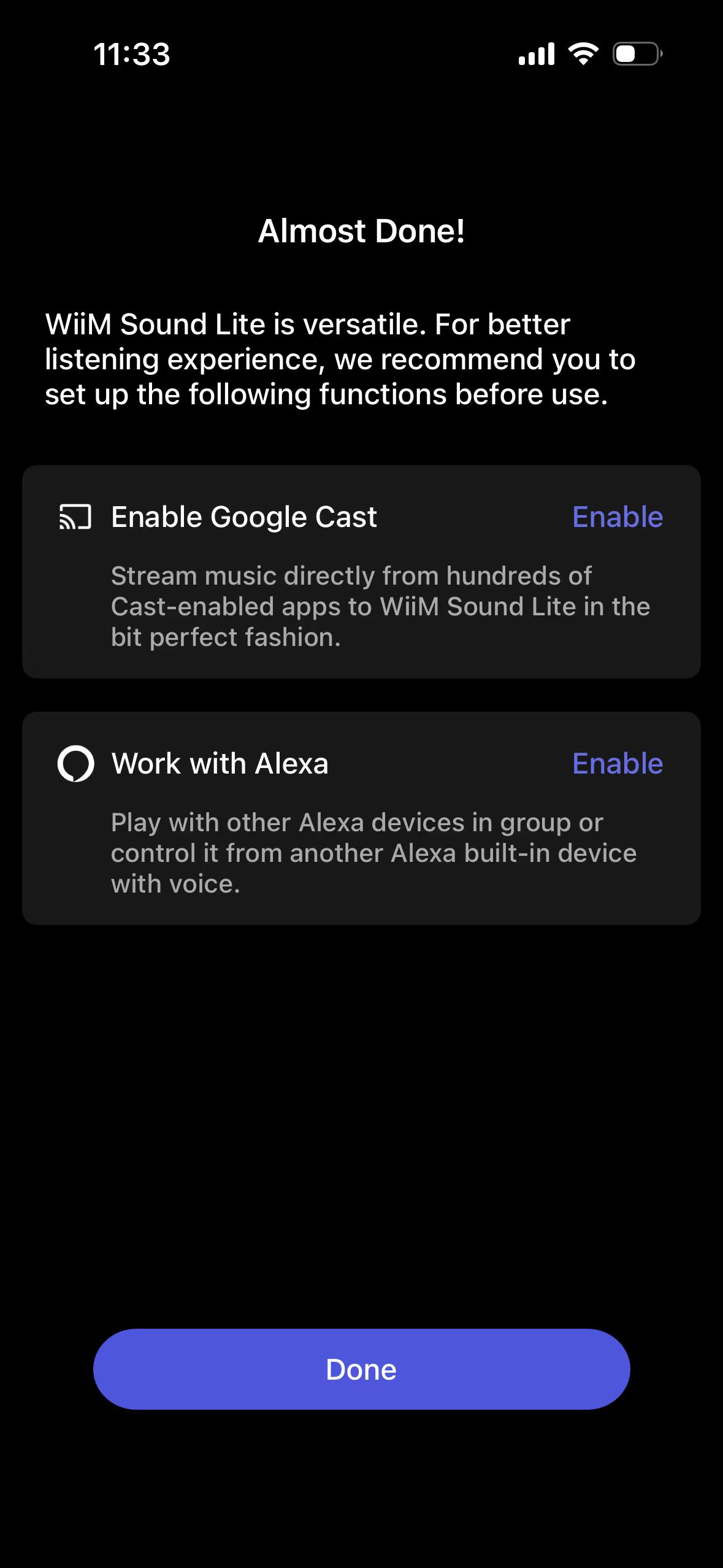
Option 1: During WiiM Setup
Enable it when you set up the device with the WiiM Home app.
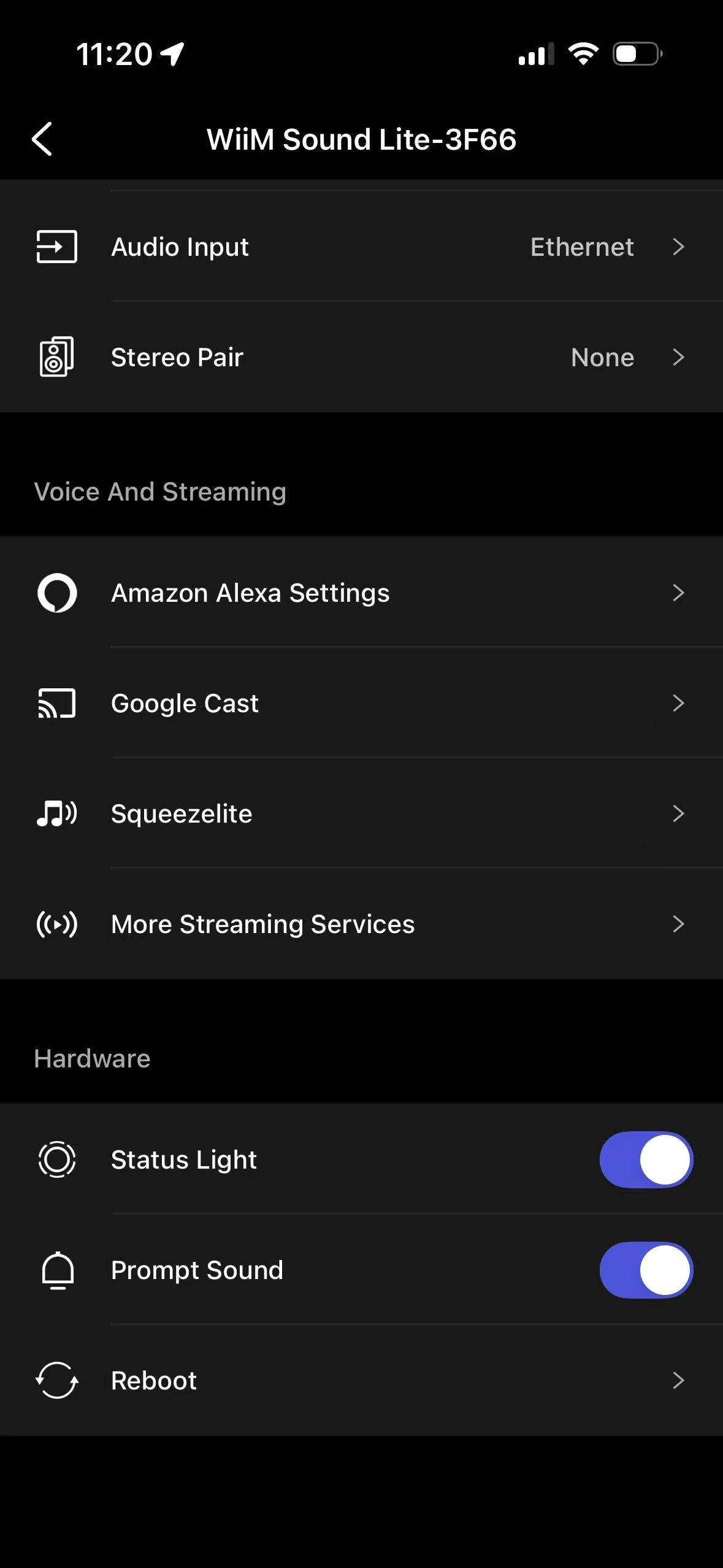
Option 2: After WiiM Setup
Go to the Devices tab > Device Settings  > Google Cast, then enable it.
Disable Google Cast
To disable Google Cast on the WiiM device, you need to reset the device.
To reset the device, press and hold the Play button on the WiiM device for 10 seconds until you hear the voice prompt "Restore to factory settings".