
TABLE OF CONTENTS
You can open equalizer (EQ) settings in the WiiM Home app or from the built-in screen on supported WiiM devices. Choose one of the methods below.
Method 1: From Now Playing
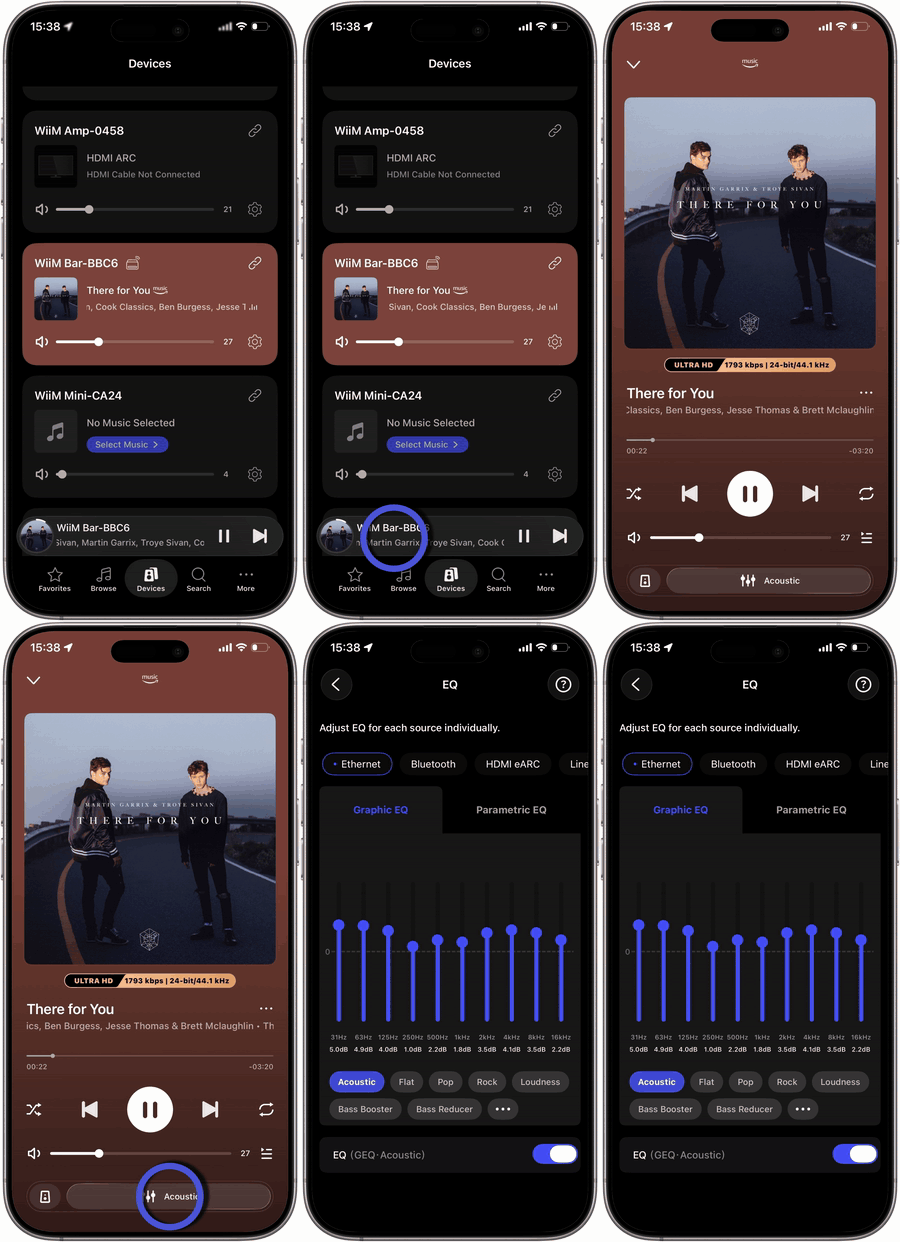
In the WiiM Home app, tap the  icon at the bottom of the Now Playing screen to open EQ settings for the current device.
Method 2: From Device Settings
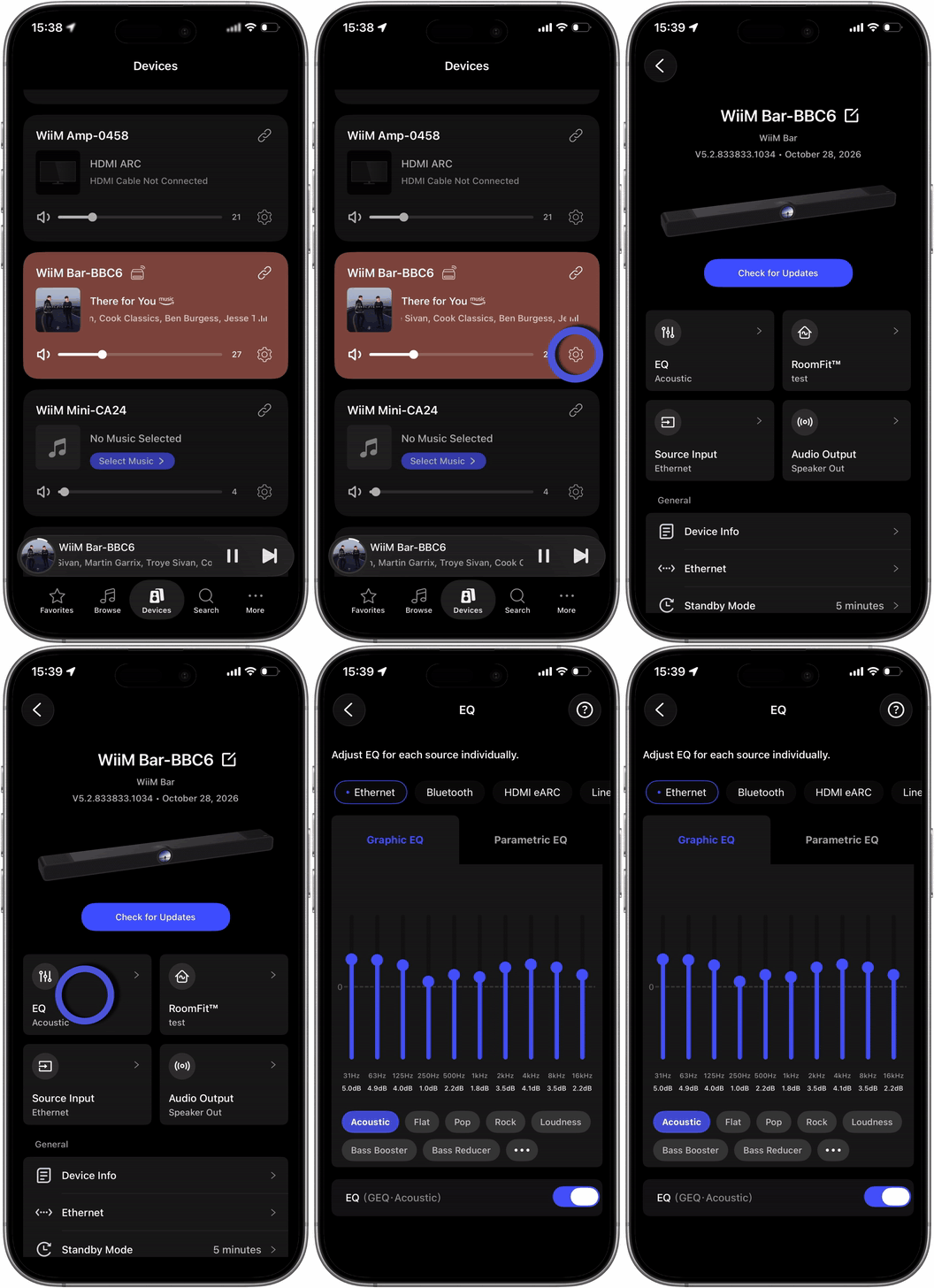
In the WiiM Home app, go to the Devices tab and tap the gear icon for your device to open Device Settings. Then tap EQ under Sound.
Method 3: From the Built-In Screen
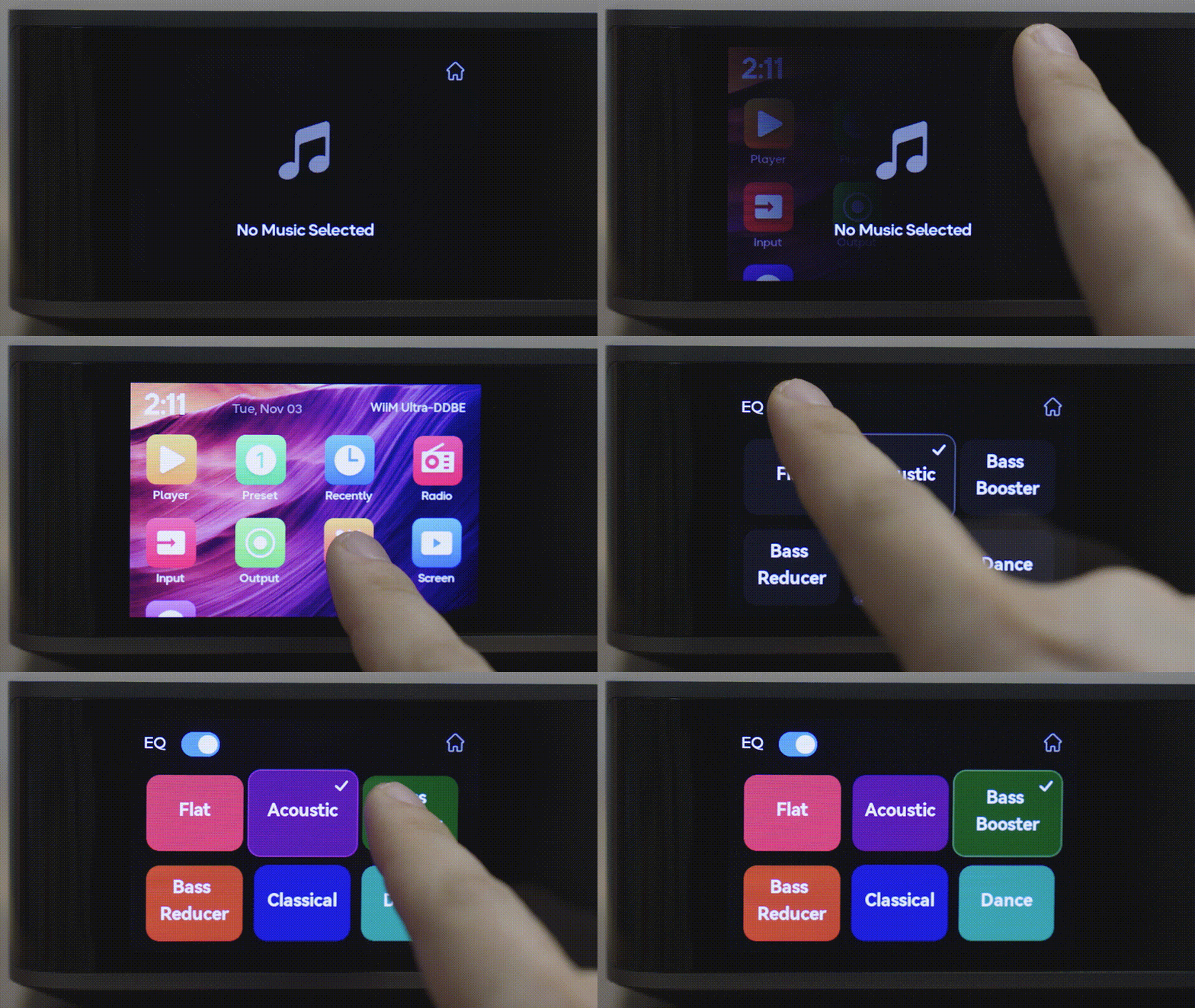
If your WiiM device has a built-in screen with an EQ option, tap EQ in the on-screen home menu to access the available EQ settings.
Tips
In the WiiM Home app, you can choose from 24 preset EQ settings, adjust the 10-band Graphic EQ (GEQ), or use Parametric EQ (PEQ) for more precise control. You can also configure separate EQ settings for each input source.
Learn more: