TABLE OF CONTENTS
The Order ID identifies the purchase record for your WiiM product. It is needed for extended warranty registration and may also be requested for after-sales support.
Follow the instructions below to find it, depending on whether you purchased the product from the WiiM website or Amazon.
Purchased from the WiiM Website
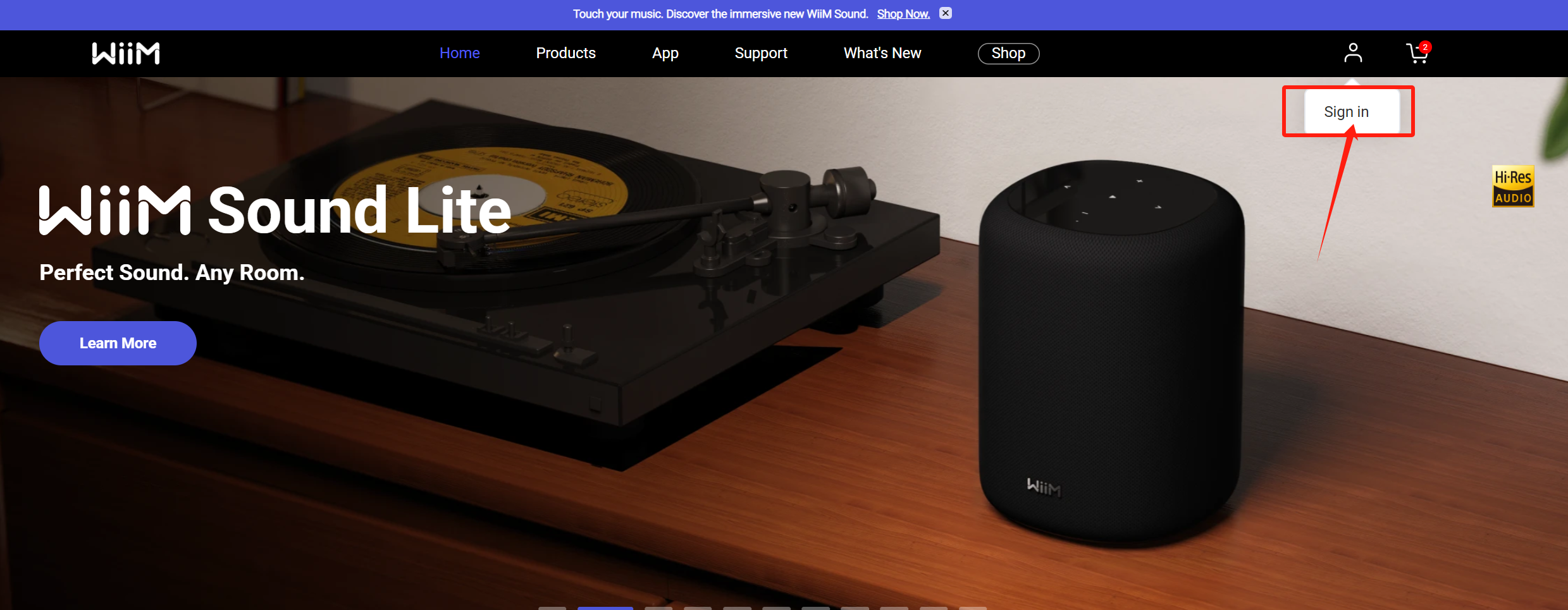
- Open the WiiM website (https://www.wiimhome.com/).
- Sign in to your account.
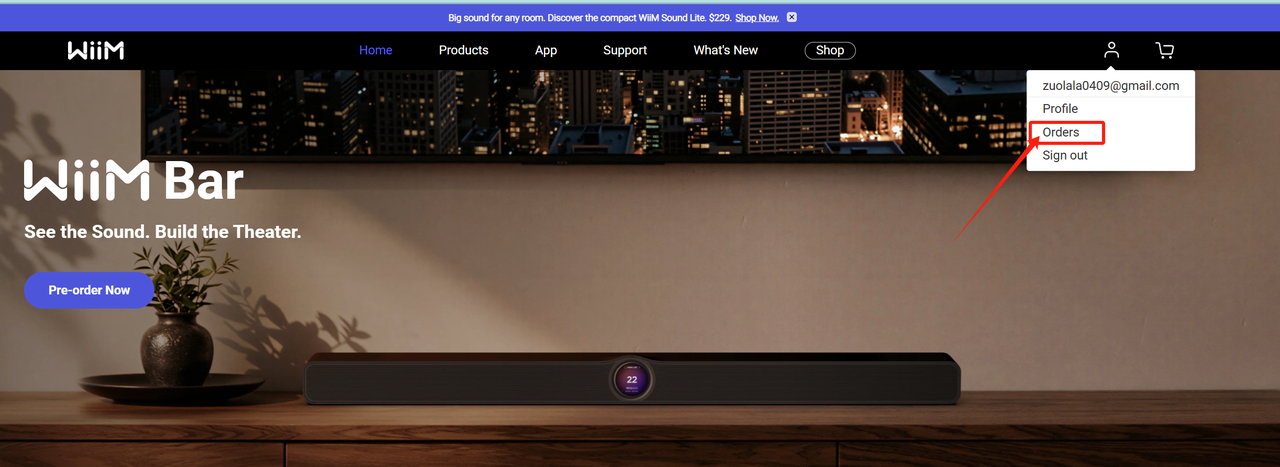
- Select Orders.
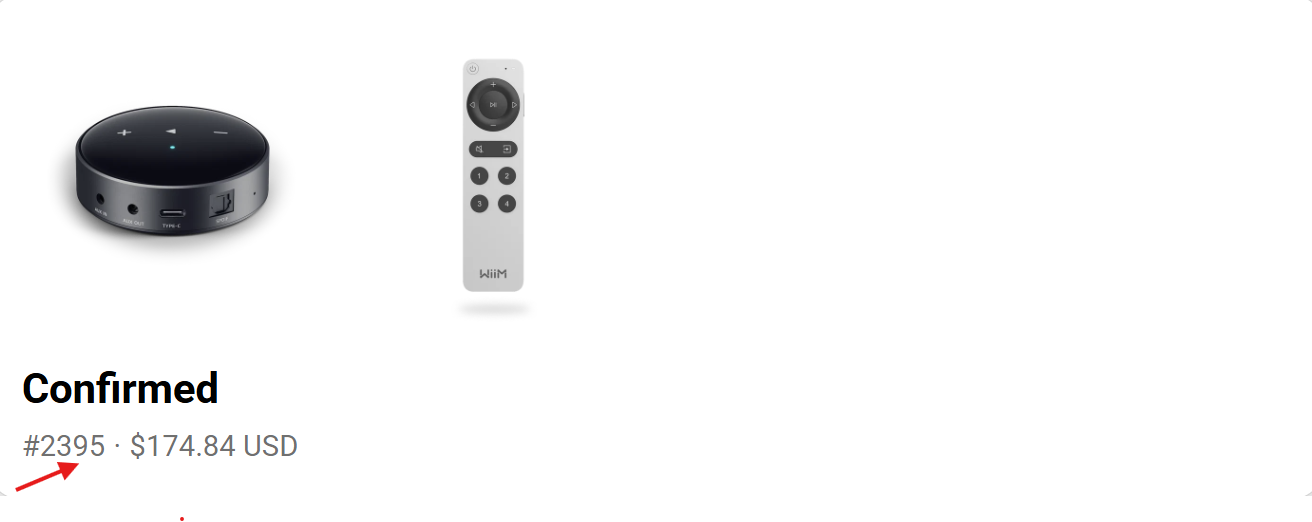
- Find the relevant order and copy the Order ID as shown in the screenshot.
Purchased from Amazon
- Open Amazon.
- Sign in to your account.
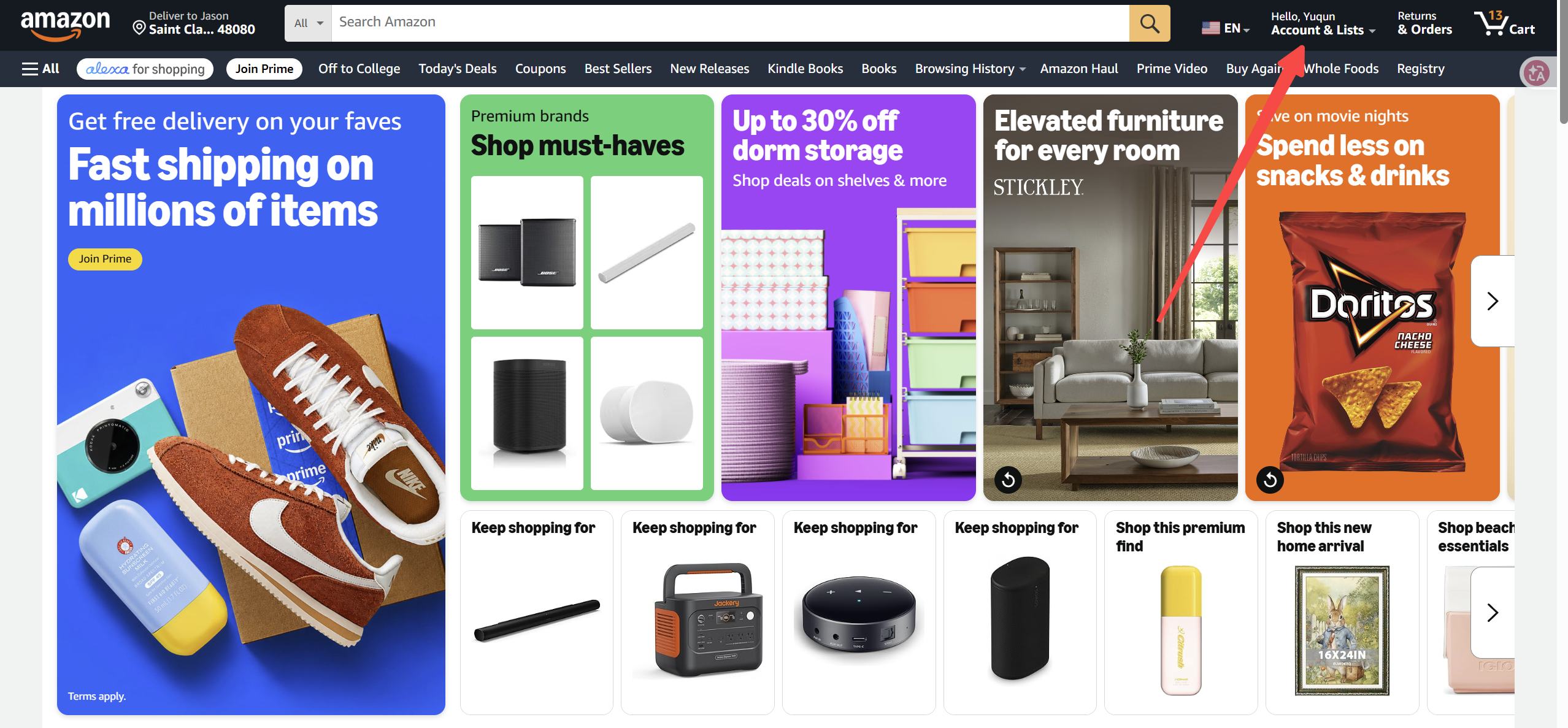
- Select Account & Lists in the top-right corner of the page.
- Select Orders.
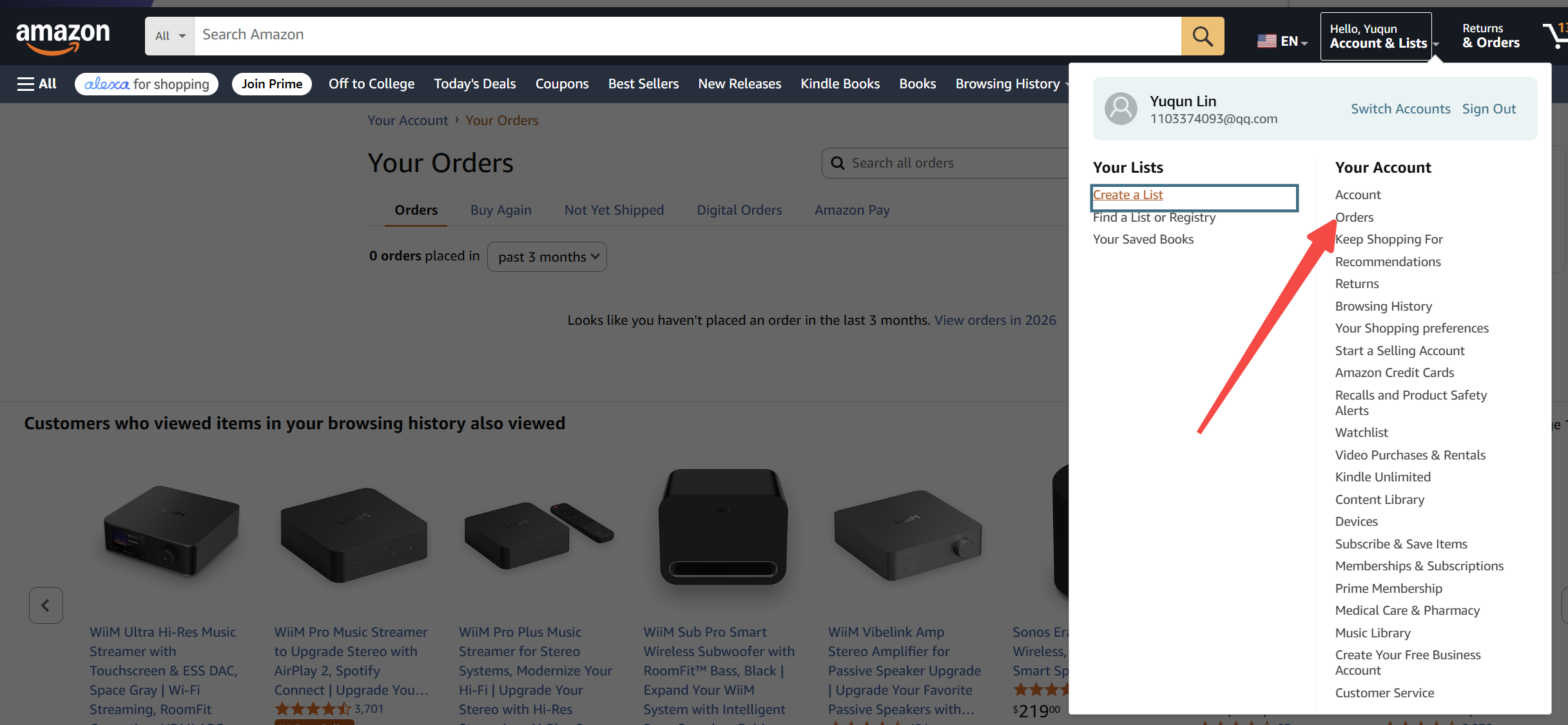
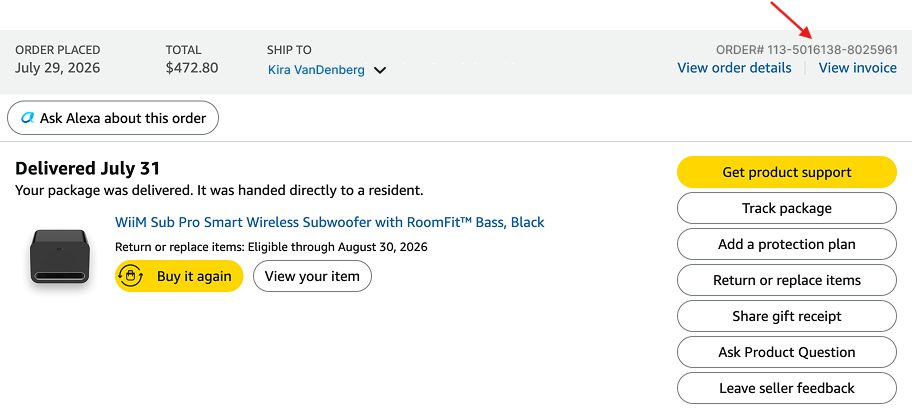
- Find the relevant WiiM purchase and copy the Order ID as shown in the screenshot.