
TABLE OF CONTENTS
Overview
After setting up a surround sound system with your WiiM Bar and other WiiM devices as surround speakers, you may encounter surround playback issues. These issues are usually caused by a weak network connection.
The common issues include:
- Surround audio stutters or cuts out
- Surround speakers occasionally drop out
- Left and right surround speakers are not synchronized
- Surround audio sounds delayed or unstable
- Audio and video are not aligned when watching TV
This guide offers a network setup guide and troubleshooting solutions to ensure surround playback stability.
Understanding Surround Playback Delay
Surround speakers need to stay synchronized with the WiiM Bar in real time. If the network is not stable enough, WiiM may increase the Group Audio Delay to help keep surround playback stable. For details, see Using the Group Audio Delay Setting.
A higher delay can reduce stuttering and dropouts, but it may also affect A/V sync when watching TV. If the sound no longer matches the picture, fine-tune A/V sync after improving the network connection.
Recommended Network Setup
1. Improve Wi-Fi Signal
A weak Wi-Fi signal is usually caused by improper placement of your devices.
What to do:
- Move the surround speaker or WiiM Bar closer to your router.
- Reduce obstacles between the devices and the router.
- Avoid placing the device inside a cabinet, behind the TV, or near metal objects.
2. Reduce Network Congestion
Sometimes the Wi-Fi signal may look strong, but packets are still lost during playback. This usually means the router or network environment is under heavy load.
What to do:
- Restart your router if it has been running for a long time.
- Reduce heavy network activity, such as large downloads, uploads, NAS transfers, or high-bitrate video streaming.
- Avoid connecting the WiiM Bar and surround speakers to different Mesh nodes if the Mesh backhaul connection is weak.
- If possible, connect the WiiM Bar and surround speakers to the same router, the same stable Mesh node, or the same 5 GHz Wi-Fi band.
Troubleshooting
WiiM Device Not Responding
The WiiM device may be temporarily busy or not responding correctly.
What to do:
- Restart the affected WiiM devices. When they are powered on, ensure all devices are connected to the same network.
- Wait for the device to reconnect, then run the surround connection check in the WiiM Home app.
- If the issue continues, restart your router and try again.
A/V Out of Sync
If the audio is ahead of or behind the video, adjust the A/V sync setting (or similar) in your TV settings until the sound matches the picture.
The A/V sync setting name may vary depending on your TV brand. The table below provides the exact settings for typical TV brands.
| TV Brand | Setting Name |
|---|---|
| Sony | Enable A/V sync.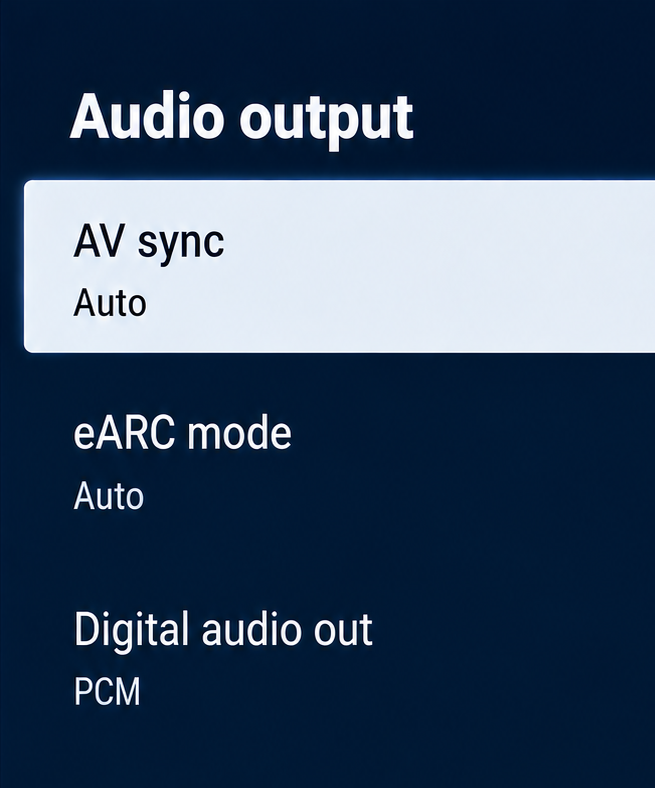 |
| LG | New model: Select Match Screen and Sound, then adjust HDMI (ARC) Device Delay.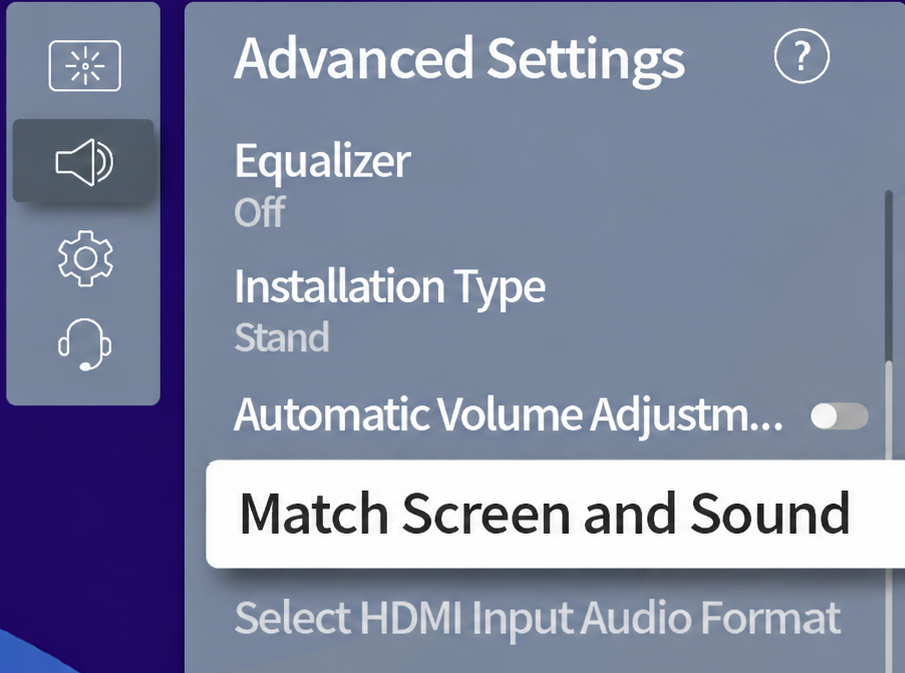 |
Old model: Enable AV Sync Adjustment.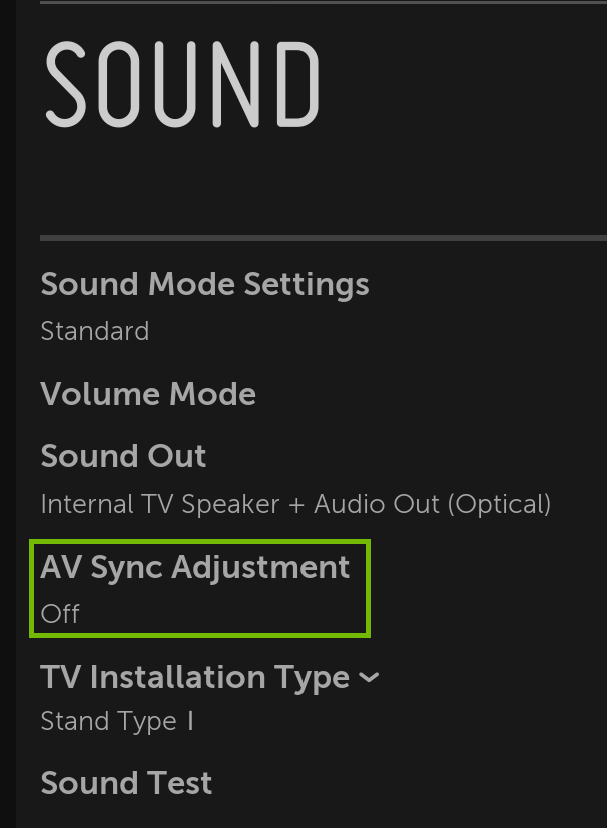 | |
| Samsung | Adjust Digital Output Audio Delay.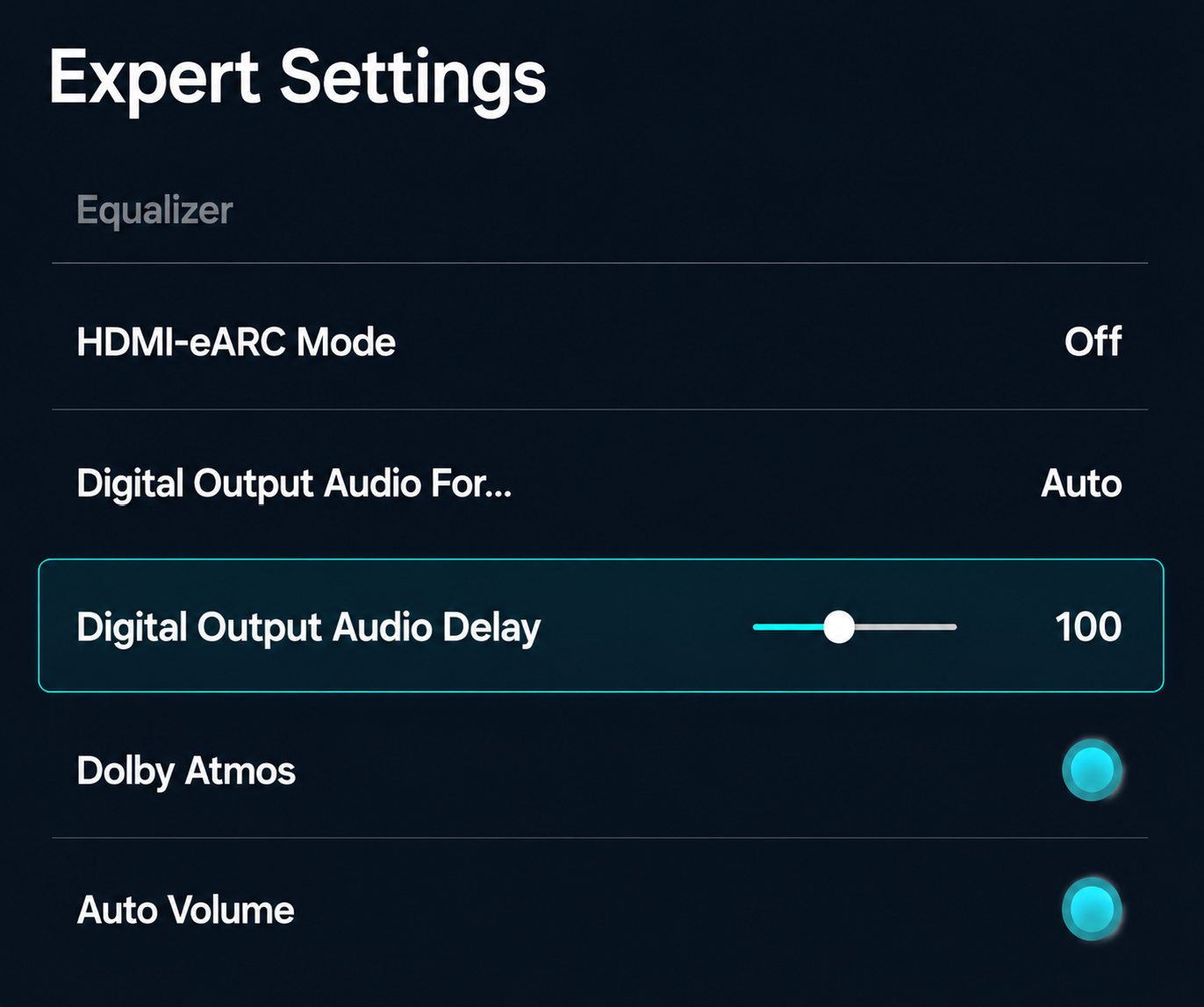 |