
TABLE OF CONTENTS
Overview
When using the WiiM Amp, Amp Pro, or Amp Ultra without a subwoofer, your speakers may sound boomy or congested, which can also lead to listening fatigue over time. This happens because your speakers cannot effectively reproduce low frequencies.
The High-Pass Filter (HPF) feature is designed to help solve this issue by filtering out audio signals below a selected cutoff frequency. This helps your speakers play cleaner and stay better controlled especially when the music gets loud.
When to Use HPF
If your speakers sound boomy or congested when using the WiiM Amp, Amp Pro, or Amp Ultra without using a subwoofer, try enabling the HPF feature. It can help improve sound clarity and reduce listening fatigue.
HPF is especially useful in these situations:
- Small or limited-range speakers: Helps bookshelf, in-wall, or ceiling speakers avoid playing very low frequencies they cannot reproduce well.
- Low-frequency rumble: Reduces unwanted low-frequency noise from turntable vibration, recording artifacts, or environmental interference.
- High-volume playback: Helps reduce stress on the speakers and amplifier, keeping the sound cleaner and more stable at higher volumes.
- Maximizing Amplifier Headroom: By cutting out ineffective energy, the WiiM Amp, Amp Pro, or Amp Ultra preserves power for audible frequencies, leading to better overall dynamics.
How to Use HPF
Instructions:
- Open the WiiM Home app.
- Go to the Devices tab > Device Settings >High-Pass Filter.
- Enable
High-Pass Filter, set Cutoff
Frequency using the slider or by selecting one of the presets below based on
your speakers:
- 30 Hz (Gentle): Preserves more deep bass. Best for speakers with good bass extension.
- 35 Hz (Balanced): Balances bass extension and speaker protection. Recommended for most setups.
- 40 Hz (Protect): Provides more protection by reducing very low frequencies. Best for smaller or limited-range speakers.
Tip: If you hear distortion at higher volumes, try increasing the cutoff frequency.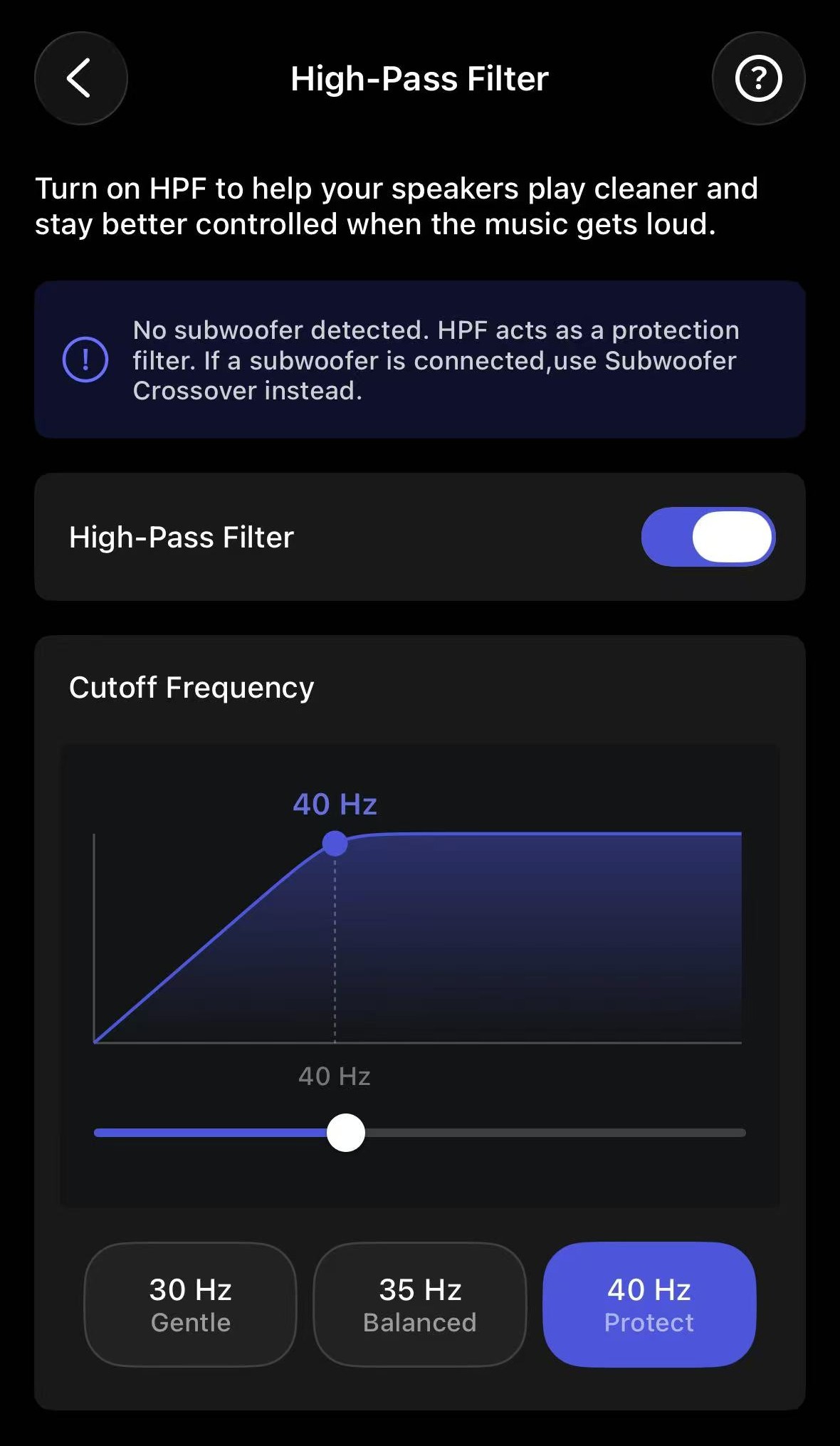
Now, play music again and enjoy clearer sound.