
TABLE OF CONTENTS
Overview
The WiiM Home app for iOS and Android now includes WiiM Radio, a built-in service that lets users explore a wide variety of radio stations.
It brings together stations across multiple categories, including Music, News, Talk, and Sports. Whether you want to follow local news, listen to international sports coverage, or enjoy your favorite music, WiiM Radio provides stable, high-quality radio streaming.
Access WiiM Radio
- Open the WiiM Home app.
- Go to the Browse tab.
- Tap WiiM Radio in the Music Services section.
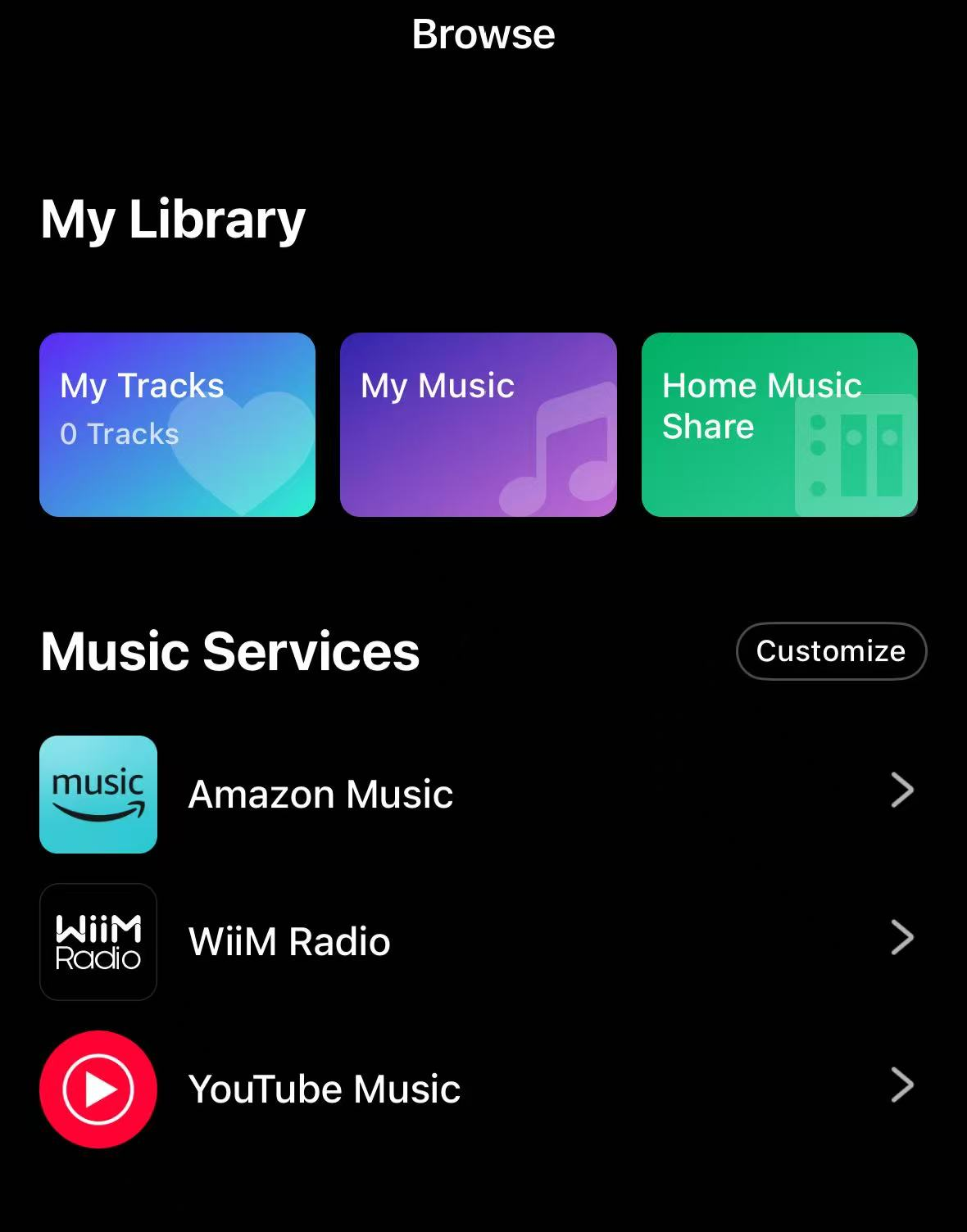
You can now start browsing and playing radio stations.
Browse and Discover Stations
WiiM Radio features a simple and intuitive interface, making it easy to discover and access stations.
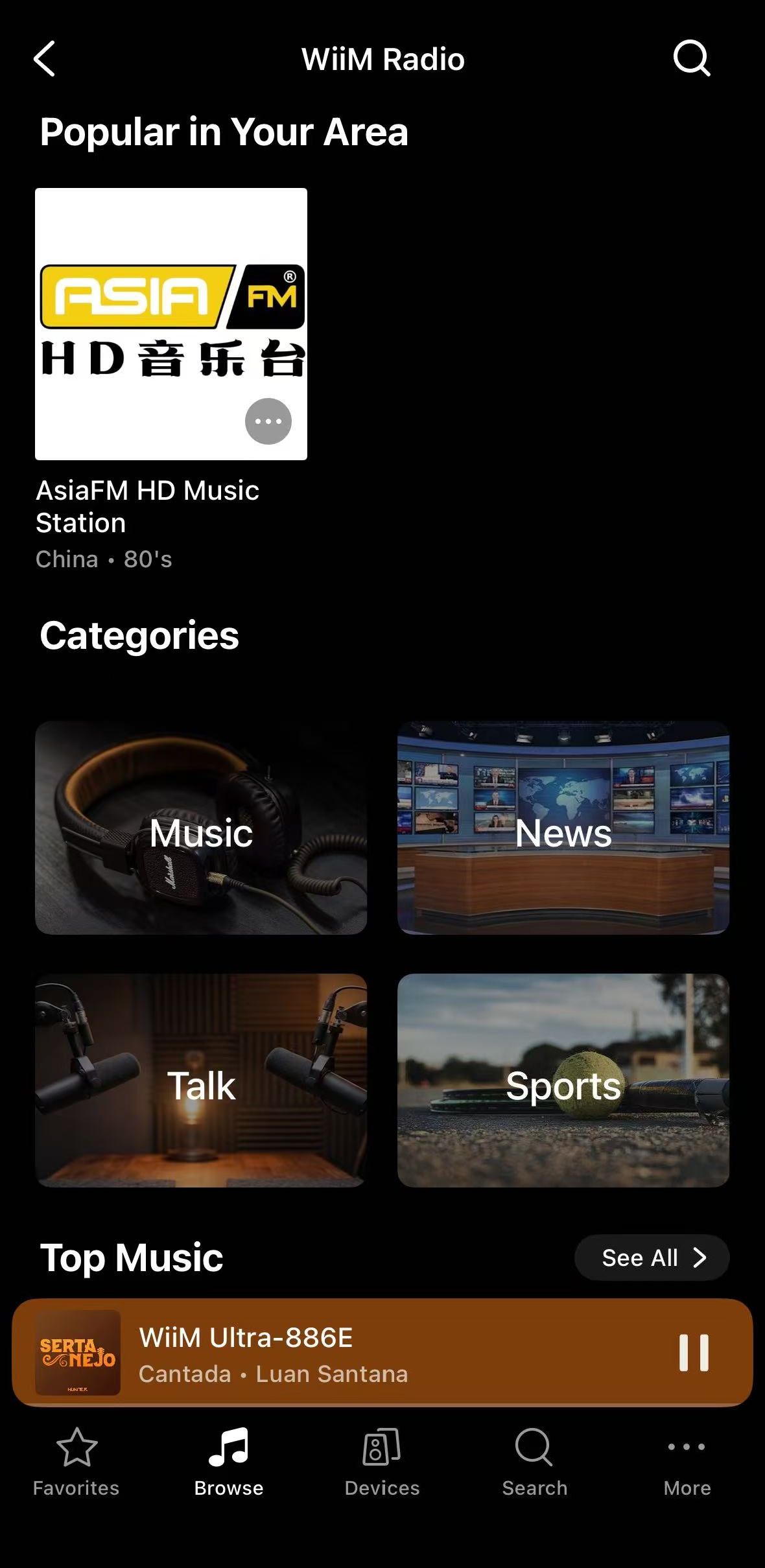
Popular in Your Area
This section highlights frequently played or trending stations based on your region, helping you quickly discover popular local content.
Categories
WiiM Radio organizes stations into four main categories to help you easily browse content of interest:
- Music
- News
- Talk
- Sports
Top Stations
WiiM Radio also features top stations in each category, including Top Music, Top News, Top Talk, and Top Sports.
Tap See All to view the full list of top stations in each category.
Search
You can tap the Search icon in the top-right corner at any time to quickly find a specific radio station.
Tips
You can use WiiM Radio together with WiiM's system features to make listening faster and more convenient.
Preset
Save your favorite radio stations as Presets. Once saved, you can start playback instantly from the WiiM Home app, the WiiM Voice Remote, or the WiiM's built-in screen (if supported), without opening WiiM Radio.
For details, see How to Use the Preset Feature on Your WiiM Device.
Music Alarm
Set a Music Alarm using a radio station, so your music starts playing automatically at a scheduled time. For details, see How to Schedule Music Playback Using the Alarm Feature.