
Overview
WiiM now features Simultaneous Line Out. When Optical Out or COAX Out is selected, you can enable this feature to output audio through the Line Out port simultaneously. This creates a synchronized, dual-zone listening experience from a single device—without wireless grouping delays.
Note:
- Currently, this feature is available only on the WiiM Ultra.
- The audio format via Line Out matches the format via Optical Out or COAX Out.
Use Case and Benefits
The primary use case of this feature is creating a dual-zone listening setup, offering the following benefits:
Create a dual-zone setup without the cost or complexity of purchasing and configuring a second streaming unit.
Since both outputs are generated by the same device, no network grouping is required. This eliminates wireless transmission delays and ensures perfectly synchronized playback between rooms.
Setup Guide
- Connect your external audio devices to the Optical Out/COAX Out port, and the Line Out port on your WiiM device. For detailed instructions, see How to Set Up Your WiiM Ultra.
- Open the WiiM Home app.
- Go to the Devices tab > Device Settings
 > Audio Output
 - Select Optical Out or COAX Out.
- Toggle on Simultaneous Line Out at the bottom.
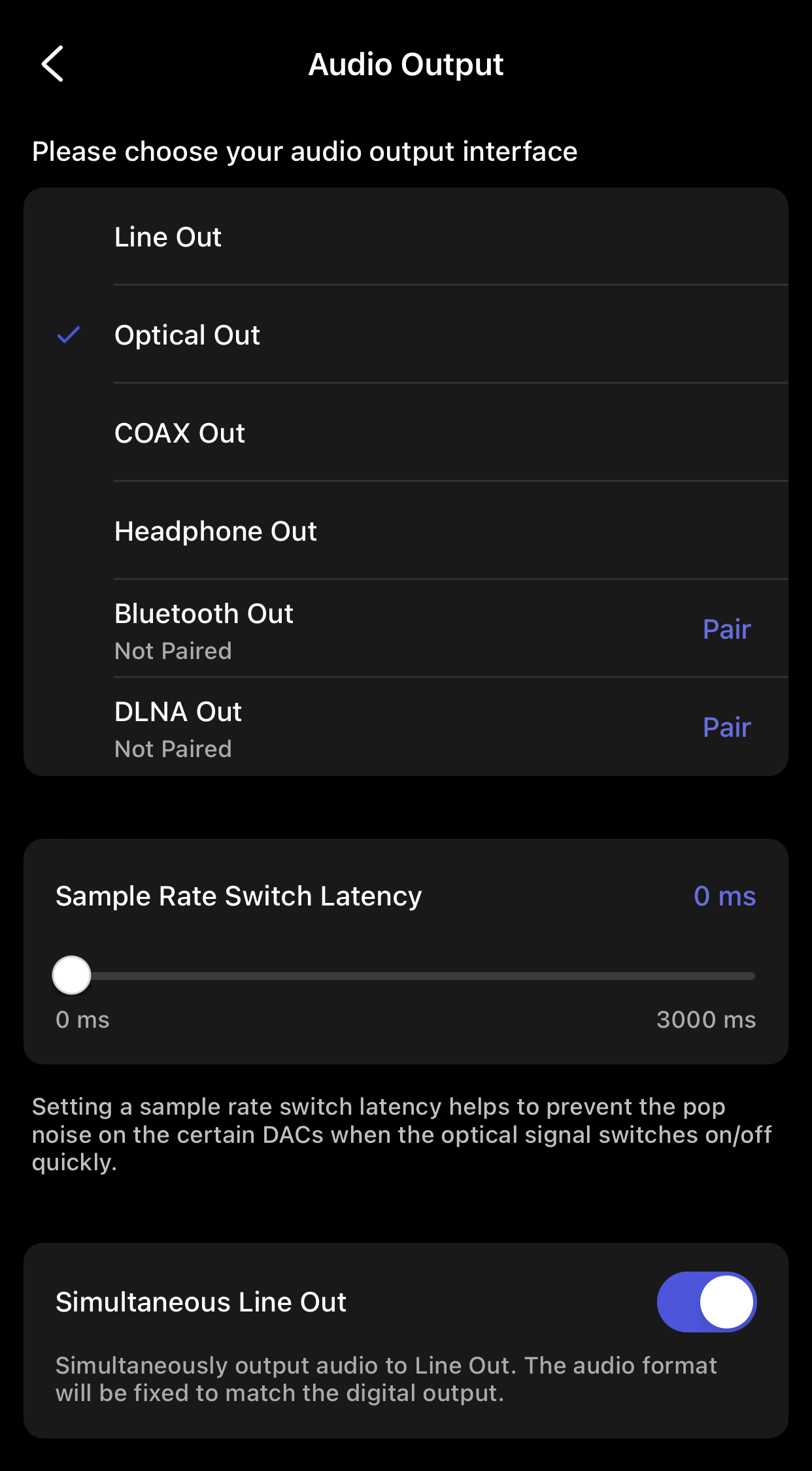
Now start playback, and audio will be output to both audio devices connected to your WiiM device.