The WiiM Amp is powered by the high-performance ESS ES9018K2M DAC, delivering exceptional audio clarity and ultra-low distortion.
To further fine-tune the Speaker Out audio output, the DAC provides three digital filter types. Each filter slightly changes how high-frequency content is processed, allowing you to adjust the sound character based on your listening preference.
Three DAC Digital Filter Types
1. Fast Roll-OffDefault Recommended
Key Feature: Steep roll-off with fast transient response.
Benefit: Delivers clean, precise sound with sharp detail and strong clarity.
Suitable Audience: Ideal for users who prefer analytical listening, studio accuracy, and detailed sound reproduction.
2. Slow Roll-Off
Key Feature: Gentler roll-off with smoother high-frequency behavior.
Benefit: Produces a smooth, natural tone with softer treble, reducing listening fatigue.
Suitable Audience: Best for relaxed listening and long listening sessions.
3. Minimum PhaseRecommended
Key Feature: Optimized phase response with natural signal timing.
Benefit: Offers a balanced sound with clear detail and natural timing, without pre-ringing artifacts.
Suitable Audience: Suitable for listeners who value musicality, timing accuracy, and a well-balanced presentation.
DAC Digital Filter Settings
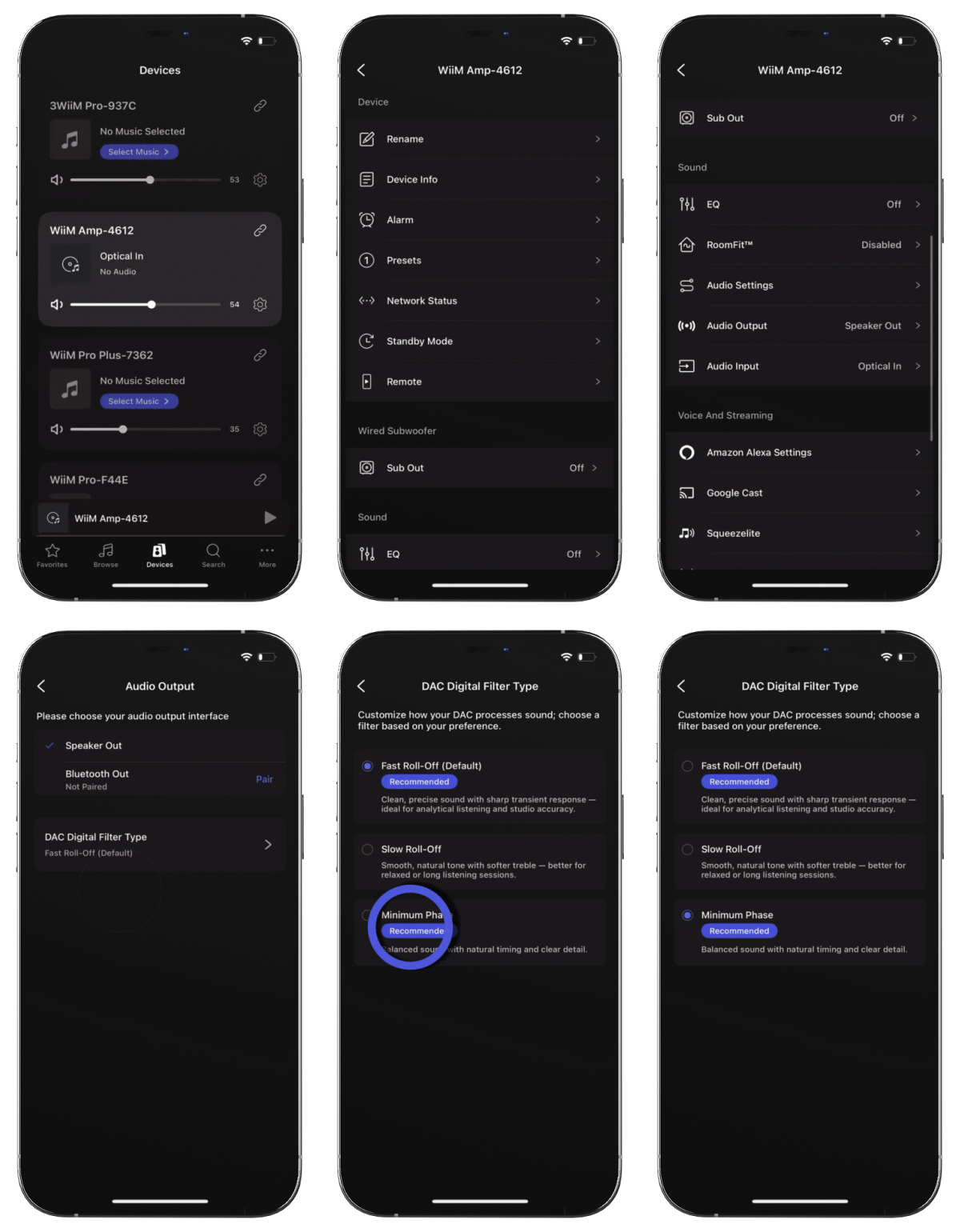 |
Open the WiiM Home app.
Navigate to the Devices tab > Device Settings  > Audio Output. > Audio Output.
Select Speaker Out as the audio output, then tap on DAC Digital Filter Type.
Select the filter that best matches your listening preference.
|
