
The WiiM Sound and WiiM Sound Lite supports Roon Ready, allowing you to stream high-quality audio from Roon directly to your device. However, this feature is turned off by default. Before streaming music from Roon, follow the steps below to enable Roon Ready on your WiiM device.
Step-by-Step Instructions
- Open the WiiM Home app.
- Go to the Devices tab, and tap the Device Settings icon
 of your WiiM Sound or WiiM Sound Lite.
- Navigate to the Voice And Streaming section, and toggle on Roon Ready.
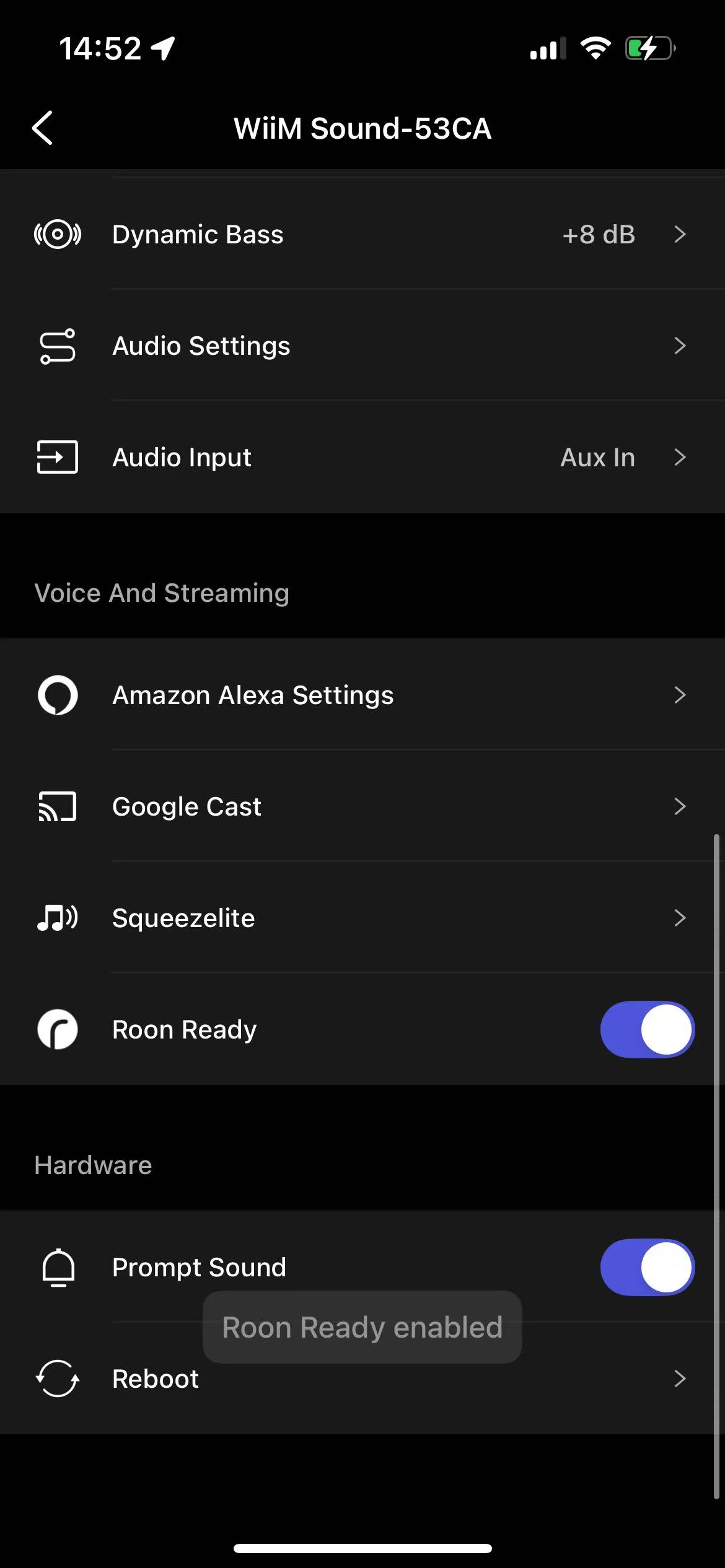
You are now ready to stream music from Roon to your WiiM Sound or WiiM Sound Lite. For detailed instructions, see How to Use Roon with Your WiiM Device.