
TABLE OF CONTENTS
Overview
WiiM's RoomFit™ feature optimizes sound quality by analyzing the acoustic characteristics of your room. Before running the RoomFit™ process, you can customize its settings to match your preferences.
The screenshots below show the default RoomFit™ settings for dfifferent WiiM models.
| WiiM Ultra/Amp Ultra/Amp Pro/Pro/Pro Plus/Mini | WiiM Bar/Sound/Sound Lite |
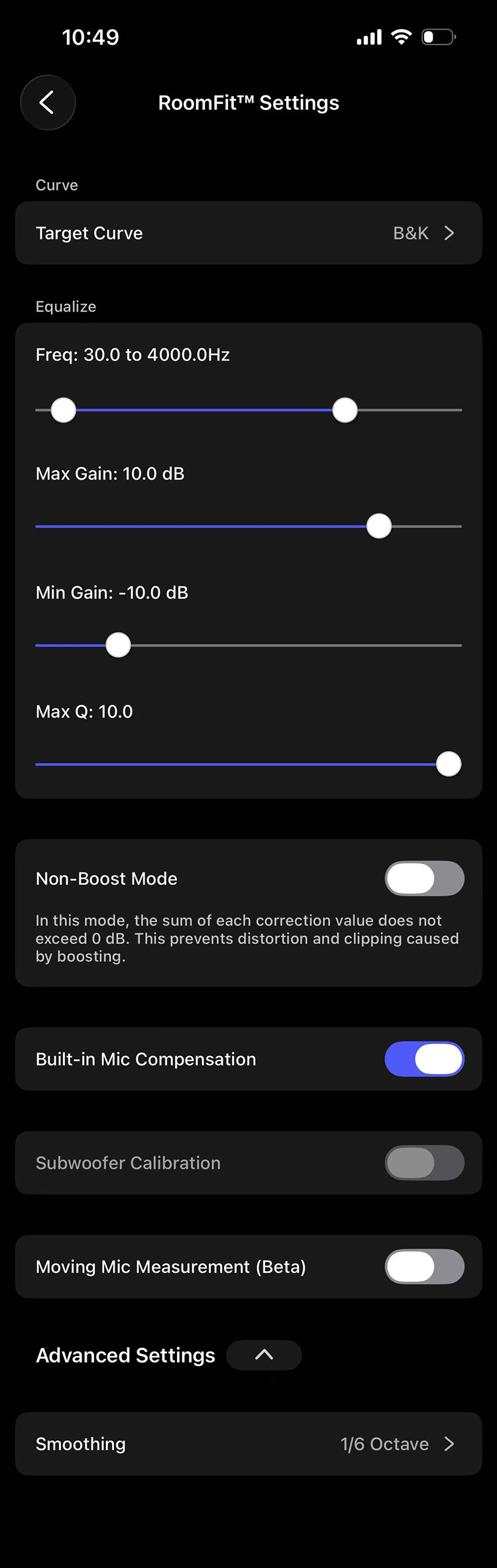 | 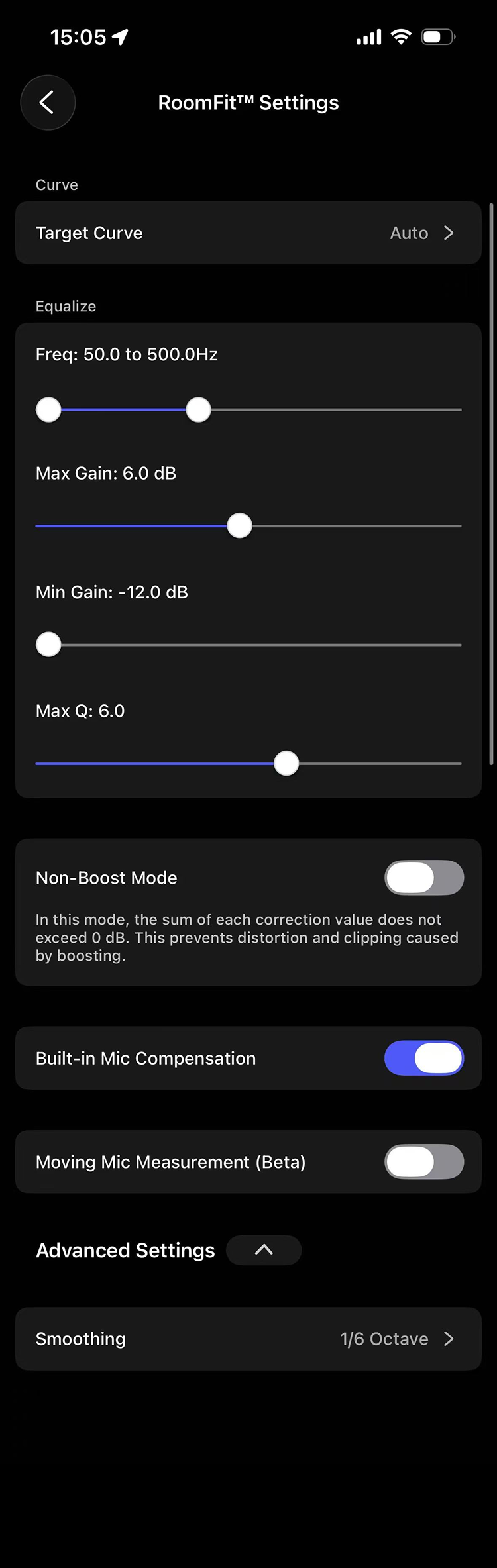 |
Target Curve
This setting defines the target frequency response that your WiiM device tries to match after calibration. You can choose from B&K, Harman, Flat, Music, and Auto.
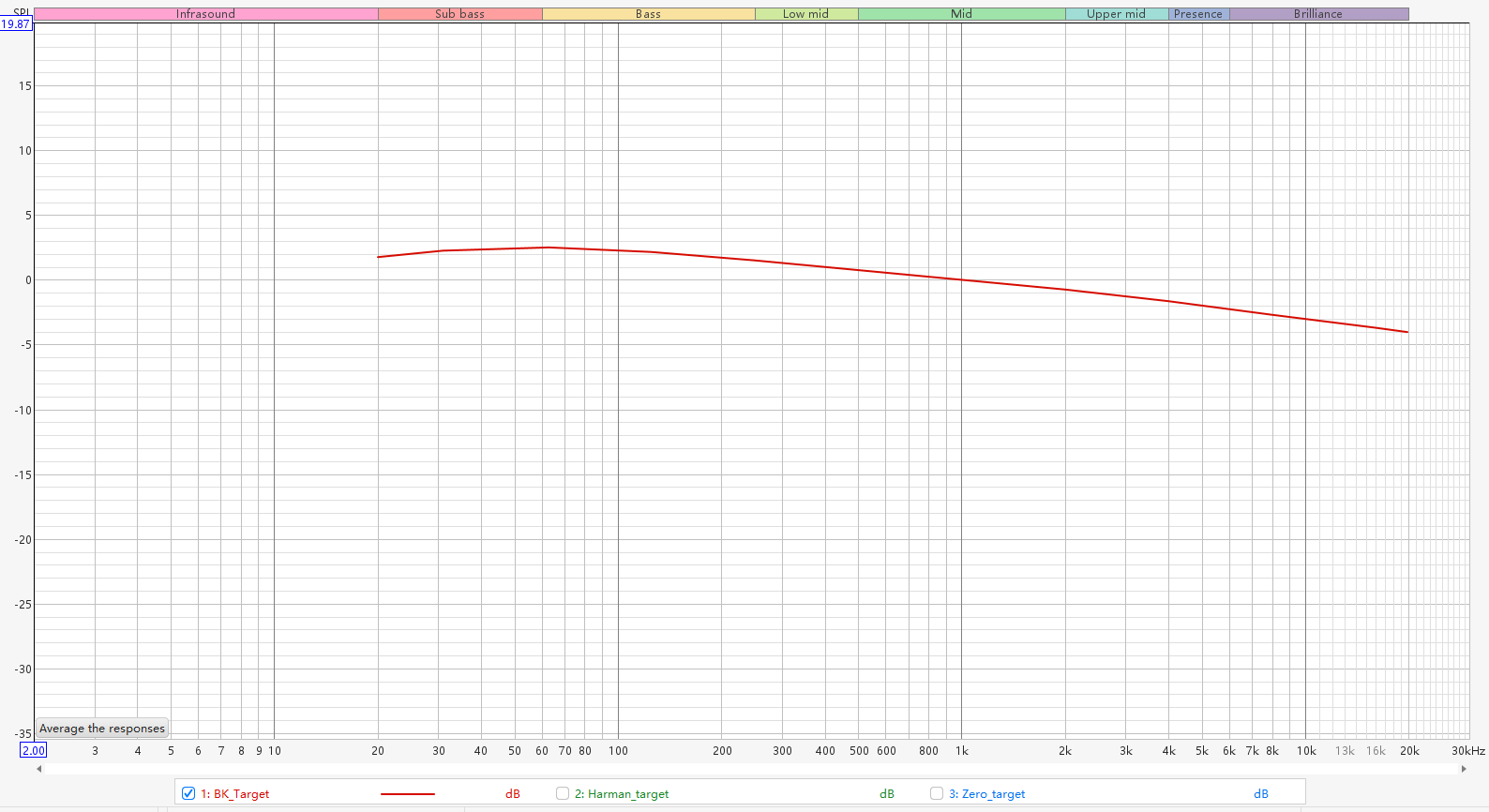
The B&K target curve is a gently downward-sloping frequency response designed to approximate the natural spectral balance of sound in real listening rooms.
Characteristics: Neutral tuning that preserves the speaker's flat on-axis response.
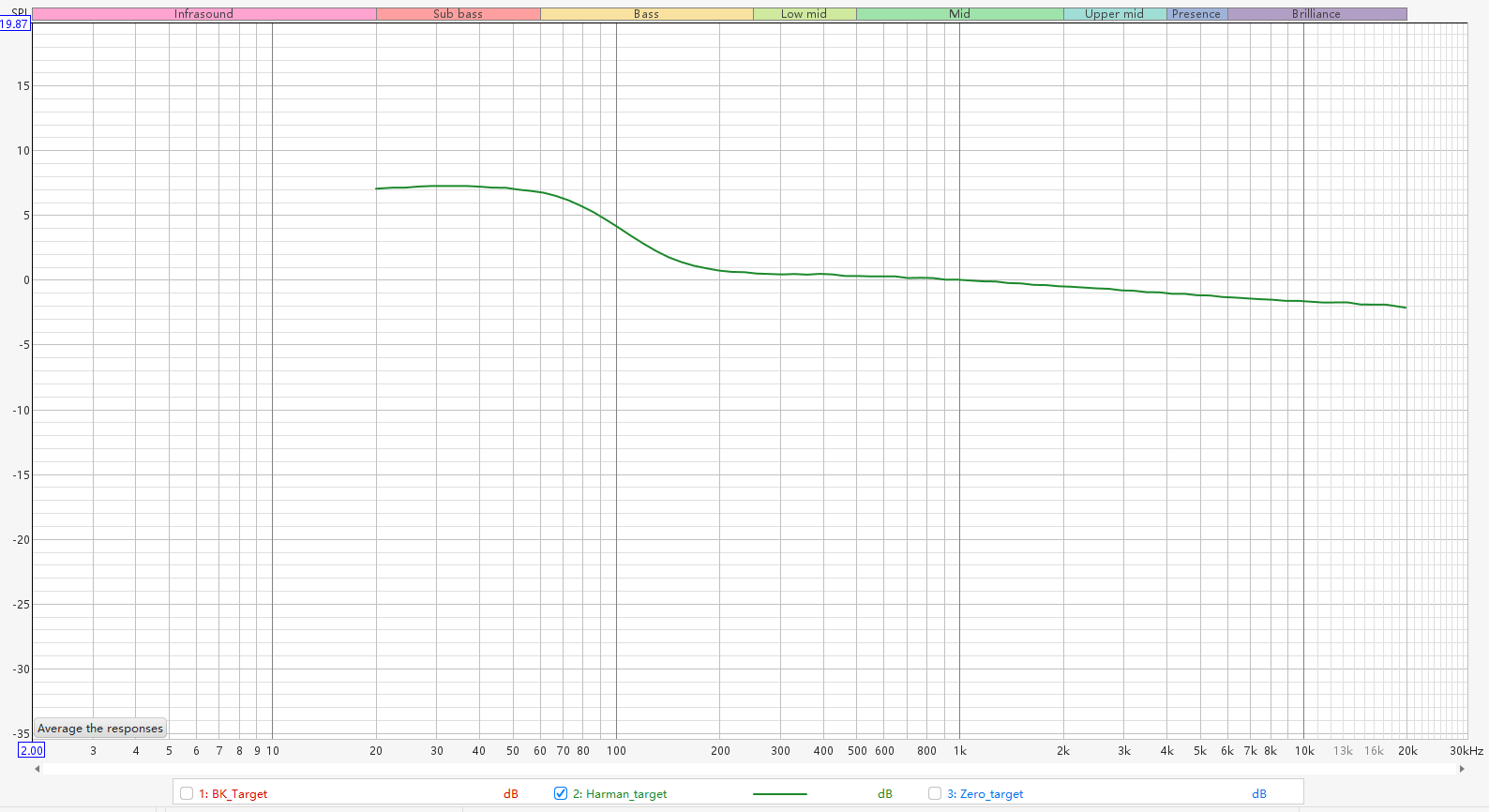
The Harman target curve is a frequency response based on listener preference studies.
Characteristics: Warm tuning that adds some bass boost to an otherwise flat on-axis response.
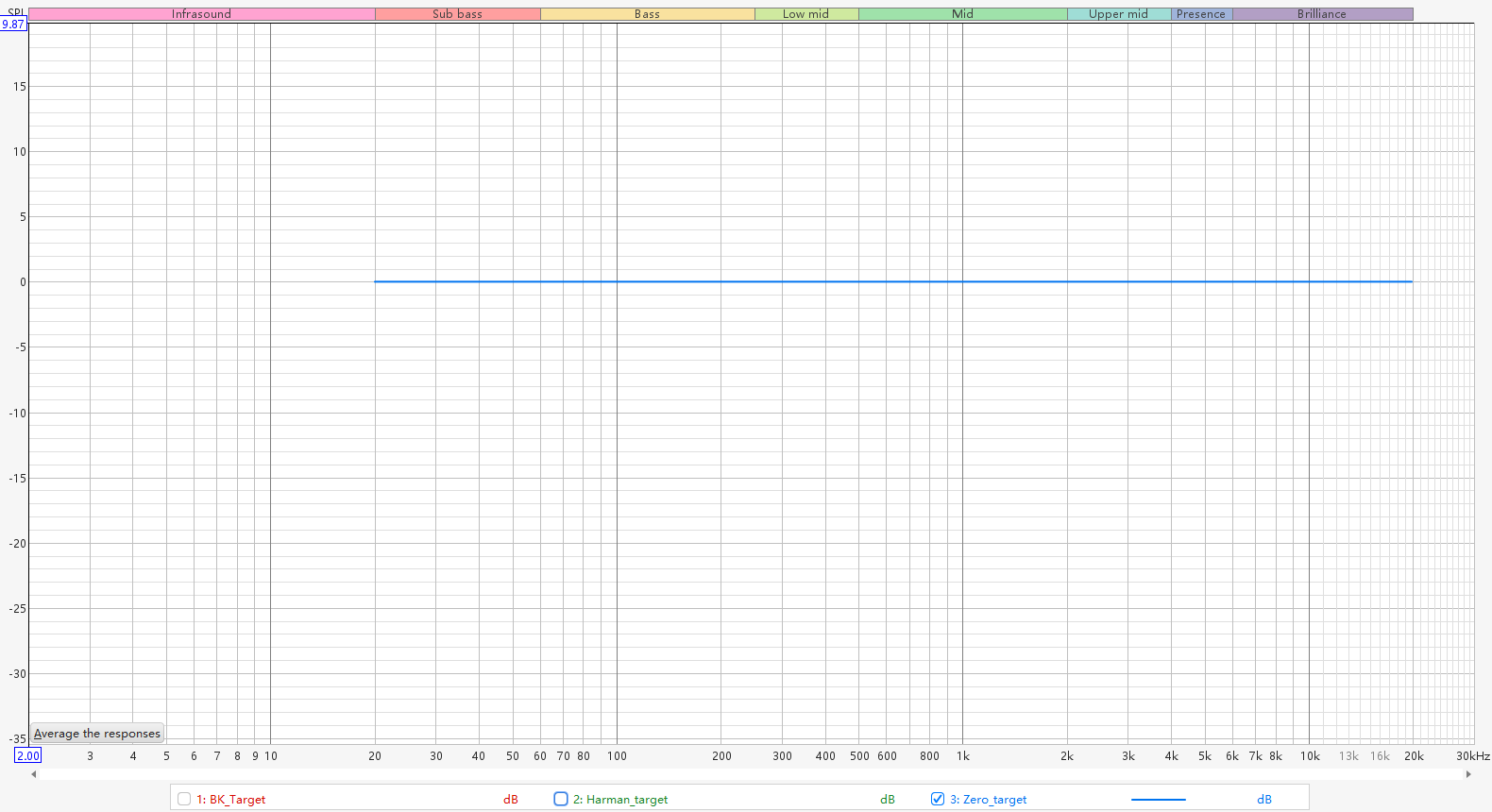
The Flat target curve reproduces all frequencies from 20 Hz to 20 kHz at the same level.
Characteristics: Bright tuning that creates an upward slope in the loudspeaker's on-axis response.
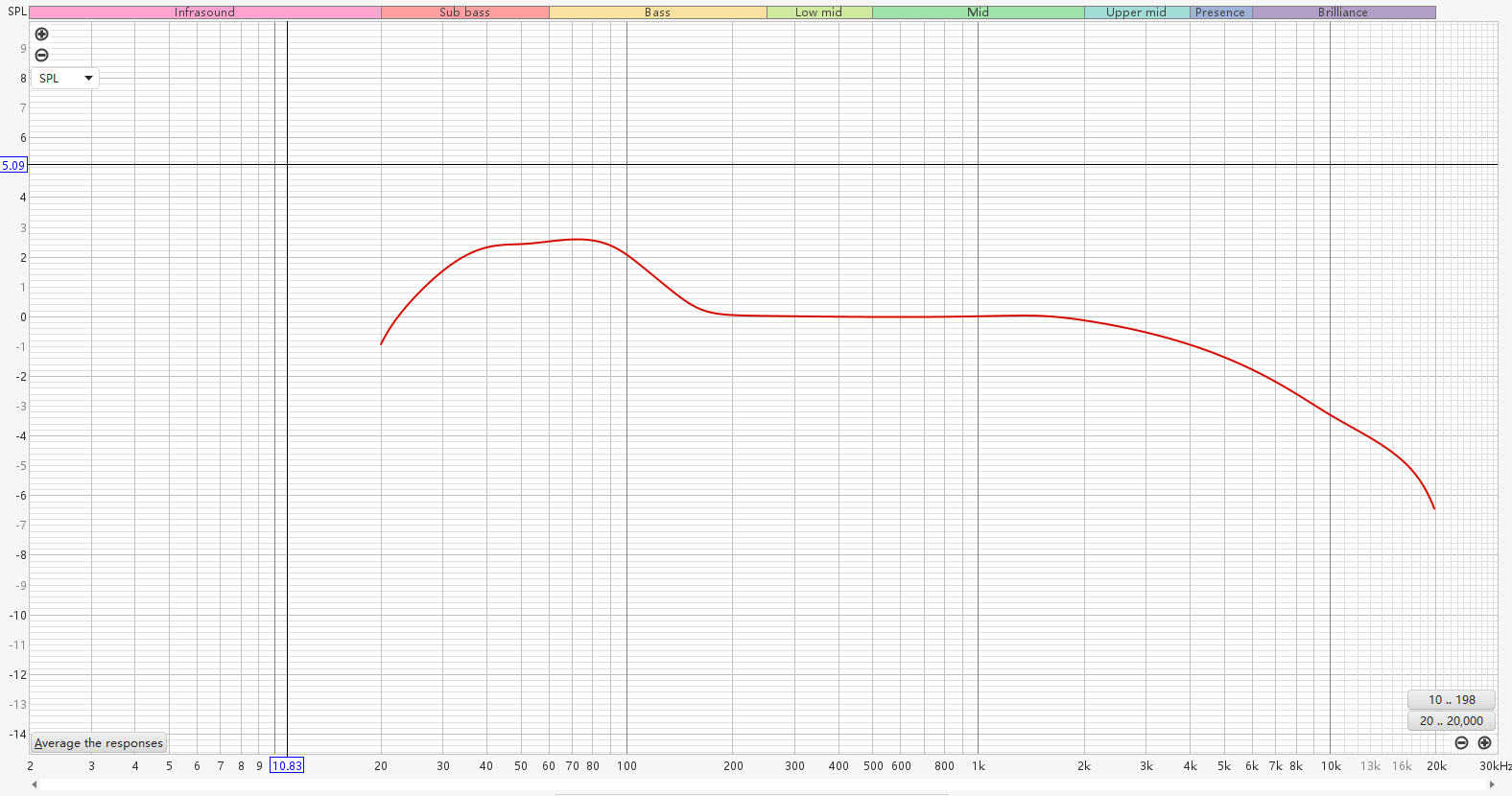
The Music target curve is designed to optimize room correction for music listening by balancing natural frequency response, room acoustics, and listener preferences.
Characteristics: Consistent tonality, clear sound, and a smooth, enjoyable listening experience across different listening environments.
The Auto target curve automatically generates a target curve based on the measured response of your room and speakers, rather than applying a fixed target curve such as B&K or Harman.
Characteristics: Adapts to your actual listening environment and helps preserve the natural sound character of your speakers while reducing unwanted room effects.
Frequency Range
This setting defines the frequency range that RoomFit™ will measure and adjust.
Max Gain
This setting adjusts the maximum amount of boost RoomFit™ can apply to any frequency band during calibration.
Adjust the volume level during calibration. Set gain according to the room's acoustic characteristics and personal preference to avoid distortion or unnatural sound.
Min Gain
This parameter sets the maximum amount of cut (reduction) RoomFit™ can apply to any frequency band during calibration.
Max Q
This setting controls how narrow or wide RoomFit™ can make its sound adjustments.
- Lower Q values are suitable for smooth frequency response adjustments.
- Higher Q values are used for precise correction of specific frequency peaks and dips but may cause "ringing".
Non-Boost Mode
This setting ensures that the sum of all correction values does not exceed 0 dB, preventing distortion and clipping caused by excessive boosting.
Built-in Mic Compensation
This setting compensates for the built-in microphone's deviations, ensuring more accurate RoomFit™ measurements.
External Mic Calibration
This setting lets you import a calibration file for an external microphone to achieve more accurate RoomFit™ measurements. For details, see Using an External Microphone for RoomFit™ Room Correction.
Subwoofer Calibration
This setting allows subwoofer calibration during the RoomFit™ process.
- This setting is available only when Sub Out is enabled on your WiiM device.
- Check your subwoofer's crossover frequency and ensure the start of the frequency range for correction is above this crossover to avoid incorrect adjustments for your room's acoustics.
Moving Mic Measurement (Beta)
This setting allows an advanced calibration method that measures sound throughout the listening environment, resulting in more balanced and consistent audio performance. For details, see Introducing RoomFit™ Room Correction with MMM (Beta).
Smoothing
This setting determines how smooth the frequency response curve appears. Higher smoothing makes the curve cleaner but reduces detail. Lower smoothing reveals more detail but may look noisier.
- 1/3 Octave: Strong smoothing. Shows overall trends, hides fine details.
- 1/6 Octave: Balanced smoothing. Good mix of clarity and detail.
- 1/12 Octave: Light smoothing. Reveals more detail but may look uneven.
- Variable: Automatically adjusts smoothing depending on frequency. Light smoothing on bass for detail, heavier on treble for readability.
- Psychoacoustic: Smoothing according to how humans hear. Hides the tiny acoustic bumps that microphones measure but your ears can't actually hear.
- ERB: Smoothing based on advanced "human hearing" mode. It provides more detail than Psychoacoustic while still considering human perception.
Tip
For recommended RoomFit™ settings, refer to A Practical Guide to RoomFit™ Room Correction for Enhanced Sound Quality.