
TABLE OF CONTENTS
Overview
WiiM devices now support adjustable Bluetooth playback latency. If you experience stuttering, dropouts, or unstable playback over Bluetooth, try increasing the latency setting—this increases buffering time and improves audio stability.
Note: WiiM Mini does not support Bluetooth playback latency adjustment.
Step-by-Step Guide
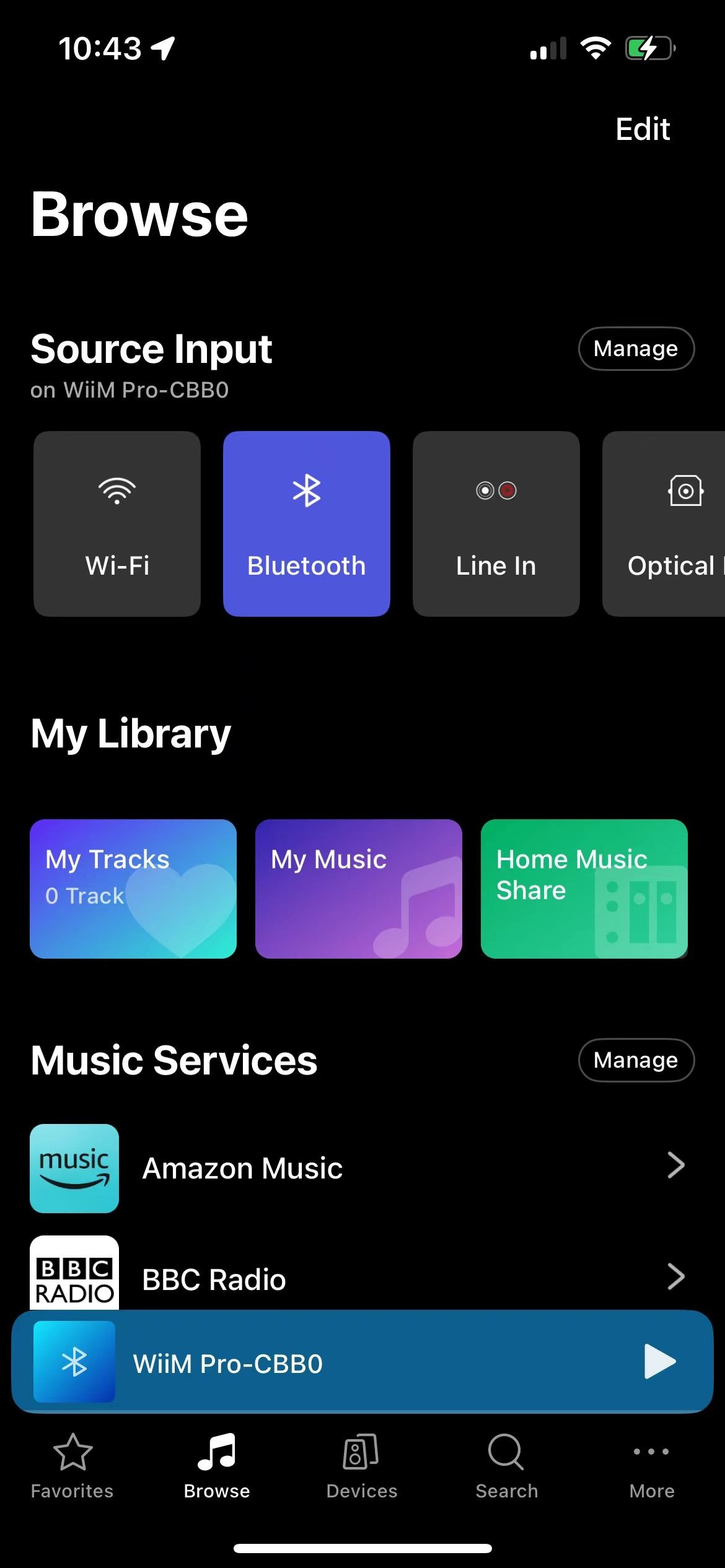
- Open the WiiM Home app on your mobile device.
Go to the Browse tab.
Tap Manage next to Source Input.
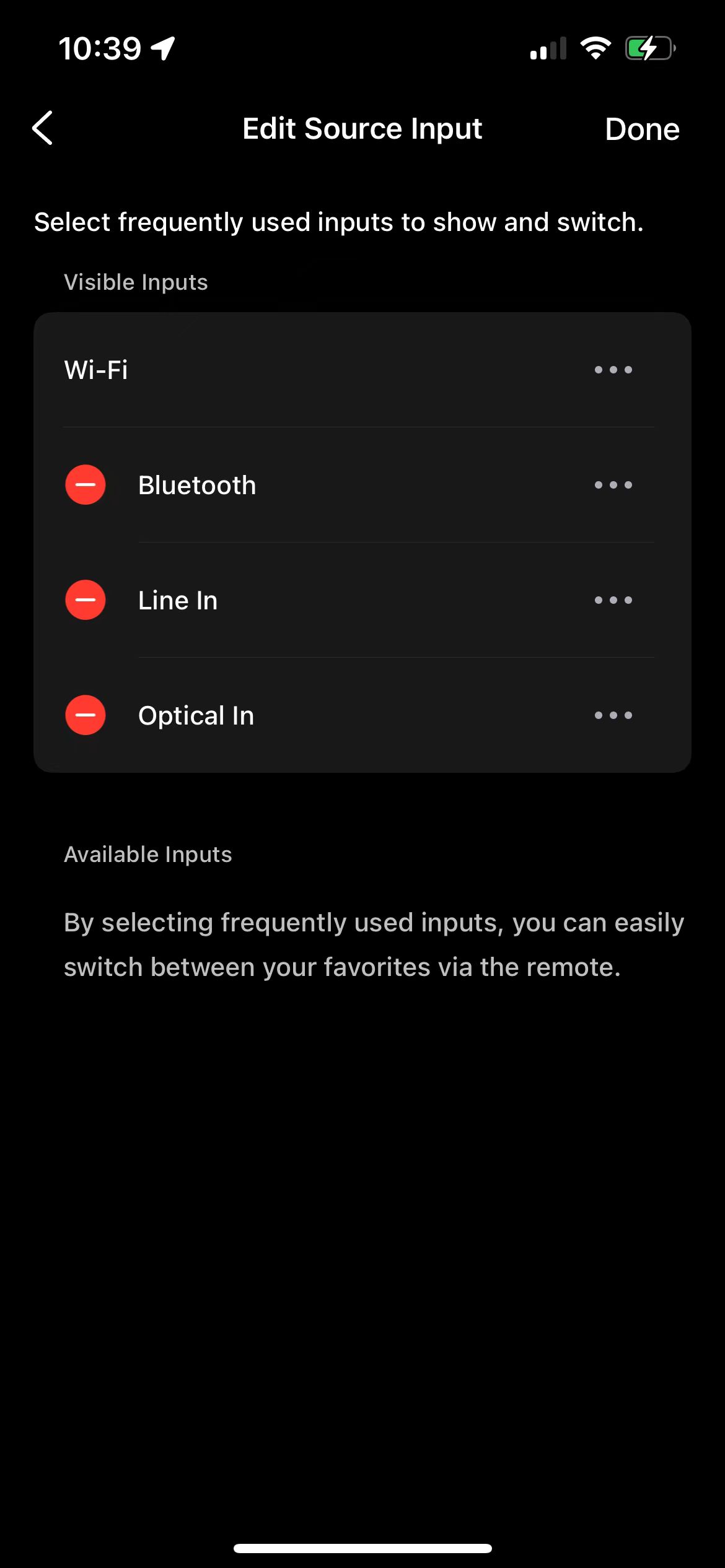
Tap the three dots () next to Bluetooth.
Adjust the Playback Latency setting.
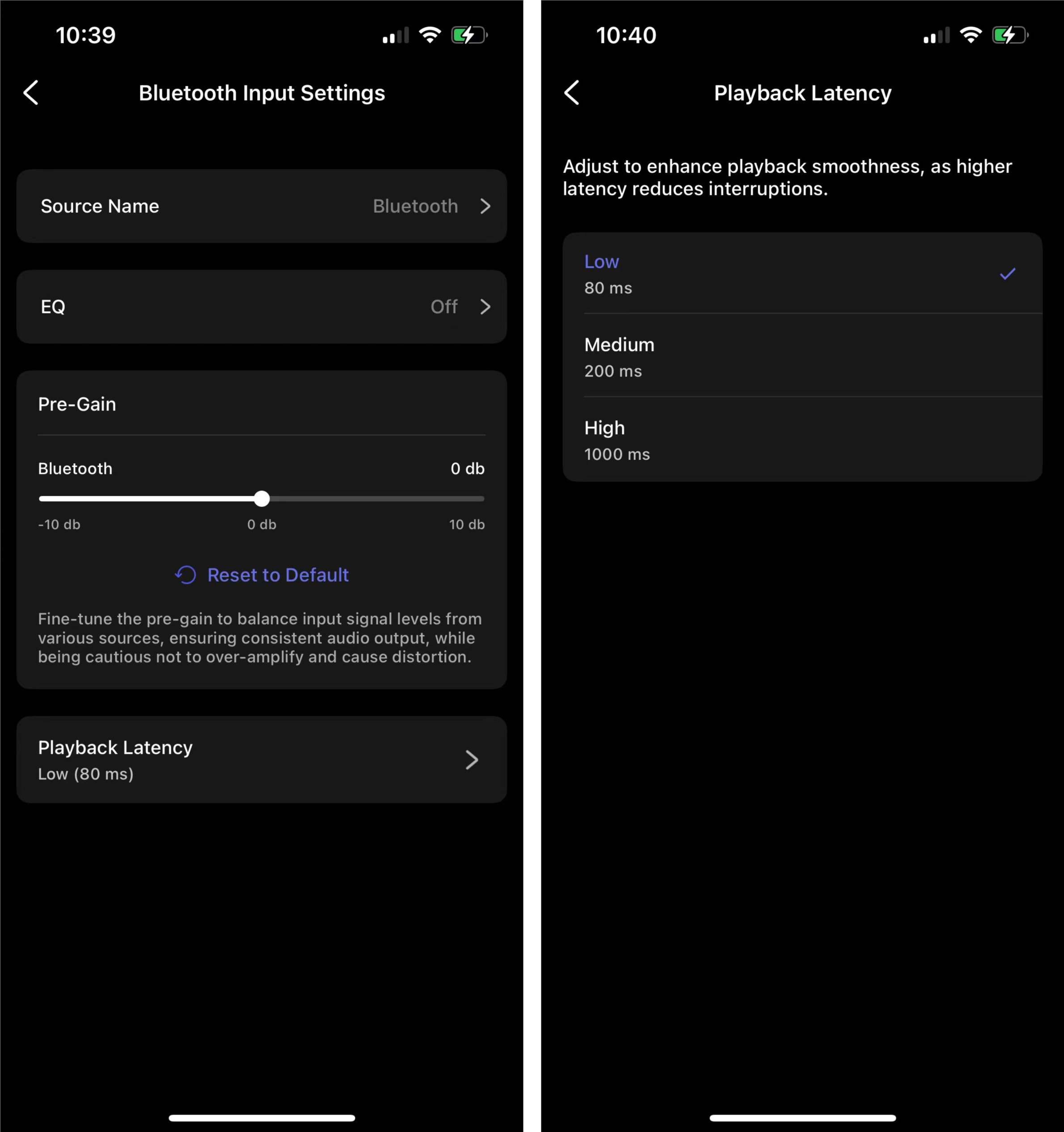 Note: A lower value (for example, 80 ms) helps keep the audio in sync but may cause unstable playback. A higher value (for example, 1000 ms) improves playback stability but may cause lip-sync issues.Note: You can also adjust other Bluetooth settings, such as Source Name, EQ, and Pre-Gain.
Tips
Similarly, you can adjust settings for other source inputs and hide unused source inputs. For detailed instructions, see Manage Input Sources in the WiiM Home App's Browse Tab.