
TABLE OF CONTENTS
WiiM devices (WiiM Ultra, Amp Ultra, Amp Pro, and Amp) feature HDMI ARC for seamless TV integration. By leveraging HDMI-CEC, these devices offer advanced control and synchronization with your TV.
This guide covers various usage scenarios and configuration settings to ensure optimal performance and a unified entertainment experience.
Overview of HDMI ARC Behaviors
The table below outlines the key scenarios and how the WiiM device and the TV interact using HDMI ARC.
Note: HDMI-CEC must be enabled on the TV for these behaviors to function correctly.
| Scenarios | WiiM/TV Behavior |
|---|---|
| Turning on TV | Default WiiM behavior: WiiM starts playing TV audio regardless of its current state (standby or playing). Configurable WiiM behavior:
|
| Switching away from HDMI ARC | WiiM behavior: WiiM starts playing audio from another input source. Default TV behavior: TV has no sound. Configurable TV behavior:
|
| Switching to HDMI ARC | WiiM starts playing TV audio. |
| Turning off TV | If WiiM is in HDMI ARC mode, it will enter standby mode. If WiiM is in a non-HDMI ARC mode, it continues playing its current audio source. |
| Putting WiiM device into standby while in HDMI ARC mode | TV outputs audio via its internal speakers. |
Configuration Instructions
Follow these steps to configure the HDMI ARC behaviors to match your preferences:
- Open the WiiM Home app.
- Go to the Devices tab and tap the Device Settings icon
 for your WiiM device.
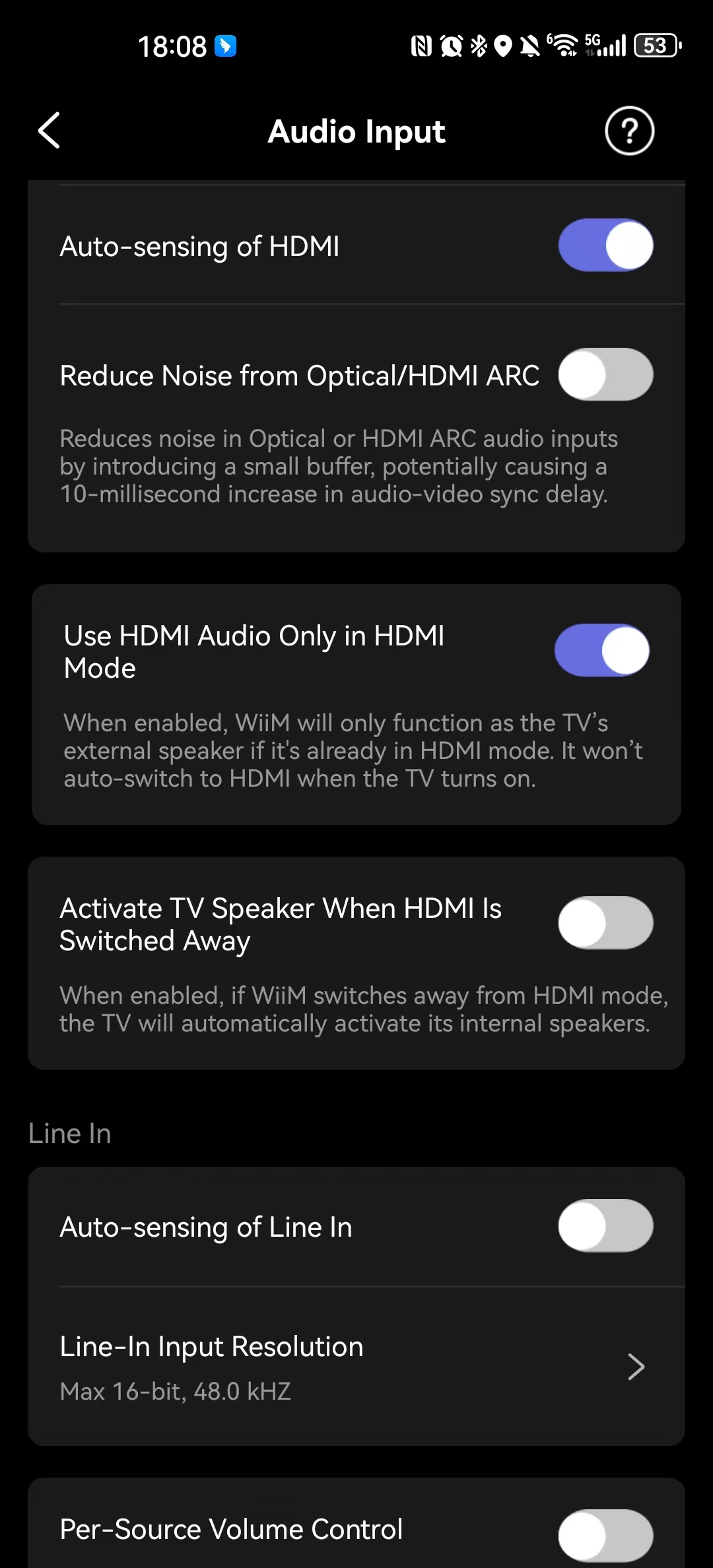
 - Select Audio Input Settings.
- Set "Use HDMI Audio only in HDMI Mode" and "Activate TV Speaker When HDMI Is Switched Away" based on your preferences.Note: The "Activate TV Speaker When HDMI Is Switched Away" setting can be enabled only if the "Use HDMI Audio only in HDMI Mode" setting is enabled.
By understanding the HDMI ARC behaviors and configuration, you can achieve seamless integration of your WiiM device with your TV, enhancing your home entertainment setup.