
TABLE OF CONTENTS
If you are experiencing pairing failures or control issues with your WiiM Voice Remote, WiiM Voice Remote 2, WiiM Voice Remote 2 Lite, or WiiM Bar Remote, please follow the troubleshooting steps below to resolve the issue.
WiiM Voice Remote Troubleshooting
Step 1: Remove Battery and Unplug WiiM Device
- Remove the battery from your WiiM Voice Remote.
- Unplug your WiiM device from the power source.
Step 2: Restart Bluetooth on Mobile Device
- Turn off Bluetooth on your mobile device.
- Wait for a moment, and then turn Bluetooth back on.
Step 3: Reinsert Battery and Plug in WiiM Device
- Reinsert the battery into your WiiM Voice Remote.
- Plug your WiiM device back into the power source.
Step 4: Retry Pairing Process
- Put the WiiM Voice Remote into pairing mode.
- Open the WiiM Home app, and retry pairing.
WiiM Voice Remote 2 (Lite)/WiiM Bar Remote Troubleshooting
Step 1: Check the Remote's Battery Power
Press any button to check the LED indicator. If the LED stays off or flashes red slowly, simply charge the Remote using a Type-C cable.
Step 2: Unplug WiiM Device
Unplug your WiiM device from the power source.
Step 3: Restart Bluetooth on Mobile Device
- Turn off Bluetooth on your mobile device.
- Wait for a moment, and then turn Bluetooth back on.
Step 4: Plug in WiiM Device
Plug your WiiM device back into the power source.
Step 5: Retry Pairing Process
- Put your Remote into pairing mode.
- Open the WiiM Home app, and retry pairing.
Further Assistance
If the steps above didn't resolve the issue, verify the Remote is functioning properly using a mobile device:
- Try pairing the Remote with a mobile device via Bluetooth.
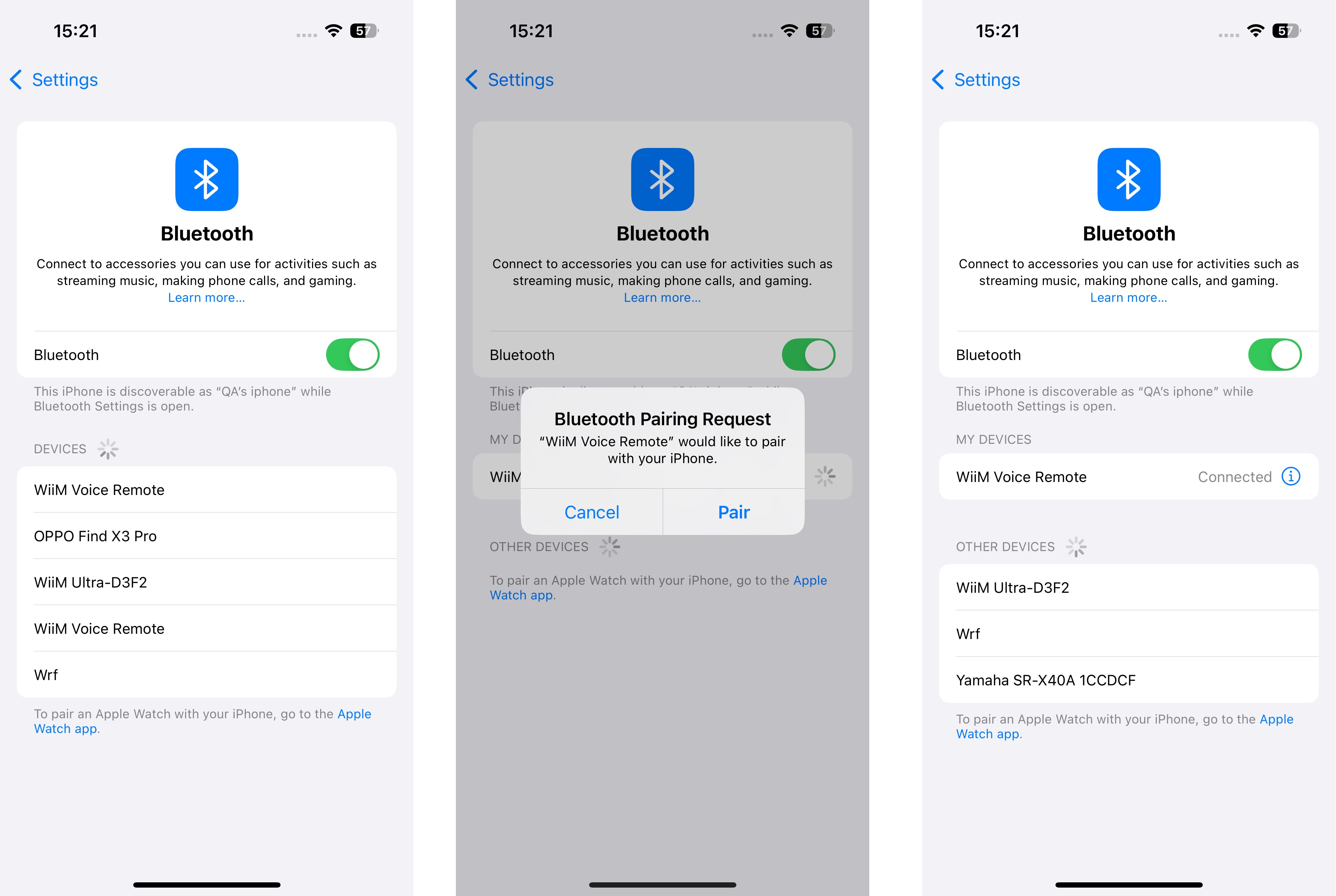
- If pairing fails, contact WiiM Support directly to request an exchange.