
WiiM devices offer a variety of audio outputs, allowing seamless integration with different external audio equipment. Depending on the WiiM model, the available outputs may include:
- Aux Out
- Line Out
- Optical Out
- Coax Out
- Speaker Out
- Headphone Out
- Bluetooth Out
- DLNA Out
However, only one audio output can be selected at a time.
Audio Output Selection
You can choose an audio output via the WiiM Home app or the built-in screen (if available).
Via Now Playing in the WiiM Home App
Open the Now Playing screen, tap the  icon at the bottom, then select an output.
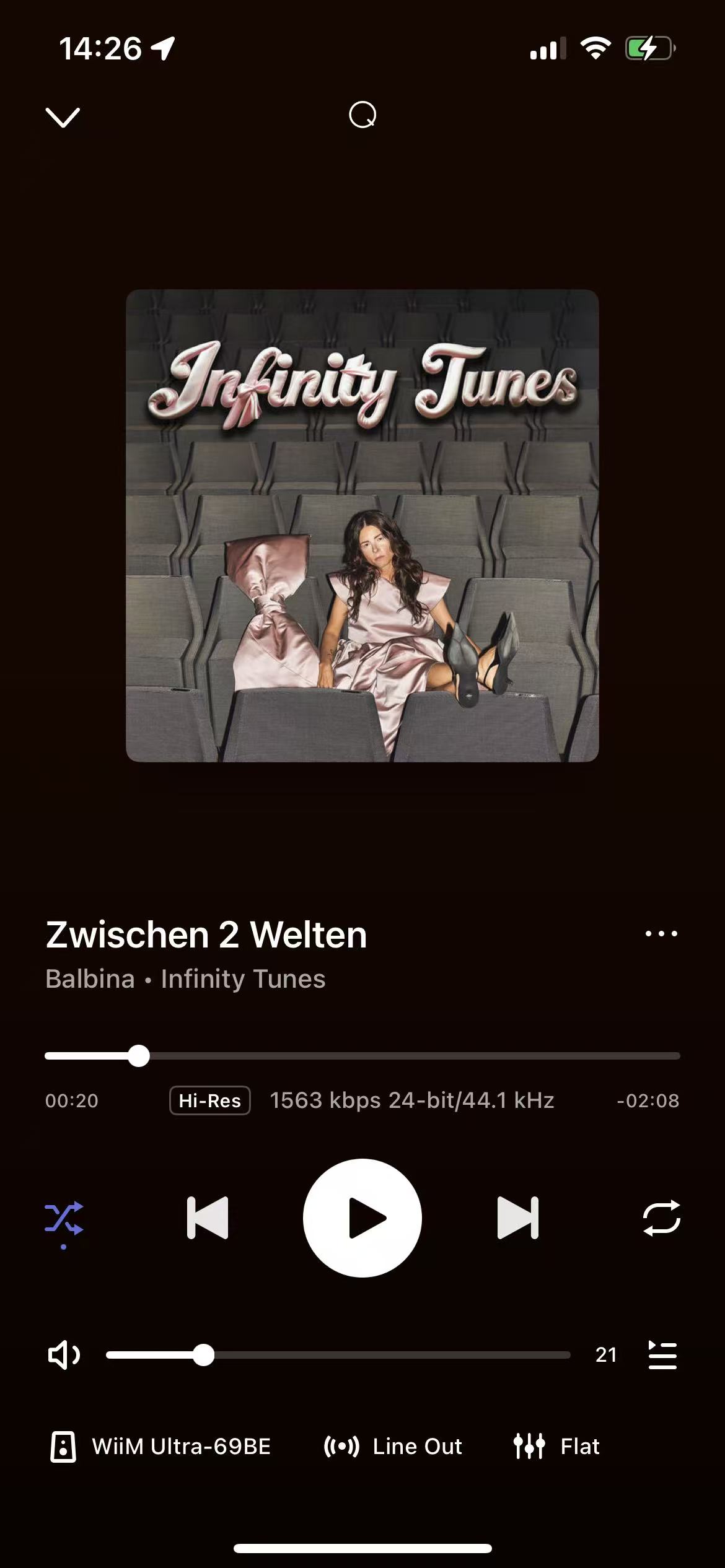
Via Audio Ouput in the WiiM Home App
Navigate to the Devices tab > Device Settings > Audio Output in the WiiM Home app, then select an output.
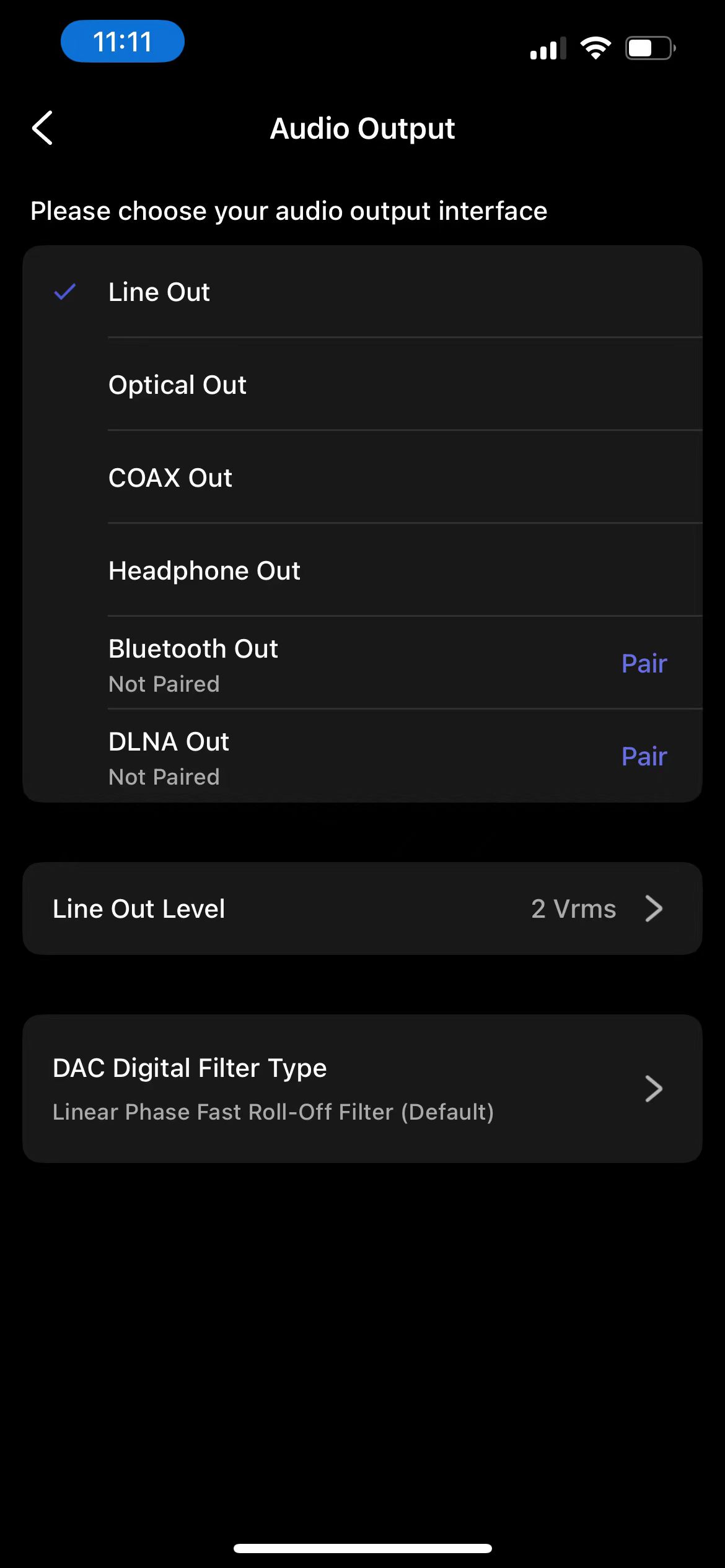
Via the Built-In Screen
Tap the Audio Output option on the built-in screen (if supported), then select an audio output.
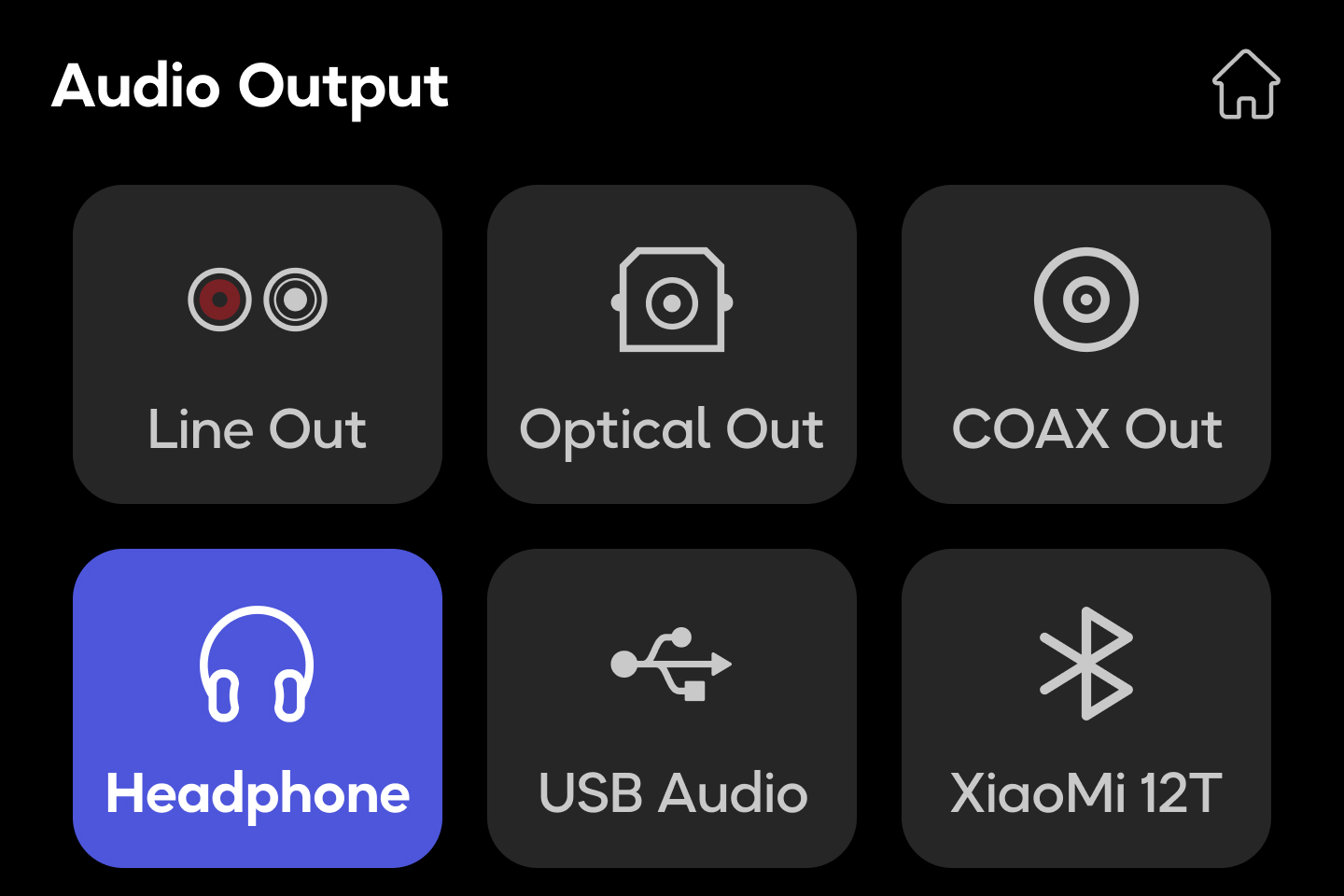
Sub Out
Some WiiM devices (e.g., WiiM Amp, WiiM Amp Pro, WiiM Amp Ultra, and WiiM Ultra) support the Sub Out port, dedicated for connecting a powered subwoofer. The Sub Out port can be used together with a selected audio output except Bluetooth Out, Headphone Out, and DLNA Out.
For details instructions on using Sub Out, refer to the following articles:
How to Connect Your Subwoofer with the WiiM Amp or WiiM Amp Pro