
TABLE OF CONTENTS
Overview
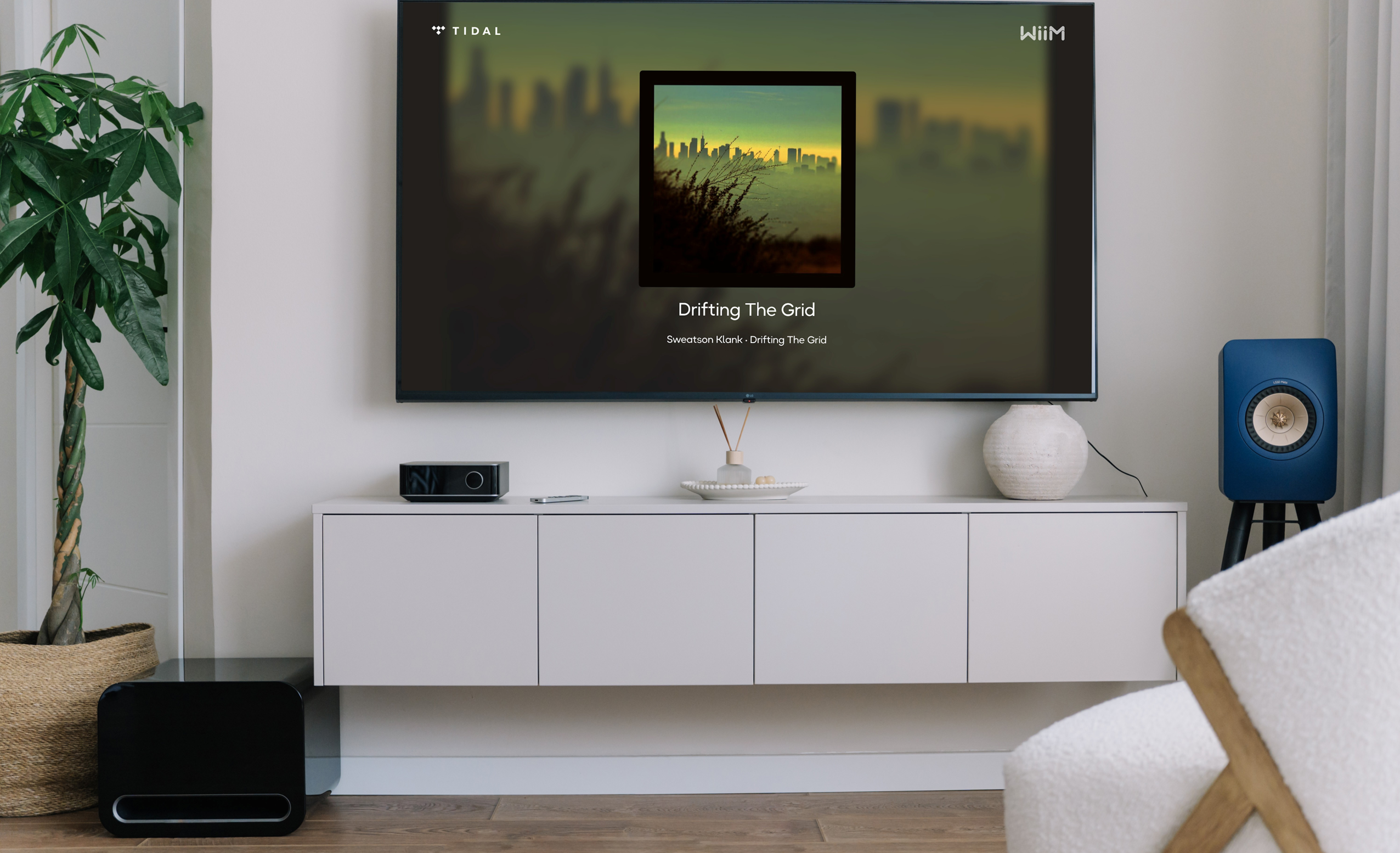
The WiiM Home TV App offers an immersive audio experience by bringing your favorite content directly to your TV. View playback details on your TV and control it with the TV remote—no need to reach for your phone. Whether you’re on the couch, cooking, or hosting friends, enjoy effortless control and clear playback information.
The WiiM Home TV App is available on Google TV, Fire TV, Apple TV, and Android TV.
The new update introduces the Home page, offering quick access to your Presets, Recently Played content, and various radio stations, making it easier to enjoy your favorite content with a single tap.
Key Benefits of WiiM Home TV App
No need to check your phone or tablet—your music playback is visible right from your TV.
Control music playback with the TV remote—no need to reach for your phone.
Displaying album art and upcoming tracks adds visual engagement during gatherings.
Works with all compatible WiiM streamers, streaming amplifiers and speakers, and syncs instantly with your WiiM Home app on your mobile device.
Play your Presets, Recently Played content, and favorite radio stations directly from the Home page for quick access.
How to Connect Your WiiM Device
Before You Begin
- Install the WiiM Home TV app on your Apple TV, Android TV, Fire TV, or Google TV.
- Open the WiiM Home TV app.
- The TV app will automatically connect to a compatible WiiM device on the same network.
Ensure your WiiM device is connected to the same network as your TV.
If you have multiple WiiM devices on the same network, you can select a different device from the Now Playing page.
Explore the WiiM Home TV App
The TV app is divided into three key pages: Home, Now Playing, and Settings.
Home
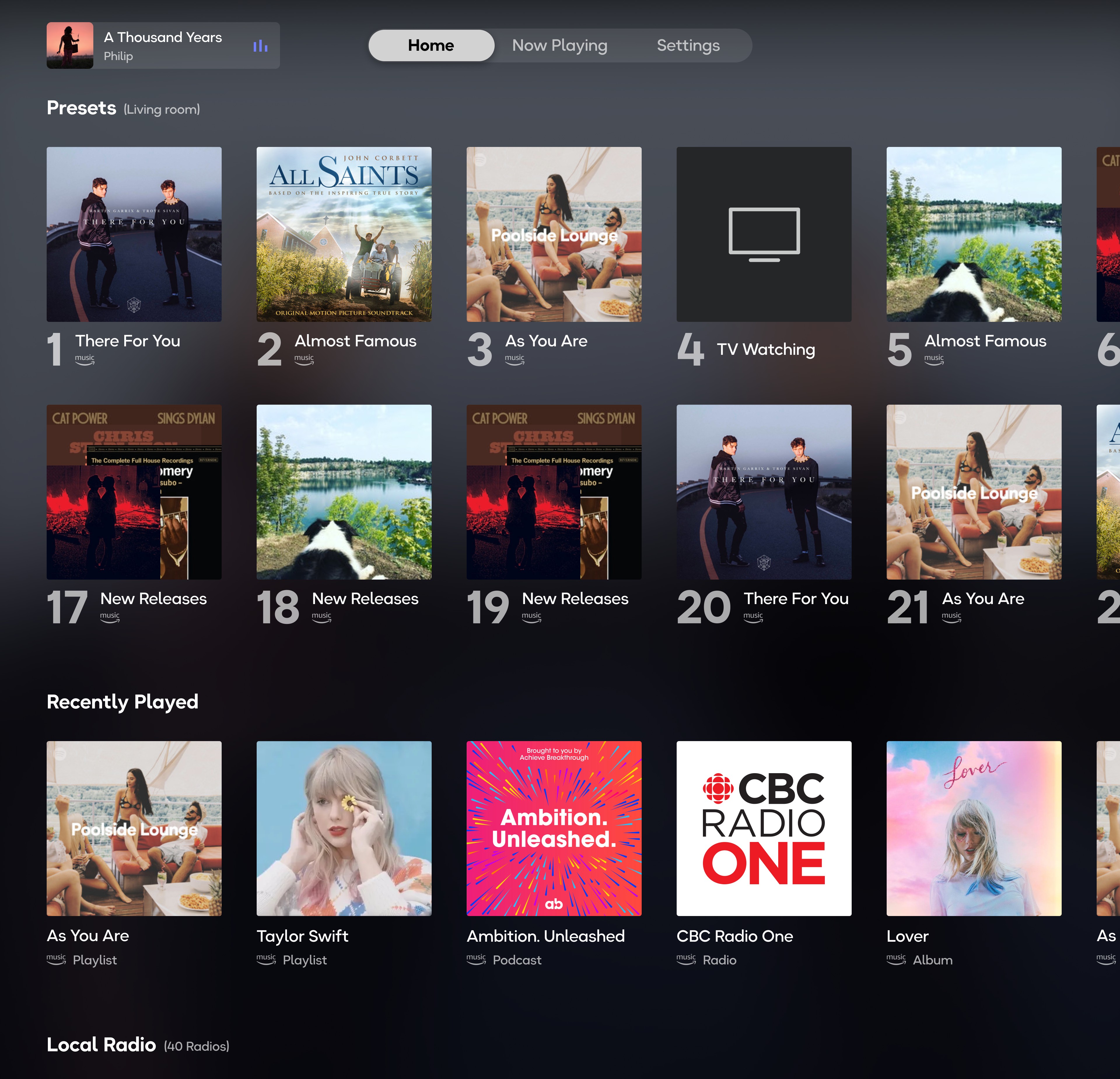
The Home page offers quick access to your favorite music and radio stations, including:
- Presets: Saved stations and playlists for instant playback (up to 32 presets).
- Recently Played: Access your recently played content.
- Local Radio: Explore radio stations in your region.
- Popular Music Stations: Browse trending stations.
- BBC Radio: Selection of broadcasts from BBC Radio.
Now Playing
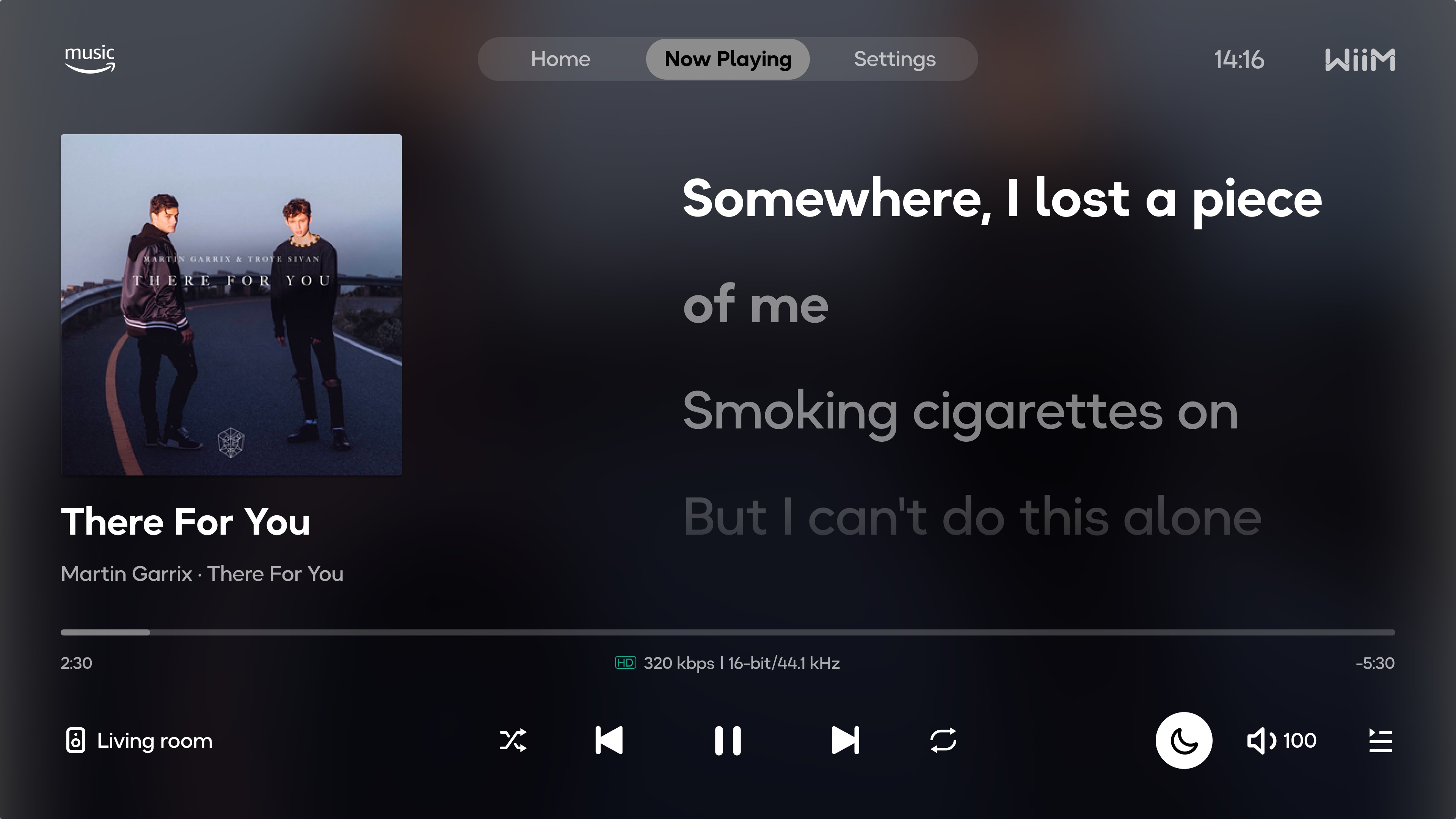
The Now Playing page provides playback control and displays lyrics, song information, and album art.
Playback Control
- Play or pause the music.
- Skip to the previous or next track.
- Toggle shuffle and repeat modes.
- Adjust the volume.
- View playback queue.
- Set Night Mode
 for low light viewing.
 - Click
 to select a different WiiM device to connect.
Display Lyrics
While playing music, the app will automatically fetch and display the lyrics. You can customize the lyrics display and other settings (e.g., the background and player style) in the Settings page.
When lyrics aren't available for the currently playing track, the Now Playing screen now displays a large album cover for a cleaner, more immersive visual experience.
Settings
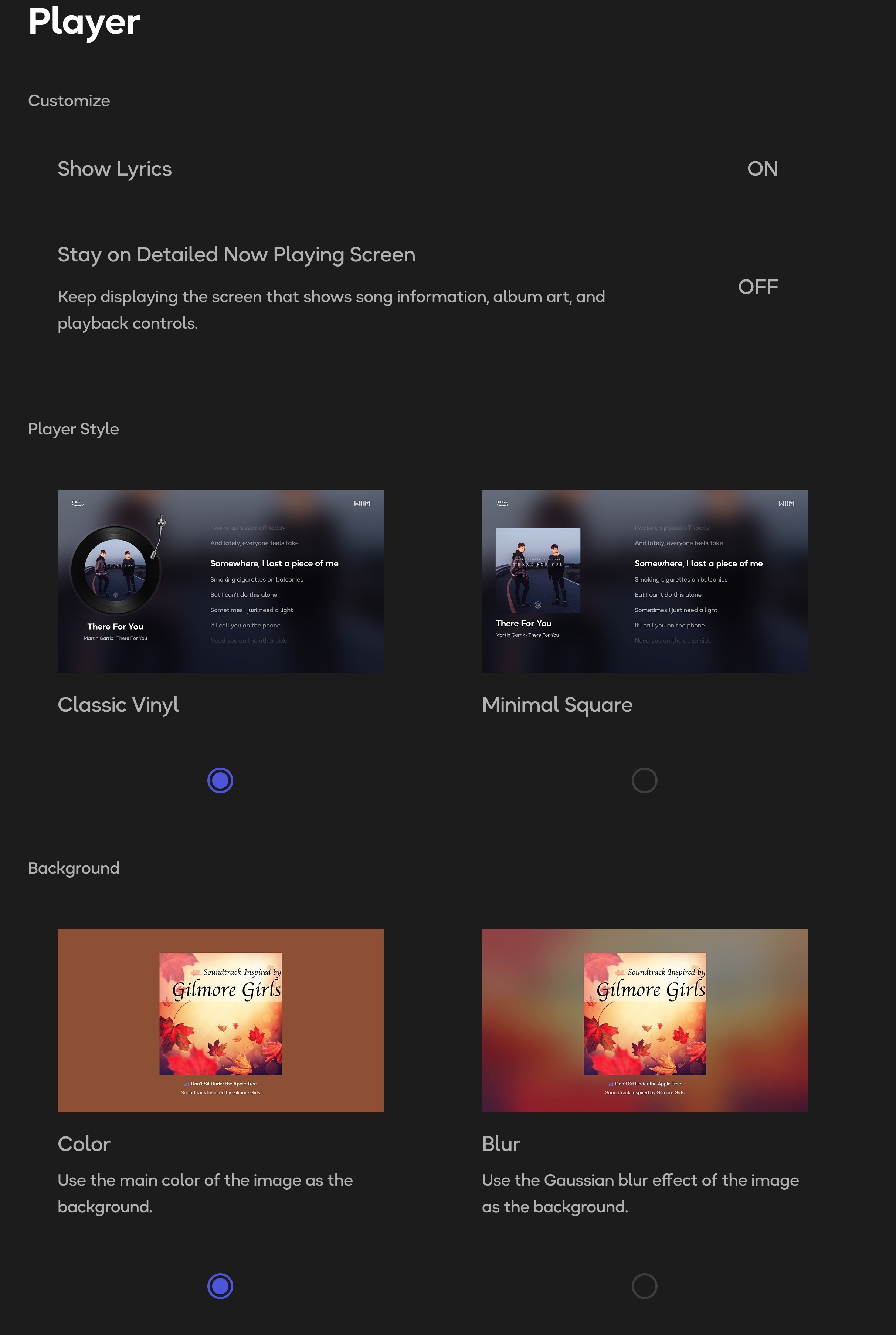
The Settings page lets you customize the Now Playing page to suit your preferences.
- Lyrics Settings: Customize how lyrics are displayed. If "Stay on Detailed Now Playing Screen" is enabled, the lyrics display area will enlarge while the playback control bar will be hidden.
- Player Style: Select different player interface styles to match your taste.
- Playback Background Settings: Change the visual background that appears during playback.
The WiiM Home TV app offers a new way to enjoy your music. Give it a try and see how it transforms your listening experience on the big screen.